GoHighLevel HubSpot Integration: Setup Guide
8 min read · Updated May 2026
Can GoHighLevel integrate with HubSpot natively?
Yes. As of May 2026, GoHighLevel has a native HubSpot integration built directly into the Workflow Builder. It includes an instant trigger when new contacts are created in HubSpot, plus actions to create and find HubSpot contacts from GHL workflows. Authentication is handled via OAuth. No Zapier, Make, or third-party middleware needed.
For years, connecting GoHighLevel and HubSpot meant Zapier, Make, or custom webhooks. Every sync was a workaround. Contacts fell through cracks. Middleware costs added up. And when something broke at 2 AM, good luck figuring out which step in the chain failed.
That just changed. GoHighLevel now has a native HubSpot integration baked directly into the workflow builder. One OAuth connection. Real-time triggers. Direct actions. No middleware.
This isn't a full bidirectional CRM sync yet. It's focused on contact operations, but for the most common use case (HubSpot leads flowing into GHL workflows), it eliminates the single biggest friction point in running both platforms together.
EXTENDED FREE TRIAL
Start with 30 days free, not 14.
Use our partner link to get double the standard 14-day trial.
Start Your Free 30-Day Trial →What the Native Integration Includes
The integration lives inside GoHighLevel's Workflow Builder under the Apps tab. Once connected, you get:
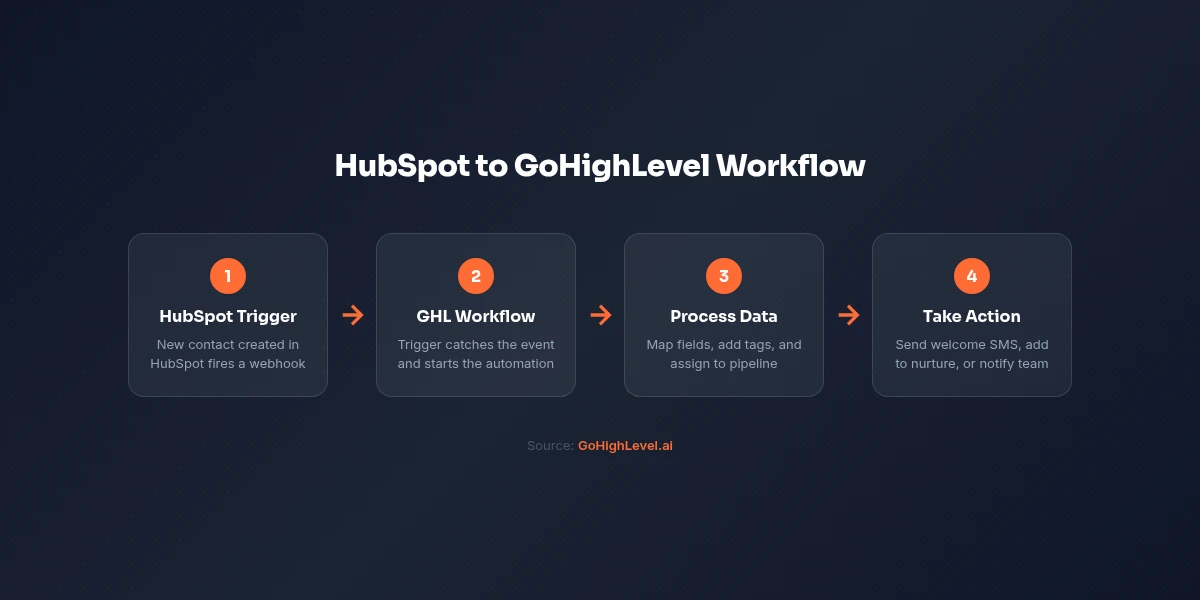
Trigger. New Contact Created: Fires instantly when a new contact is created in HubSpot. Returns the full contact payload including standard properties (first name, last name, email, phone) and custom properties you've defined in HubSpot. This is a real-time trigger, not a polling interval.
Action. Create Contact: Creates a new contact in HubSpot from within a GHL workflow. Supports standard fields (email, first name, last name, phone) and custom properties. Useful for pushing qualified leads back to HubSpot for enterprise-level reporting or handoff to a team that lives in HubSpot.
Action. Find Contact: Looks up a HubSpot contact by Record ID, email address, or filter. This is your deduplication step. Always search before creating to avoid duplicate records.
What's on the roadmap: Deal stage triggers and ticket event triggers are confirmed as coming. When those ship, you'll be able to trigger GHL workflows based on HubSpot deal progression: a massive unlock for revenue-focused automation.
How to Set Up the Connection
Setup takes about five minutes:
Step 1: In GoHighLevel, go to Settings, then Integrations. Locate HubSpot and click Connect. You'll authenticate via OAuth. Sign in to your HubSpot account and authorize the required scopes (Contacts: read/write, Associations).
Alternatively, you can connect inline from any workflow. Add a HubSpot trigger or action, search for "HubSpot" in the Apps tab, and click "Connect Now" on the action card.
Step 2: Once connected, the integration is available across all workflows in that sub-account. You don't need to reconnect for each workflow.
Step 3: Test the connection by creating a test contact in HubSpot and verifying the trigger fires in your GHL workflow.
Practical Workflow Examples
The Inbound Lead Handoff
The most common setup: a new contact enters HubSpot (from a form, a sales rep, or an integration) and you want GHL to handle the follow-up.
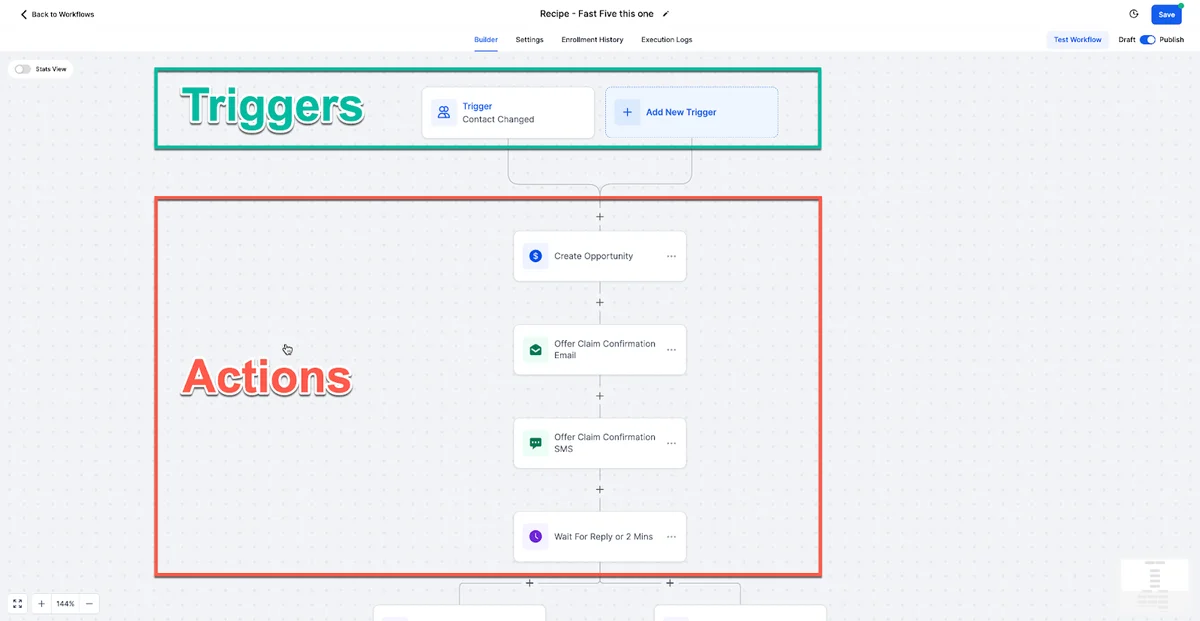
Build this workflow: HubSpot trigger (New Contact Created) → GHL creates or updates the contact locally → Conversation AI sends an immediate SMS → workflow adds the contact to your follow-up pipeline → if the lead books an appointment, GHL creates a contact back in HubSpot with the appointment details.
Result: HubSpot stays your system of record. GHL handles the speed-to-lead response that HubSpot can't do natively (sub-second SMS and AI chat).
The Gradual Migration
If you're testing GoHighLevel before committing to a full switch from HubSpot, the native integration lets you run both platforms in parallel. New HubSpot contacts automatically flow into GHL. Your team can test GHL's automation, AI features, and funnel builders with real leads while HubSpot continues handling everything else.
When you're confident GHL covers what you need, the migration is half done: your contacts are already there.
The Hybrid Agency Setup
Many agencies keep HubSpot for enterprise clients who demand it while using GHL for everything else. The native integration means these aren't isolated systems anymore. A lead that comes in through a GHL funnel can be pushed to a client's HubSpot portal. A lead from a HubSpot form can trigger a GHL Voice AI callback.
Preventing Duplicates
Before every "Create Contact" action, add a "Find Contact" step that searches HubSpot by email. Branch your workflow: if found, update the existing record or skip. If not found, create the new contact. Email is the canonical dedup key in HubSpot, and this two-step pattern prevents the mess that uncontrolled syncing creates.
Start your free 30-day trial through our partner link →
What This Integration Does NOT Do (Yet)
Being honest about limitations saves you setup time and frustration:
- No deal or pipeline sync. You can't trigger GHL workflows based on HubSpot deal stage changes. That's on the roadmap but not live yet.
- No ticket or support sync. HubSpot Service Hub data doesn't flow to GHL natively.
- No company or association sync. The integration handles contacts only, not companies, deals, or custom objects.
- No full bidirectional CRM sync. This isn't HubSpot's Salesforce connector. It's a trigger and two actions for contact operations. More is coming, but today it's scoped to contacts.
- No bulk historical sync. Existing HubSpot contacts don't automatically migrate. The trigger only fires on new contact creation going forward. For historical data, you still need a CSV export/import.
For anything beyond contact operations, Zapier and Make remain valid options. The native integration covers the highest-frequency use case. New lead flow, but it's not a replacement for middleware on complex multi-object workflows.
Native Integration vs Zapier: When to Use Which
Use the native integration when: You need real-time contact sync between HubSpot and GHL. You want to trigger GHL follow-up workflows from HubSpot lead creation. You want to push qualified GHL leads back to HubSpot. The fewer moving parts, the better.
Use Zapier or Make when: You need to sync deals, companies, or tickets. You need multi-step logic that combines HubSpot with other tools beyond GHL. You need to sync custom objects or complex data structures. You need historical data migration beyond contacts.
Cost comparison: The native integration is free. No additional cost beyond your GHL and HubSpot subscriptions. Zapier charges per task, and a busy agency syncing hundreds of contacts daily can easily hit $50-$100/month in Zapier costs. For contact sync alone, native wins on cost every time.
My Take
This is a solid first step, not a finished product. The contact trigger and actions cover the single most important use case. Getting new leads from HubSpot into GHL workflows fast. For agencies running both platforms, that alone justifies the five-minute setup.
But I wouldn't rip out Zapier entirely if you depend on deal or pipeline sync. Wait for the deal stage triggers to ship before making that call.
The strategic play: set up the native integration today for real-time contact flow. Keep Zapier for complex workflows. When GHL ships deal triggers, evaluate whether you can drop middleware entirely.
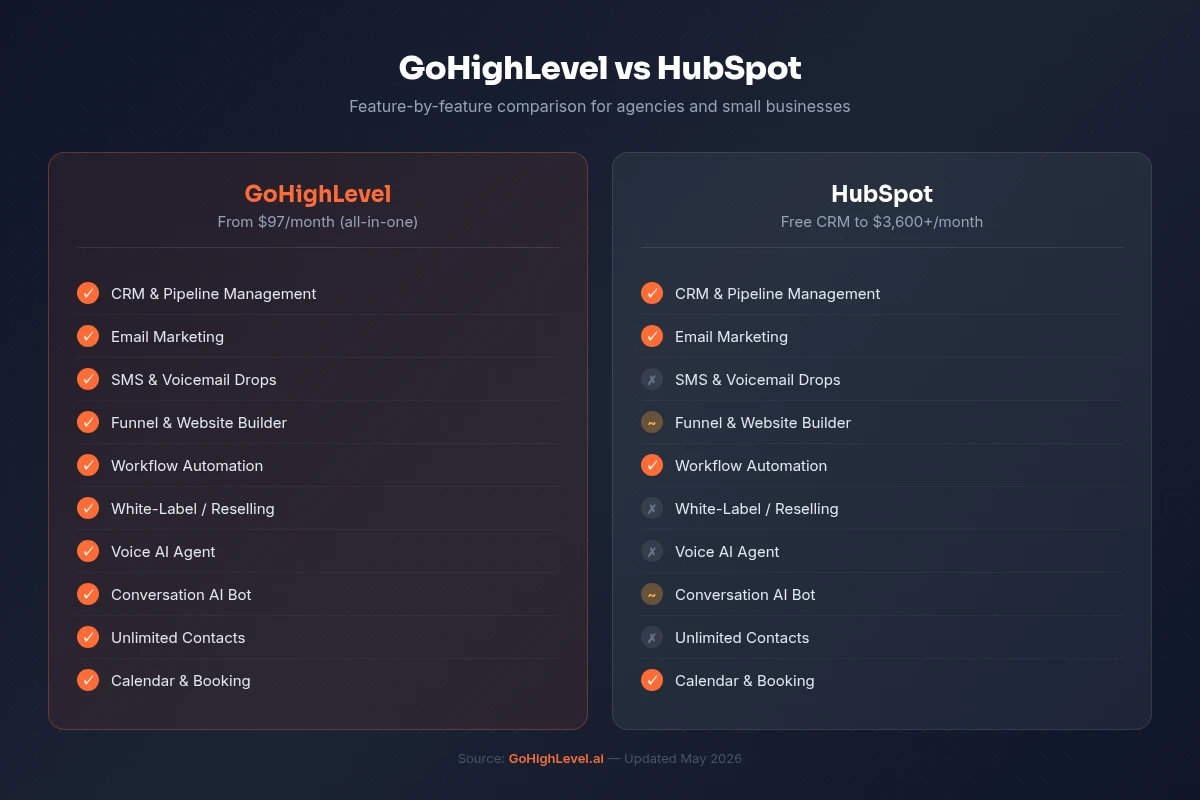
For a full feature comparison between the two platforms, see our GoHighLevel vs HubSpot breakdown. If you're considering a full switch, the HubSpot to GoHighLevel migration guide covers the complete process.
EXTENDED FREE TRIAL
Start with 30 days free, not 14.
Use our partner link to get double the standard 14-day trial.
Start Your Free 30-Day Trial →For setting up Voice AI callback workflows with HubSpot contacts, see our Voice AI 2026 guide. For AI Employee pricing, see the AI Employee guide.
Frequently Asked Questions
Does the GoHighLevel HubSpot integration require Zapier?
Can GoHighLevel sync deals and pipelines with HubSpot?
Is the native HubSpot integration free in GoHighLevel?
Will existing HubSpot contacts sync to GoHighLevel automatically?
Ashley Kemp is a digital entrepreneur and perpetual traveller. Switched from ClickFunnels to GoHighLevel years ago and never looked back. Writing about what actually works.
Was this article helpful?