Whop + GoHighLevel Integration: Setup Guide
26 min read · Updated May 2026
How do I connect Whop with GoHighLevel?
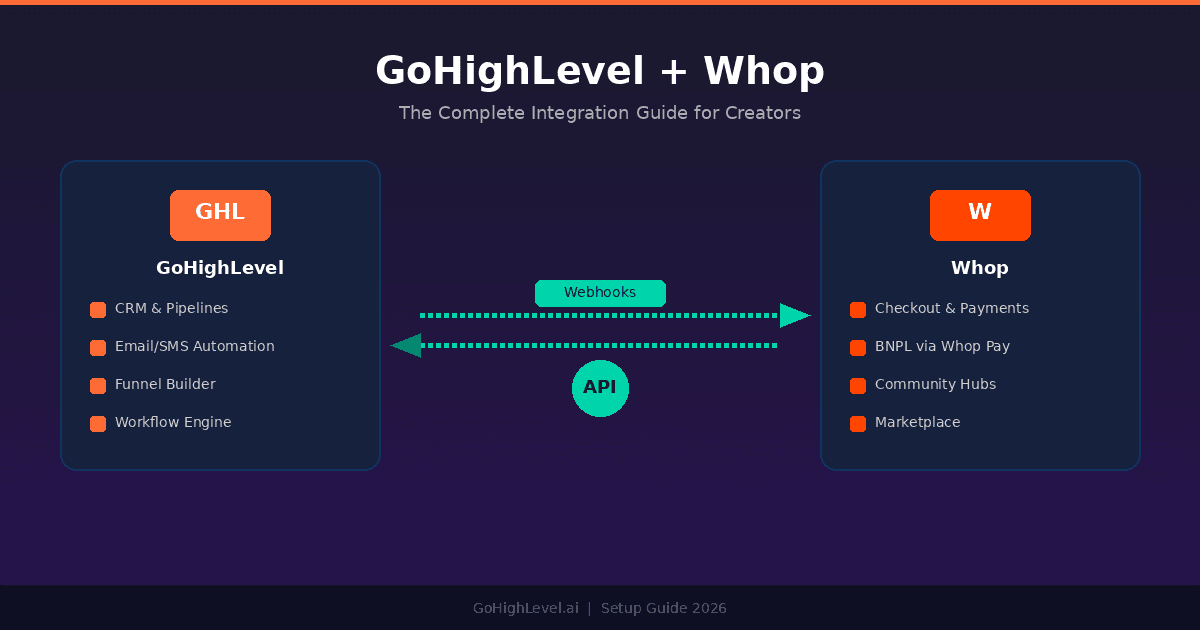
Connect Whop with GoHighLevel using webhooks that trigger GHL workflows when Whop checkout events fire. Whop handles commerce, BNPL payments, and community delivery. GoHighLevel handles marketing automation, CRM, and follow-up sequences. The full setup takes about 30 minutes and requires no third-party tools like Zapier.
TL;DR
- Whop handles selling. GHL handles marketing. Whop manages checkout, BNPL via Whop Pay, and community delivery. GoHighLevel manages funnels, CRM, email/SMS automation, and lead nurturing.
- Webhooks connect them natively. When someone buys on Whop, a webhook fires into a GHL workflow. No Zapier. No middleware. No monthly integration fee.
- The combined stack costs less than most all-in-ones. Whop charges 2.7% + $0.30 per transaction (no monthly fee). GHL starts at $97/month. Together, they cover the full customer lifecycle for under $100/month plus transaction fees.
EXTENDED FREE TRIAL
Start with 30 days free, not 14.
Use our partner link to get double the standard 14-day trial.
Start Your Free 30-Day Trial →Why This Integration Matters
Most creators and agencies hit the same wall: no single platform does everything well.
GoHighLevel is the strongest marketing automation and CRM platform available for agencies and creators. It handles funnels, email sequences, SMS campaigns, calendar booking, reputation management, and workflow automation under one roof. What it does not do well is digital commerce. GHL's native payment processing works for basic transactions, but it was not built for creator economy use cases: courses with community access, BNPL on high-ticket programs, marketplace discovery, or mobile-first product delivery.
Whop fills that gap. It is a creator commerce platform purpose-built for digital products. Checkout, recurring billing, buy-now-pay-later via Whop Pay, community hubs, course hosting, and a built-in marketplace where 27,000+ businesses sell digital products. Whop handles the money and the delivery. But Whop was not built for marketing automation. It has no funnel builder, no multi-channel workflow engine, no CRM with pipeline stages, and no SMS marketing.
The integration thesis is straightforward: let each platform do what it does best.
GoHighLevel drives traffic and nurtures leads. Funnels capture interest. Email and SMS sequences build trust. AI employees qualify prospects. Pipelines track every stage of the customer journey.
Whop converts and delivers. Checkout handles the transaction. Whop Pay offers BNPL for high-ticket items. Hubs deliver the community and course content. The marketplace adds organic discovery.
Webhooks bridge the gap. When a Whop event fires (purchase, refund, subscription change), GHL receives the data and triggers the appropriate automation. No manual data entry. No integration tax.
The result is a stack where the customer experience feels seamless even though two platforms are doing the work.
Info
Editor's Note
I have been using GoHighLevel for over two years and Whop for the last 11 months. I run my digital marketing courses and my SaaS products through this exact stack. The Whop checkout handles commerce + BNPL, the Whop Hub handles community delivery, and GoHighLevel runs every marketing automation, sales pipeline, and customer success workflow around it.
The moment the integration clicked for me was when I realized I was spending hours manually tagging customers in GHL after they purchased through Whop. One webhook setup later, that entire process became automatic.
The combination works because each tool stays in its lane. GHL is overkill for checkout, and Whop is overkill for marketing automation. Together, they cover the full lifecycle without the compromise you get from all-in-one platforms that do everything at 70%.
- Ashley Kemp
What Whop Adds to Your GHL Stack
If you are already running GoHighLevel, adding Whop gives you three capabilities that GHL cannot match natively.
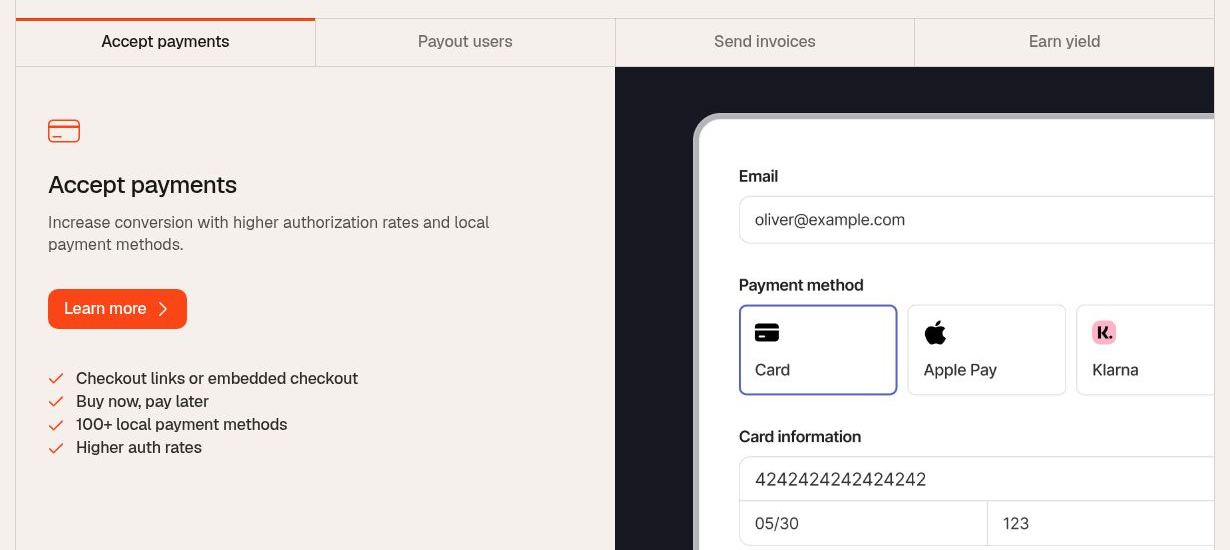
Commerce + BNPL via Whop Pay
Whop's checkout is built for digital products. One-time payments, recurring subscriptions, free trials, and tiered pricing are all native. But the standout feature is Whop Pay: buy-now-pay-later for digital products.
Here is why that matters. A $1,997 coaching program converts at one rate when the checkout page shows "$1,997 today." It converts at a meaningfully higher rate when the same page shows "$499.25/month for 4 months." BNPL removes the single biggest objection on high-ticket digital products: the upfront commitment.
Traditional BNPL providers (Afterpay, Klarna) focus on physical goods. Whop Pay was built specifically for digital products and creators. The installment collection, default handling, and access management are all integrated. If a payment fails, Whop can automatically pause access until the installment clears. You do not need to build that logic yourself.
GHL handles the marketing that gets the prospect to the checkout page. Whop handles everything from the "Buy Now" click forward.
What this looks like in practice:
- GHL funnel captures a lead through a landing page + lead magnet
- GHL email sequence nurtures the lead over 5-7 days
- GHL sends the prospect to a Whop checkout link (with BNPL option visible)
- Whop processes the payment and manages installment collection
- Webhook notifies GHL of the successful purchase
- GHL tags the contact, moves them to the "Customer" pipeline stage, and triggers the onboarding sequence
Communities via Whop Hubs
Whop Hubs is a community platform similar to Skool or Discord, but integrated directly into Whop's commerce layer. Members purchase access through Whop checkout and immediately land in the Hub. No separate login. No access key delivery. No manual onboarding.
The experience is mobile-first via the Whop App. Members access content, community discussion, and live events from a single app. For creators building paid communities, this eliminates the friction of connecting a payment processor to a separate community platform.
Where GHL fits: it drives the traffic that fills the Hub. GHL funnels capture leads, email sequences nurture interest, and SMS campaigns handle event reminders and re-engagement. When a lead converts on Whop, a webhook fires into GHL to update the CRM and trigger the member onboarding workflow.
For creators comparing community platforms: Whop Hubs combines commerce and community in one layer, while Skool keeps them separate (Skool's payment processing is basic by comparison). The tradeoff is that Skool's gamification features (leaderboards, points, levels) are more mature. If gamification drives your retention model, Skool is worth evaluating. If seamless commerce integration matters more, Whop Hubs has the edge.
Marketplace Discovery
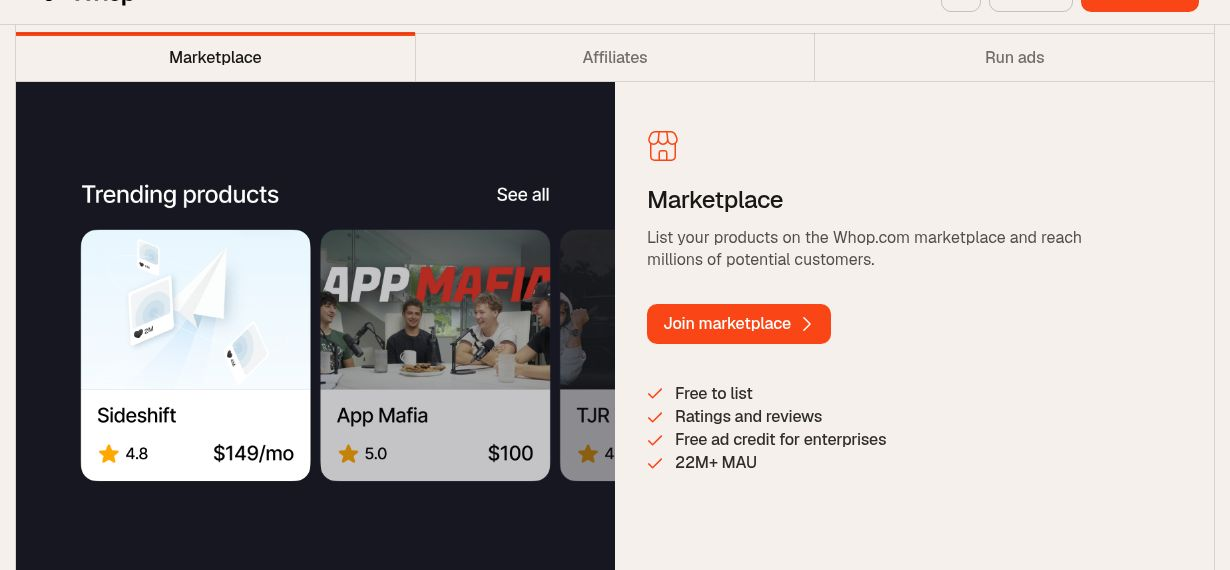
Whop's marketplace is an often-overlooked advantage. Every product listed on Whop is discoverable through the Whop marketplace, where other creators and affiliates can find and promote your product. This creates an organic traffic channel that exists entirely outside your GHL marketing.
The affiliate infrastructure runs on Whop's platform. Affiliates apply to promote your product, Whop tracks the referrals, and Whop handles the affiliate payouts. You do not need to build an affiliate program from scratch or manage it through GHL.
This means your GHL marketing drives direct traffic, and Whop's marketplace drives affiliate and discovery traffic. Two independent acquisition channels feeding the same product.
Start your free 30-day trial through our partner link →
Use Case 1: Selling a Course
Scenario: You have a course you want to sell. GHL drives traffic via funnels and email. Whop handles checkout, delivery, and community.
The Setup
Step 1: Create your course in Whop. Upload your content, organize it into modules, and set pricing. Enable Whop Pay if you want to offer installment options. Add a community Hub where students can discuss the material and get support.
Step 2: Build a GHL funnel. Create a landing page for the course with a lead magnet (free mini-course, PDF guide, or video training). The funnel captures email and phone number. Design a thank-you page that introduces the full course and links to the Whop checkout.
Step 3: Set up the GHL nurture sequence. Build a 5-7 email sequence that delivers value and builds toward the course offer. Include SMS touchpoints for higher engagement (SMS open rates are 98% vs email's 20%). Each email links to the Whop checkout page when the CTA fires.
Step 4: Configure the Whop webhook. In your Whop product settings, set up a webhook that fires on "purchase complete." Point it at your GHL incoming webhook URL.
Step 5: Build the GHL post-purchase workflow. When the webhook fires:
- Tag the contact as "Course Student - [Course Name]"
- Move the contact to the "Active Student" pipeline stage
- Trigger the onboarding email sequence (welcome email, course access instructions, community guidelines)
- Send a welcome SMS with the direct link to the Whop Hub
- Remove the contact from the sales nurture sequence (stop selling to someone who already bought)
Step 6: Ongoing automation. Use GHL to send weekly engagement emails (lesson reminders, community highlights, live session announcements). Whop handles the actual content delivery and community moderation.
Why This Works Better Than a Single Platform
A platform like Kajabi or Teachable handles both course hosting and basic marketing. But their marketing tools are shallow compared to GHL. No pipeline CRM. No native SMS. No multi-channel workflow automation. No AI employees for lead qualification.
The Whop + GHL stack gives you enterprise-grade marketing automation connected to a purpose-built commerce and delivery platform. The tradeoff is complexity: two platforms to manage instead of one. But the capabilities gap between a single all-in-one and this stack is significant.
Use Case 2: Membership Community
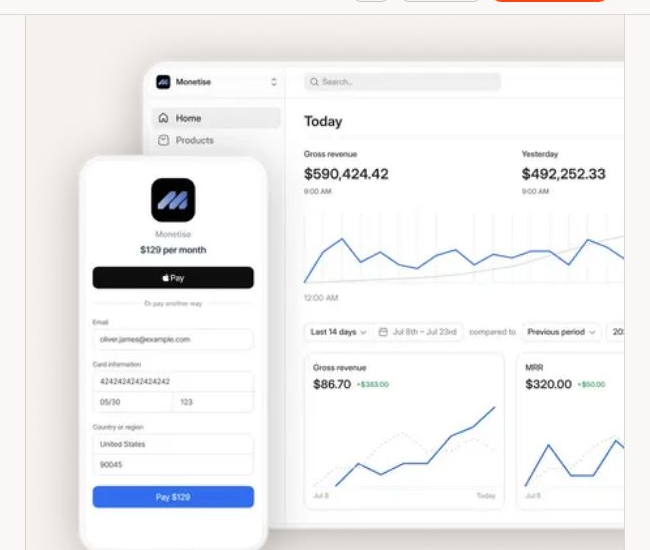
Scenario: You run a paid community (coaching group, mastermind, accountability program). Whop Hubs hosts the community and content. GHL handles member acquisition and retention automation.
The Setup
Step 1: Create your Hub on Whop. Set the pricing (monthly recurring is most common for communities). Structure the Hub with channels for general discussion, resources, announcements, and topic-specific conversations. Add a content library for recordings, templates, and guides.
Step 2: Build GHL acquisition automation. Create a funnel for your community with a free trial or low-cost entry point. Build a GHL calendar booking system for discovery calls if your community is high-ticket.
Step 3: Configure webhooks for lifecycle events. Set up Whop webhooks for:
membership.went_valid- new member joinedmembership.went_invalid- member cancelled or payment failedpayment.succeeded- renewal processedpayment.failed- renewal failed
Step 4: Build GHL workflows for each event.
New member workflow:
- Tag as "Community Member - Active"
- Add to "Members" pipeline at "Onboarding" stage
- Trigger welcome email sequence (3 emails over first week)
- Send welcome SMS with Hub access link
- Add to weekly engagement email list
Cancellation workflow:
- Move pipeline stage to "At Risk"
- Trigger retention email sequence (3 emails over 7 days)
- Send personal SMS from your number asking for feedback
- If no reactivation after 14 days, move to "Churned" and add to win-back sequence
Payment failed workflow:
- Send immediate SMS: "Hey [Name], your payment for [Community] did not go through. Update your card here: [link]"
- Trigger 3-email dunning sequence
- After 72 hours without resolution, escalate to manual follow-up task in GHL
Step 5: Track engagement through GHL pipelines. Use pipeline stages to track member health: Onboarding, Active, Engaged, At Risk, Churned. Manually or automatically update stages based on activity patterns (Whop can send activity webhooks that GHL can process).
The Retention Advantage
Most community platforms have basic email notifications. GHL gives you multi-channel retention automation: email sequences, SMS campaigns, voicemail drops, and even AI-powered conversation follow-ups. When a member shows signs of disengaging (Whop activity drops, payment fails, no event attendance), GHL's workflow engine can intervene across multiple channels automatically.
This is the difference between a community that passively loses members and one that actively retains them.
Use Case 3: High-Ticket with BNPL
Scenario: You sell a $1,497-$2,997 program (coaching, consulting, or mastermind). Whop Pay's BNPL increases conversion by removing the upfront cost barrier. GHL handles the funnel, qualification, and close.
The Setup
Step 1: Set up Whop checkout with Whop Pay enabled. Configure the product at full price with installment options (4-pay, 6-pay, or custom). Whop Pay handles the installment collection, default management, and access gating tied to payment status.
Step 2: Build the GHL qualification funnel. High-ticket programs need qualification. Build a funnel with:
- Landing page explaining the program and outcome
- Application form (GHL form or survey)
- Calendar booking for strategy/sales call
- Post-call follow-up automation
Step 3: Close the sale. After the sales call, send the prospect a Whop checkout link via GHL SMS or email. The checkout page shows both full-pay and BNPL options. The prospect chooses their preferred payment structure.
Step 4: Configure post-purchase automation. The Whop webhook fires when payment completes. GHL:
- Tags the contact with program name and payment type (full-pay vs BNPL)
- Moves pipeline stage to "Enrolled"
- Triggers onboarding sequence
- Sets up recurring check-in automations at key program milestones
- If BNPL: sets a custom field with remaining installments for tracking
Step 5: Handle payment failures. BNPL introduces a risk that full-pay does not: missed installments. Configure a dedicated GHL workflow:
- Whop sends a webhook when an installment fails
- GHL immediately sends an SMS (personal tone, not automated-sounding)
- Email with payment update link follows 2 hours later
- If unresolved after 48 hours, a GHL task is created for manual outreach
- After 7 days, Whop automatically pauses access (configured in Whop settings)
The BNPL Conversion Math
Consider a $1,997 coaching program. Without BNPL, your checkout page converts at (hypothetically) 3% of visitors. With a 4-pay option of $499.25/month, conversion rates on high-ticket digital products typically increase 20-40%. On 1,000 checkout page visitors, that is the difference between 30 sales ($59,910 revenue) and 40-42 sales ($79,880-$83,874).
The tradeoff: BNPL introduces delinquency risk. Typically 5-15% of installment plans experience at least one missed payment. Whop handles the collection, but some percentage will default entirely. Factor a 3-8% default rate into your pricing when offering BNPL on programs over $1,000.
The honest take: BNPL works best on products with ongoing delivery (communities, coaching programs) where you can gate access based on payment status. It works less well on one-time deliverables (e-books, template packs) where the customer receives full value immediately.
Technical Setup: Webhooks and Workflows
This section covers the actual configuration. No generic overviews. Specific fields, specific settings.
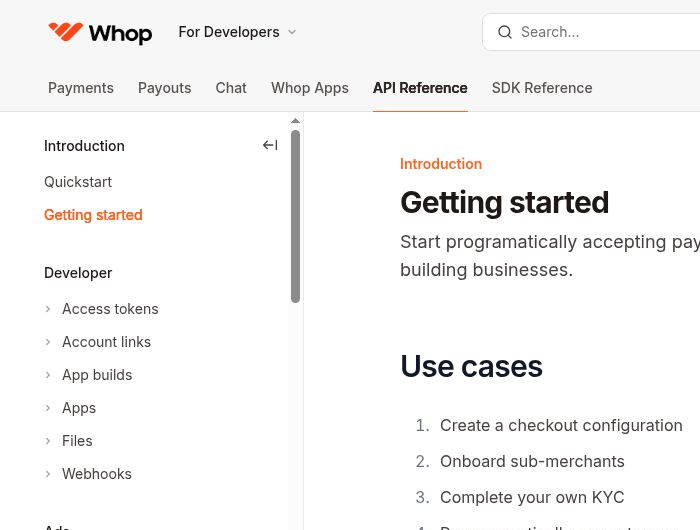
Part A: Setting Up Whop Webhooks
Whop's webhook system sends HTTP POST requests to your specified endpoint when events occur. Here are the key events:
| Event | When It Fires | Use Case |
|---|---|---|
membership.went_valid | New purchase or reactivation | Welcome sequence, CRM update |
membership.went_invalid | Cancellation or payment failure | Retention sequence, access revocation |
payment.succeeded | Successful payment (initial or renewal) | Revenue tracking, renewal confirmation |
payment.failed | Failed payment attempt | Dunning sequence, payment update request |
To configure:
- Log in to your Whop dashboard
- Navigate to your product's settings, then Developer settings
- Click "Webhooks" and then "Add Endpoint"
- Paste your GHL webhook URL (from the next section)
- Select the events you want to receive
- Save and note the webhook signing secret (you will need this for verification)
Part B: Setting Up the GHL Receiving Workflow
- In GHL, go to Automation > Workflows > Create Workflow
- Choose "Start from Scratch"
- Add trigger: Inbound Webhook
- GHL generates a unique webhook URL. Copy this URL.
- Paste this URL into Whop's webhook endpoint configuration (Part A, step 4)
Part C: Mapping Whop Data to GHL Fields
When Whop sends a webhook, the payload includes customer data. You need to map these fields to GHL custom fields.
Create these custom fields in GHL first:
| GHL Custom Field | Whop Payload Field | Type |
|---|---|---|
| Whop Customer Email | data.email | |
| Whop Product Name | data.product.name | Text |
| Whop Payment Amount | data.amount | Number |
| Whop Payment Status | data.status | Text |
| Whop Membership ID | data.membership_id | Text |
| Whop Payment Type | data.payment_type | Text |
In the GHL workflow, after the webhook trigger:
- Add a Create/Update Contact action
- Map email from the webhook payload
- Map first name and last name if available
- Set custom field values from the payload
- Apply tags based on the event type
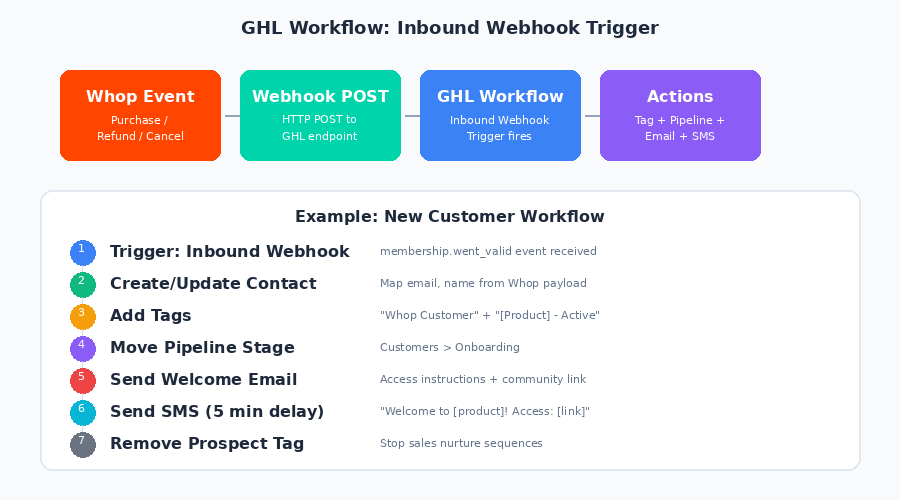
Part D: Workflow Patterns
Here are four complete workflow patterns you can replicate:
New Customer Workflow:
Trigger: Inbound Webhook (membership.went_valid)
  -> Create/Update Contact (email, name from payload)
  -> Add Tag: "Whop Customer"
  -> Add Tag: "[Product Name] - Active"
  -> Move to Pipeline: "Customers" > Stage: "Onboarding"
  -> Send Email: Welcome + access instructions
  -> Wait 5 minutes
  -> Send SMS: "Welcome to [product]! Here's your access: [link]"
  -> Remove Tag: "Prospect" (stop sales sequences)
  -> Add to Workflow: "Customer Onboarding Sequence"
Refund Workflow:
Trigger: Inbound Webhook (membership.went_invalid, reason: refund)
  -> Update Contact Tags: Remove "Active", Add "Refunded"
  -> Move Pipeline Stage: "Churned - Refund"
  -> Send Internal Notification to team
  -> Wait 24 hours
  -> Send Email: Feedback request
  -> Add to Workflow: "Win-Back Sequence" (delayed 30 days)
Renewal Success Workflow:
Trigger: Inbound Webhook (payment.succeeded, type: renewal)
  -> Update Custom Field: "Last Payment Date"
  -> Send Email: Renewal confirmation + engagement prompt
  -> If payment count > 3: Add Tag "Loyal Member"
Failed Payment Workflow:
Trigger: Inbound Webhook (payment.failed)
  -> Add Tag: "Payment Failed"
  -> Send SMS: Personal message with payment update link
  -> Wait 2 hours
  -> Send Email: Payment failed notification
  -> Wait 48 hours
  -> If tag "Payment Failed" still active:
    -> Create Manual Task: "Call [Name] about failed payment"
  -> Wait 5 days
  -> If tag "Payment Failed" still active:
    -> Send Final Email: Account at risk of suspension
Pricing: What This Stack Costs
Understanding the actual cost requires knowing both platforms' pricing models.
Whop Pricing
Whop uses a transaction-fee model with no monthly subscription:
- Platform fee: 2.7% + $0.30 per transaction on all sales
- Card processing (domestic): 2.9% + $0.30 per transaction (industry standard)
- Card processing (international): 3.9% + $0.30 per transaction
- Marketplace referral fee: 30% on sales driven through Whop's marketplace (only applies to marketplace-sourced sales, not your direct traffic)
- Monthly fee: $0. Free to start, free to list, free to sell.
GoHighLevel Pricing
- Starter: $97/month (using gohighlevel.com/ash for 30-day extended trial)
- Unlimited: $297/month (unlimited sub-accounts)
- SaaS Pro: $497/month (white-label + SaaS Mode)
- Annual billing saves approximately 20% on all plans
Combined Stack Estimates
| Creator Stage | Whop Cost | GHL Cost | Total Fixed | Variable |
|---|---|---|---|---|
| Just starting | $0/month | $97/month | $97/month | 5.9% + $0.30/sale |
| Growing (500 customers) | $0/month | $97/month | $97/month | 5.9% + $0.30/sale |
| Scaling (agency) | $0/month | $297/month | $297/month | 5.9% + $0.30/sale |
| SaaS reselling | $0/month | $497/month | $497/month | 5.9% + $0.30/sale |
Compare to all-in-one alternatives:
- Kajabi: $149-$399/month + limited marketing automation
- Teachable + ActiveCampaign + Twilio: $300-$600/month
- ClickFunnels + Stripe + community platform: $250-$500/month
The Whop + GHL stack is price-competitive with most alternatives while offering stronger capabilities in both commerce and marketing automation.
Use the total cost calculator to model your specific scenario.
Start your free 30-day trial through our partner link →
👍 GHL + Whop Stack Pros
- ✓Best-in-class commerce (Whop) paired with best-in-class marketing automation (GHL) - no compromise on either
- ✓BNPL via Whop Pay increases high-ticket conversion by 20-40% without third-party payment providers
- ✓Mobile-first community experience via Whop App with commerce built in
- ✓Whop marketplace adds an organic discovery channel independent of your GHL marketing
- ✓Both platforms have affiliate programs - revenue stacking opportunity for creators who promote both
👎 Cons
- ✗Two platforms to learn and maintain - steeper learning curve than a single all-in-one
- ✗Webhook setup requires basic technical comfort (not complex, but not zero-config either)
- ✗Some feature overlap: both platforms have basic email tools, which can create confusion about where to manage communications
- ✗Combined transaction fees (2.7% + $0.30 Whop) are higher than Stripe-only setups at scale
Common Issues and Troubleshooting
These are the problems you are most likely to hit, with specific solutions.
Webhooks Not Firing in GHL
Symptom: You make a test purchase on Whop, but the GHL workflow does not trigger.
Fix: Check three things in order:
- In Whop, verify the webhook endpoint URL matches your GHL inbound webhook URL exactly (trailing slashes matter)
- In Whop's webhook logs, check if the event was sent and what response code it received
- In GHL, confirm the workflow is published (not draft) and the inbound webhook trigger is active
Duplicate Contacts Created
Symptom: Each Whop purchase creates a new contact in GHL instead of updating the existing one.
Fix: In the GHL workflow, use the "Create/Update Contact" action (not "Create Contact"). Set the matching field to email address. GHL will update the existing contact if the email matches, or create a new one if it does not.
Custom Fields Not Mapping
Symptom: The webhook fires and the contact is created, but custom field values are empty.
Fix: Whop's webhook payload uses nested JSON. The email might be at data.email or data.customer.email depending on the event type. Use GHL's webhook test feature to inspect the actual payload structure, then map fields accordingly. Do not guess the field paths.
BNPL Installment Failures Creating Automation Loops
Symptom: A customer's BNPL payment fails, triggering your dunning sequence. They update their card and the payment succeeds, but then the next month's installment fails again, triggering the same sequence repeatedly.
Fix: Add a condition to your failed payment workflow: check if the "Payment Failed" tag was applied in the last 30 days. If yes, skip the full dunning sequence and send only a brief "payment issue" notification. This prevents automation fatigue from recurring payment issues.
Subscription State Mismatches
Symptom: A customer cancelled on Whop, but GHL still shows them as "Active" and keeps sending member-only content.
Fix: Ensure you have webhooks configured for both membership.went_valid AND membership.went_invalid. The most common mistake is setting up the purchase webhook but forgetting the cancellation webhook. Both are required for accurate lifecycle tracking.
Refund Automation Conflicts
Symptom: A customer requests a refund on Whop, but GHL's automation has already sent the full onboarding sequence.
Fix: Add a time delay to your post-purchase GHL workflow. Instead of sending all onboarding emails immediately, drip them over 24-48 hours. This gives you a window to process refunds before the customer has received the full onboarding. In the refund workflow, include a step that removes the customer from the onboarding sequence.
Webhook Security Concerns
Symptom: You want to ensure only legitimate Whop events trigger your GHL workflows.
Fix: Whop includes a signature header with each webhook request. While GHL's inbound webhook does not natively verify signatures, you can add a filter condition in your workflow that checks for a specific custom header value or use a middleware endpoint (like a simple serverless function) that verifies the Whop signature before forwarding to GHL.
Frequently Asked Questions
Can I use Whop without GoHighLevel?
Do I need Zapier to connect Whop and GoHighLevel?
Does Whop Pay BNPL work for recurring subscriptions or only one-time purchases?
What is the difference between Whop Hubs and Skool?
Can I host courses on Whop or do I need a separate LMS?
How do BNPL payments affect my cash flow?
What happens if a customer's BNPL payment fails on Whop?
Can I sell physical products through Whop?
How does Whop's marketplace differ from running my own affiliate program?
Is Whop a good fit for agencies running multiple client products?
Can GHL sub-accounts work with separate Whop accounts?
What if I am already using Stripe directly with GHL - should I switch to Whop?
Try the GHL + Whop Stack
GoHighLevel and Whop together cover the full creator business lifecycle: from first touch to long-term customer. GHL drives the marketing engine. Whop handles the commerce and delivery.
Start with GoHighLevel: Get a 30-day extended free trial (standard trial is 14 days, this link extends it to 30). Build your funnels, set up your CRM, and configure your workflows.
Then add Whop: Sign up for free on Whop. List your product, configure checkout, and enable Whop Pay for BNPL. Connect the webhook to GHL. The integration setup takes about 30 minutes.
The combined stack costs less than most single all-in-one platforms while delivering stronger capabilities on both the marketing and commerce sides. The only question is whether your business has reached the point where the two-platform approach is worth the additional setup time.
For most creators selling courses, communities, or coaching above $100/month, the answer is yes.
Read our full GoHighLevel review for a deep dive on the platform. Compare it to alternatives in our GoHighLevel alternatives guide. And if you are building a coaching business specifically, see our GoHighLevel for coaches setup guide.
FREE TRIAL
Get 30 Days Free With Our Partner Link
- ✓Full access for 30 days
- ✓No charge during the trial
- ✓Cancel any time
Join 2.2 million businesses already running on GoHighLevel
Ashley Kemp is a digital entrepreneur and perpetual traveller. Switched from ClickFunnels to GoHighLevel years ago and never looked back. Writing about what actually works.
Was this article helpful?