GoHighLevel Conversation AI: Complete Setup Guide (2026)
9 min read · Updated April 2026
What is GoHighLevel Conversation AI?
GoHighLevel Conversation AI is an GoHighLevel automations messaging system that responds to leads across SMS, email, web chat, Facebook Messenger, Instagram DM, and Google Business Messages. It uses your business context and training data to answer questions, qualify leads, and book appointments automatically. It costs approximately $0.01-0.03 per AI response.
What is Conversation AI?
Conversation AI is GoHighLevel's automated messaging system. When a lead sends a message through any connected channel, the AI reads the message, understands the intent, and generates an appropriate response using your business information.
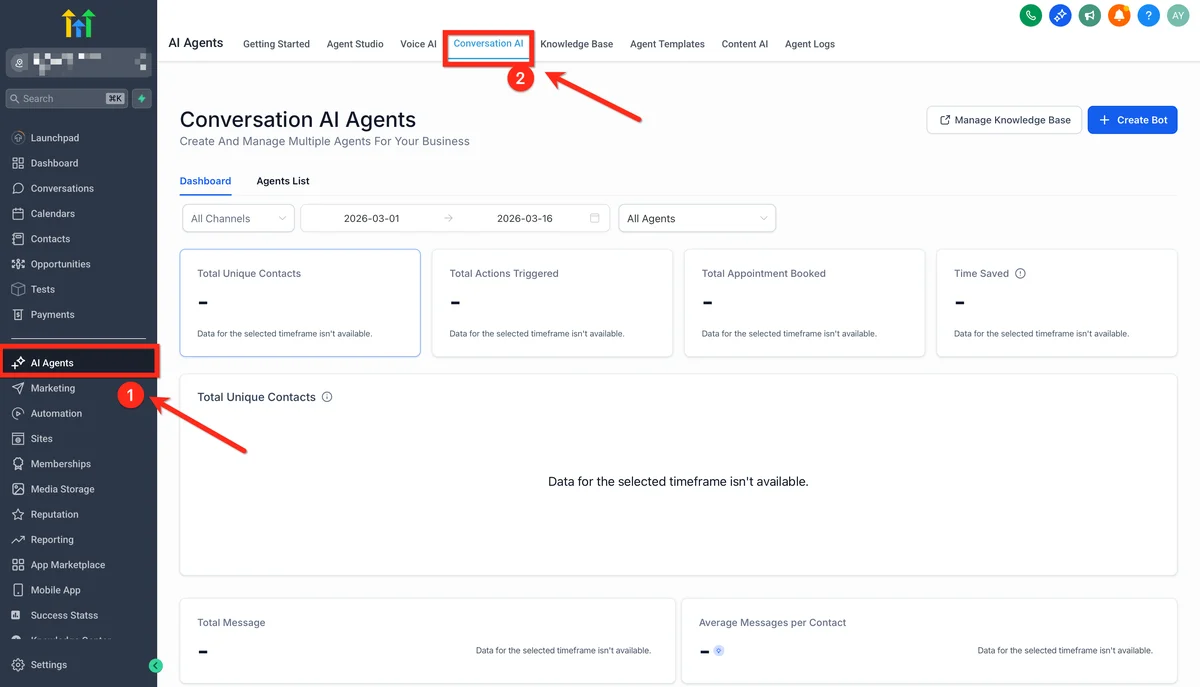
The core value is speed. Research consistently shows that responding to leads within five minutes dramatically improves conversion rates. Conversation AI responds in seconds, 24 hours a day, across every channel simultaneously.
For an overview of all GoHighLevel AI capabilities, see our AI features guide. For the platform in general, read our full review.
How Conversation AI works
The conversation flow
- A lead sends a message (SMS, email, web chat, social media, or Google Business)
- GoHighLevel receives the message and triggers the Conversation AI
- The AI analyses the message content, conversation history, and your training data
- It generates a response that matches your business context and communication style
- The response is sent back through the same channel
- If the AI detects a need for human intervention, it escalates according to your rules
What makes it different from a basic chatbot
Traditional chatbots use decision trees: if the user says X, respond with Y. They break down quickly when users ask unexpected questions or phrase things differently than expected.
Conversation AI uses large language models trained on your specific business data. It understands context, handles varied phrasing, and generates unique responses for each conversation. It can also remember previous messages in the conversation thread and respond accordingly.
Setting up Conversation AI step by step
Step 1: Enable Conversation AI
Navigate to Settings, then AI, then Conversation AI in your sub-account. Toggle the feature on and select which channels you want the AI to handle.
Available channels:
- SMS and MMS
- Web chat widget
- Facebook Messenger
- Instagram Direct Messages
- Google Business Messages
You can enable AI on some channels and leave others for manual response. Many agencies start with web chat and SMS, then expand to social channels after verifying performance.
Step 2: Train the AI with your business information
This is the most important step. The quality of your training data directly determines the quality of AI responses.
Business basics. Provide your business name, services, pricing, hours of operation, location, and contact information.
Frequently asked questions. List the 20-30 most common questions you receive and the ideal answers. This is the single highest-impact training you can do.
Service descriptions. Detailed descriptions of each service you offer, including pricing tiers, what is included, and who each service is best for.
Policies. Cancellation policy, refund policy, booking requirements, and any other policies that come up in conversations.
Tone and style instructions. Tell the AI how you want it to communicate. "Professional but friendly" is different from "casual and conversational." Be specific: "Never use exclamation marks. Always address the person by their first name. Keep responses under three sentences when possible."
Step 3: Configure conversation objectives
Tell the AI what it should try to accomplish in conversations:
Qualification. Define the qualifying questions the AI should ask. For example: budget range, timeline, location, and specific needs. The AI asks these naturally within the conversation flow rather than as a rigid form.
Appointment booking. Connect the AI to your GoHighLevel calendar. When the conversation reaches a point where booking is appropriate, the AI checks availability and offers time slots.
Information delivery. For conversations where the goal is answering questions rather than booking, configure the AI to provide thorough answers and offer to connect them with a team member for anything it cannot address.
Step 4: Set up escalation rules
The AI should not try to handle everything. Configure escalation triggers:
- Lead explicitly asks for a human
- Conversation mentions a complaint or billing issue
- AI confidence score drops below your threshold
- Specific keywords are detected (e.g., "cancel," "refund," "legal")
- Conversation exceeds a certain length without resolution
When escalation triggers, the AI can notify a team member via email, SMS, or Slack integration, add a task to the team's dashboard, transfer the conversation to a specific person or team, and send a warm handoff message to the lead.
Step 5: Connect to workflows
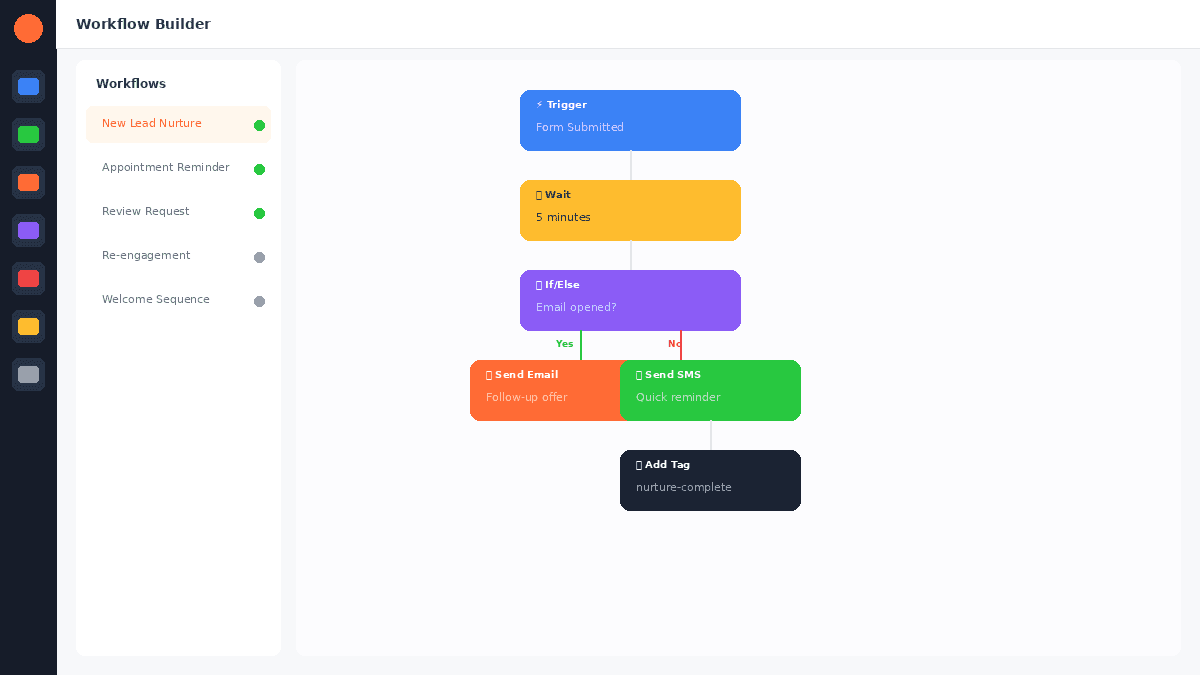
Conversation AI integrates directly with GoHighLevel's automation workflows:
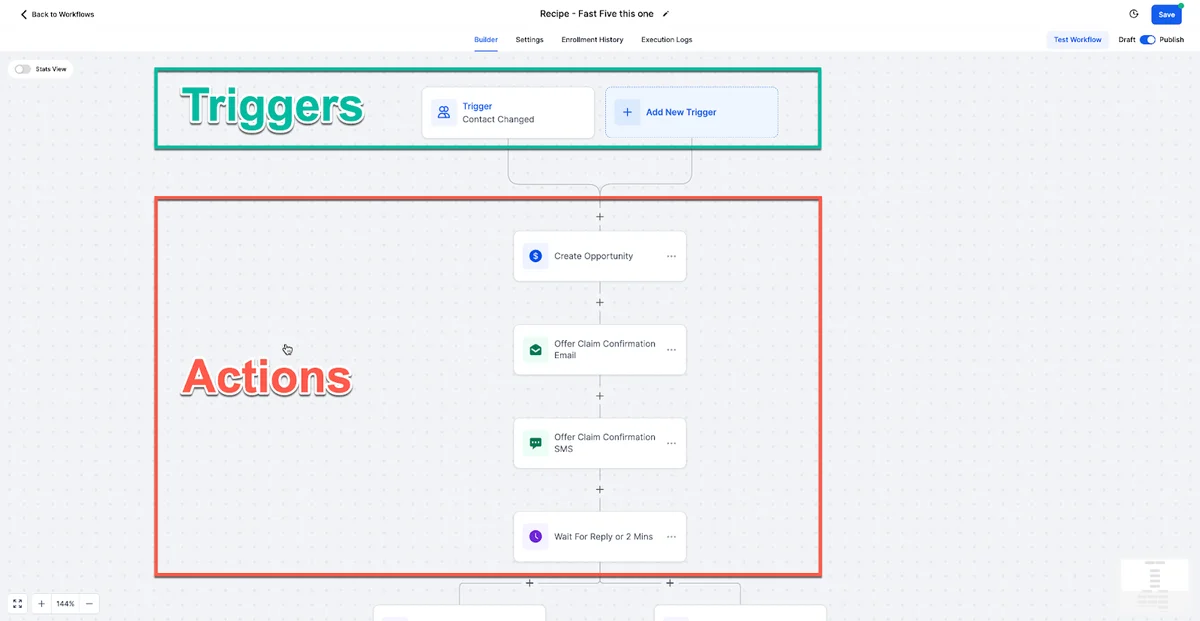
- When AI books an appointment, trigger a confirmation sequence
- When AI qualifies a lead, move them to the appropriate pipeline stage
- When AI detects high intent, notify the sales team immediately
- When a conversation ends, update the contact record with a summary
EXTENDED FREE TRIAL
Start with 30 days free, not 14.
Use our partner link to get double the standard 14-day trial.
Start Your Free 30-Day Trial →Optimising Conversation AI performance
Review conversations weekly
Read through AI conversations at least weekly. Look for:
- Questions the AI answered incorrectly
- Topics where the AI did not have enough information
- Conversations where the AI was too verbose or too brief
- Missed opportunities to book or qualify
Update your training data based on what you find. The first month of review and refinement is the most important.
Use conversation templates
For common scenarios, provide the AI with conversation templates. Not rigid scripts, but examples of ideal conversation flows. "When someone asks about pricing for [service], here is an example of a good response: [example]."
Set response length limits
Configure maximum response length based on channel. SMS responses should be shorter than email responses. Web chat can be moderate. Social media should be brief and punchy.
A/B test response styles
Try different communication styles and measure booking rates. Some businesses perform better with formal, information-rich responses. Others convert better with casual, personality-driven messages. Test and measure.
Channel-specific tips
SMS
Keep responses under 160 characters when possible to avoid message splitting. Use line breaks for readability. Include a clear call to action in every response.
Longer responses are acceptable. Use proper formatting with paragraphs. Include a subject line that matches the conversation topic. Sign off with a human-sounding signature.
Web chat
Respond immediately (the AI does this by default). Keep responses conversational and brief. Use the "typing" indicator if available. Offer to switch to phone or email for complex topics.
Social media
Match the platform's communication style. Instagram can be more casual than LinkedIn. Keep responses brief. Use emojis sparingly but naturally if it matches your brand voice.
For multi-channel messaging strategies, see our SMS marketing guide.
FREE TRIAL
Get 30 Days Free With Our Partner Link
- ✓Full access for 30 days
- ✓No charge during the trial
- ✓Cancel any time
Join 2.2 million businesses already running on GoHighLevel
Real-world performance benchmarks
Based on agency reports across the GoHighLevel community:
| Metric | Typical Performance |
|---|---|
| Response time | Under 10 seconds |
| Qualification accuracy | 80-90% (well-trained) |
| Appointment booking rate | 15-30% of qualified leads |
| Escalation rate | 15-25% of conversations |
| Customer satisfaction | Comparable to human agents for routine queries |
These numbers improve over time as you refine training data. Agencies in their first month see lower numbers; by month three, performance typically stabilises at these levels.
Common mistakes to avoid
Insufficient training data. Providing minimal business information produces generic, unhelpful responses. Invest time upfront in comprehensive training.
No escalation rules. Without proper escalation, the AI tries to handle conversations it should not, leading to frustrated leads.
Ignoring review. Setting up Conversation AI and forgetting about it means you miss opportunities to improve. Ongoing review and refinement is essential.
Overpromising capabilities. The AI is not perfect. Do not expect it to handle complex negotiations or emotional support conversations. Use it for what it does well: fast, accurate responses to routine questions and qualification.
Not personalising by sub-account. If you manage multiple clients, each sub-account needs its own training data. Generic training across all clients produces poor results.
For additional context, see conversational AI benchmarks from Gartner.
For additional context, see lead response time research from Harvard Business Review.
For building more advanced custom AI agents beyond Conversation AI, see our Agent Studio tutorial. It covers the visual drag-and-drop builder for multi-step AI workflows.
Frequently Asked Questions
How much does Conversation AI cost?
Can Conversation AI handle multiple languages?
Does Conversation AI work on all GoHighLevel plans?
Can I use Conversation AI and respond manually at the same time?
How long does it take to set up Conversation AI?
You can try Conversation AI free for 30 days with the extended trial.
For the 30-day free trial (double the standard 14 days), see our GoHighLevel free trial guide.
Related Articles
EXTENDED FREE TRIAL
Start with 30 days free, not 14.
Use our partner link to get double the standard 14-day trial.
Start Your Free 30-Day Trial →Ashley Kemp is a digital entrepreneur and perpetual traveller. Switched from ClickFunnels to GoHighLevel years ago and never looked back. Writing about what actually works.
Was this article helpful?