GoHighLevel SMS Marketing: Setup, Costs & A2P Guide
10 min read · Updated April 2026
Does GoHighLevel support SMS marketing?
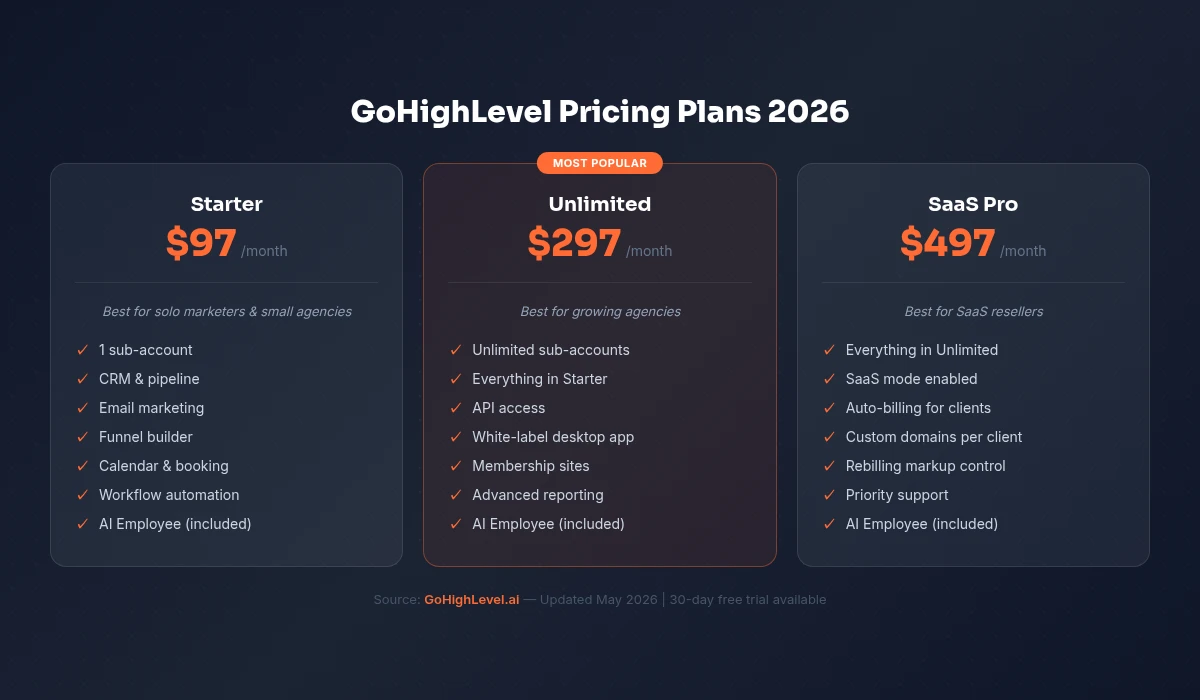
Yes. GoHighLevel includes native SMS marketing on all plans. You can send automated text messages, run bulk SMS campaigns, create conversational SMS workflows, and manage two-way texting through a unified inbox. GoHighLevel phone system numbers are provisioned through Twilio or LC Phone at approximately $1.50/month per number plus $0.01-$0.05 per message.
SMS marketing is GoHighLevel's secret weapon. While competitors limit you to email, GoHighLevel lets you reach leads and customers through the channel they actually check - their text messages. With 98% open rates and 45% response rates, SMS outperforms email by a factor of 5-10x on engagement.
This guide covers everything from setting up your first phone number to running sophisticated multi-step SMS campaigns.
Start your free 30-day trial through our partner link →
Setting Up SMS in GoHighLevel
Step 1: Choose Your Phone Provider
GoHighLevel connects to phone numbers through two providers:
LC Phone (LeadConnector Phone): GoHighLevel's built-in phone service. Simplest setup - purchase a phone number directly within GoHighLevel. Pricing is competitive and billing is consolidated with your GoHighLevel subscription.
Twilio: The industry-standard communication API. If you already have a Twilio account or need advanced phone features, connect your Twilio account to GoHighLevel. Pricing starts at approximately $1.50 per month per phone number plus usage.
For most users, LC Phone is the path of least resistance. Choose Twilio if you need advanced call routing, international numbers, or already have an established Twilio setup.
Step 2: Purchase a Phone Number
Within GoHighLevel, navigate to Settings → Phone Numbers and purchase a local phone number in your area code. Local numbers increase answer and response rates because recipients recognise the area code.
For high-volume SMS (over 1,000 messages per day), register for a toll-free number or apply for A2P 10DLC registration. A2P 10DLC (Application-to-Person 10-Digit Long Code) is required in the US for business text messaging and significantly improves deliverability.
Step 3: Register for A2P 10DLC
US carriers (AT&T, T-Mobile, Verizon) now require A2P 10DLC registration for business SMS. Without it, your messages may be filtered or blocked.
The registration process involves:
- Brand registration: Verify your business identity (EIN, business name, website)
- Campaign registration: Describe how you will use SMS (marketing, appointment reminders, notifications)
- Approval: Typically 1-2 weeks for GoHighLevel reputation management and activation
GoHighLevel walks you through this process within the platform. Complete it before sending any marketing messages - it is a compliance requirement, not optional.
Types of SMS Messages in GoHighLevel
Automated Workflow SMS
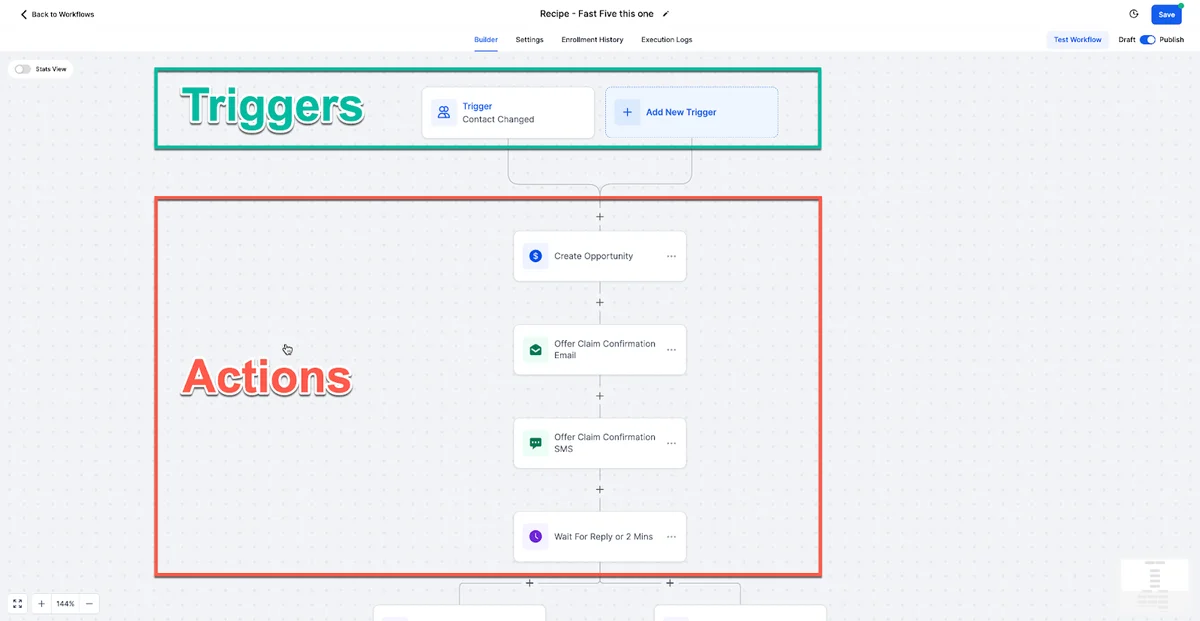
The most powerful use of SMS in GoHighLevel. Workflow-triggered messages send automatically based on GoHighLevel CRM actions:
- Lead fills out a form → instant follow-up SMS
- Appointment booked → confirmation SMS
- Pipeline stage changes → contextual message
- Date trigger → birthday or anniversary message
- Missed call → text-back message
These messages feel personal because they are triggered by specific actions at the right moment. They are not broadcasts - they are targeted, timely, and relevant.
For 10 complete workflow examples, see our automation guide.
Bulk SMS Campaigns
Send a text message to a segment of your contact database simultaneously. Common use cases:
- Flash sale or limited-time promotion
- Event announcement or webinar reminder
- Holiday greetings and seasonal offers
- New service or product launch
- Urgent updates (schedule changes, weather closures)
Bulk SMS is effective but should be used sparingly. Text messages feel intimate - flooding contacts with promotional texts will generate opt-outs. One to two bulk SMS per month is a sustainable cadence for most businesses.
Two-Way Conversational SMS
GoHighLevel's unified inbox supports real-time two-way texting. When a contact replies to any SMS (automated or manual), the reply appears in your inbox alongside emails, calls, and social messages.
This creates a natural conversation flow: automated message triggers the exchange, human picks up when the prospect engages. The transition from automation to personal conversation is seamless.
FREE TRIAL
Get 30 Days Free With Our Partner Link
- ✓Full access for 30 days
- ✓No charge during the trial
- ✓Cancel any time
Join 2.2 million businesses already running on GoHighLevel
SMS Templates and Best Practices
Writing Effective SMS Messages
SMS is not email. You have 160 characters (standard SMS segment) to make an impact. Here are the principles:
Be conversational. Text messages should read like a person wrote them, not a company. "Hi Sarah, just checking in about your kitchen project. Any questions on the estimate?" beats "Dear Customer, this is a follow-up regarding your recent inquiry."
Include a clear call-to-action. Every text should have one thing you want the recipient to do: reply, click a link, call, or book an appointment.
Personalise every message. Use {contact.firstName} at minimum. Reference their specific inquiry, service, or interaction when possible.
Respect timing. Never send SMS before 9 AM or after 8 PM in the recipient's timezone. GoHighLevel supports timezone-aware sending.
Keep it short. Aim for one SMS segment (160 characters). Longer messages still work but cost more and can feel heavy for a text.
SMS Template Examples
Speed-to-lead:
"Hey {firstName}, thanks for reaching out about [service]. I can usually help same-week. When works for a quick chat?"
Appointment reminder:
"Reminder: Your appointment with [Business] is tomorrow at {time}. Reply C to confirm or R to reschedule."
Post-service review:
"Thanks for choosing [Business], {firstName}. If we earned it, a quick Google review would mean a lot: {reviewLink}"
Re-engagement:
"Hey {firstName}, it has been a while since we connected. Are you still looking for help with [service]? I have some availability this week."
Referral request:
"Hi {firstName}, glad you had a great experience. Know anyone else who could use our help? Referrals are the biggest compliment."
SMS Compliance
SMS marketing has strict compliance requirements. Violating them results in carrier filtering, fines, and potential legal action.
Express written consent: You must have documented permission from contacts before sending marketing SMS. Form submissions with clear SMS consent language, checkbox opt-ins, and keyword opt-ins (texting a keyword to your number) all qualify.
Opt-out mechanism: Every marketing SMS must include a way to opt out. GoHighLevel automatically processes STOP replies and removes contacts from SMS lists.
Identification: Include your business name in initial messages so recipients know who is texting them.
Frequency disclosure: When collecting consent, tell people how often they will receive messages. "By signing up, you agree to receive up to 4 marketing messages per month."
A2P 10DLC registration: Required for US business SMS. Complete the registration before launching campaigns.
GoHighLevel handles some compliance automatically (opt-out processing, delivery tracking) but you are responsible for obtaining proper consent and registering your campaigns.
Combining SMS with Email for Maximum Impact
SMS and email are not competitors - they are complements. The most effective GoHighLevel workflows use both channels strategically.
Pattern 1 - SMS for urgency, email for detail: Send a short SMS alerting the contact to check their email, then send a detailed email with links, images, and full information.
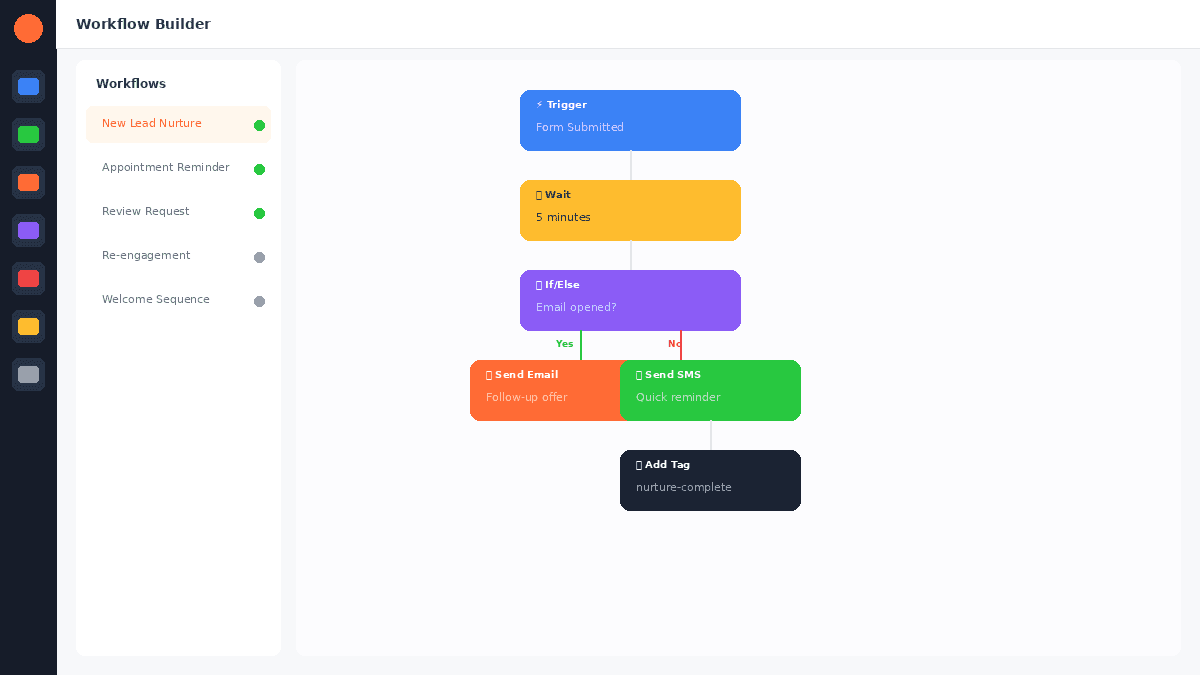
Pattern 2 - Email first, SMS follow-up: Send an email with your offer or content. If the email is not opened within 24 hours, send an SMS with the key message. This captures people who missed the email.
Pattern 3 - SMS for conversation, email for documentation: Use SMS for real-time back-and-forth (scheduling, quick questions). Use email for formal communication (proposals, contracts, receipts).
Multi-channel workflows in GoHighLevel make these patterns effortless. A single workflow handles the logic - send email, wait, check if opened, if not send SMS, wait for reply, branch accordingly.
See our email marketing guide for more on the email side of these combined strategies.
SMS Marketing Costs
SMS is not free like email. Understanding the cost structure helps you budget appropriately.
Phone number: $1.50 per month per number (approximate)
Outbound SMS: $0.01-$0.05 per message segment depending on provider and volume. A standard 160-character message is one segment. Longer messages or messages with special characters use multiple segments.
Inbound SMS: $0.01-$0.03 per received message
MMS (with images): $0.03-$0.08 per message
Monthly estimate for a typical small business:
- 500 automated messages at $0.02 = $10
- 200 bulk campaign messages at $0.02 = $4
- 100 inbound replies at $0.01 = $1
- Phone number = $1.50
- Total: approximately $16.50 per month
For a service that generates leads worth hundreds or thousands of dollars each, $16 per month in SMS costs delivers extraordinary ROI.
Getting Started
Start your 30-day free trial, purchase your phone number on day one, and set up the missed call text-back workflow immediately. It takes 10 minutes and starts capturing leads from the moment it is active. Add your appointment reminder and post-service review workflows by the end of the first week.
For the 30-day free trial (double the standard 14 days), see our GoHighLevel free trial guide.
Related Articles
EXTENDED FREE TRIAL
Start with 30 days free, not 14.
Use our partner link to get double the standard 14-day trial.
Start Your Free 30-Day Trial →For additional context, see SMS marketing statistics from SimpleTexting.
For additional context, see TCPA compliance guide from FCC.
Ashley Kemp is a digital entrepreneur and perpetual traveller. Switched from ClickFunnels to GoHighLevel years ago and never looked back. Writing about what actually works.
Was this article helpful?