GoHighLevel Email Marketing: Complete Setup Guide (2026)
9 min read · Updated April 2026
Does GoHighLevel include email marketing?
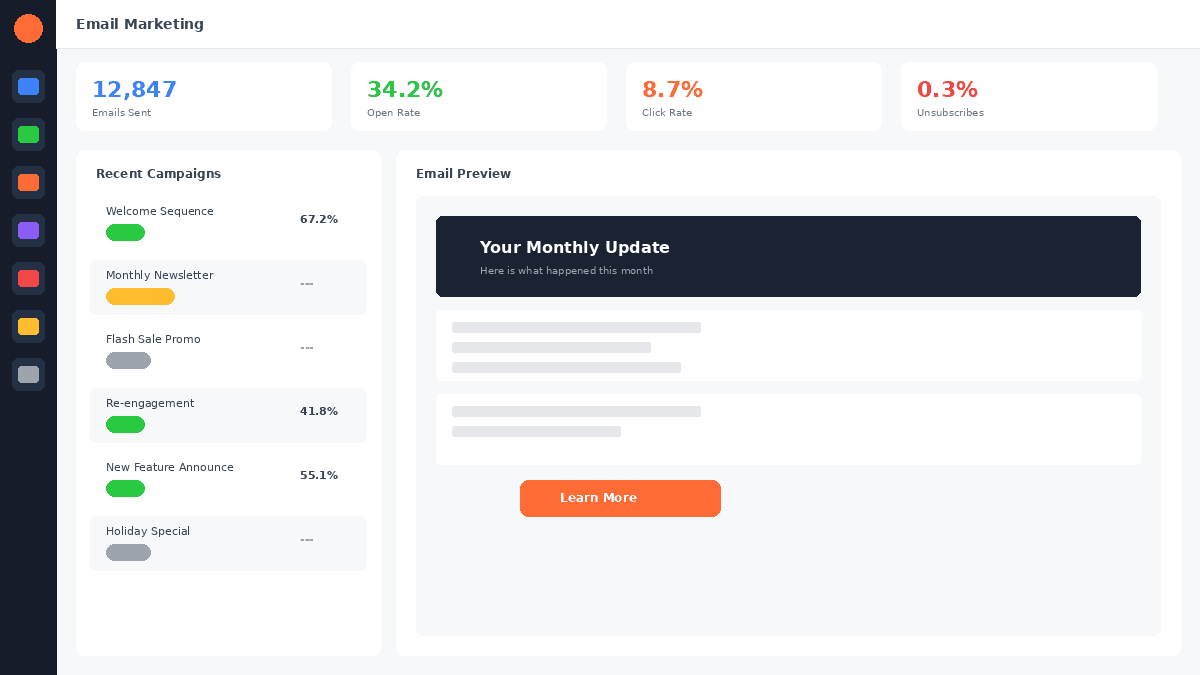
Yes. All GoHighLevel plans include email marketing with unlimited GoHighLevel CRM, a visual email builder, templates, automation sequences, A/B testing, and analytics. Email sending uses LC Email (included) or Mailgun integration. Proper domain authentication (SPF, DKIM, DMARC) is required for optimal deliverability.
Email marketing in GoHighLevel is one of the most underappreciated features of the platform. Most users focus on the CRM, funnels, and GoHighLevel SMS marketing - but the email engine is capable enough to replace dedicated platforms like Mailchimp or ActiveCampaign for the majority of businesses.
This guide covers everything from initial setup to advanced optimisation, with practical tips for getting the best results.
Start your free 30-day trial through our partner link →
Setting Up Email in GoHighLevel
Before sending a single email, you need to configure your sending infrastructure. This step is critical - skip it and your emails land in spam.
Step 1: Choose Your Email Provider
GoHighLevel offers two email sending options:
LC Email (GoHighLevel's built-in provider): The simplest option. LC Email is integrated directly into GoHighLevel with no additional setup beyond domain authentication. It includes a reasonable monthly sending allowance and is sufficient for most businesses.
Mailgun integration: For higher volume senders or those who want more control over deliverability. Mailgun pricing starts at approximately $0.80 per 1,000 emails. The integration is straightforward - connect your Mailgun API key in GoHighLevel settings.
For most users starting out, LC Email is the right choice. Upgrade to Mailgun if you are sending over 50,000 emails per month or need advanced deliverability features.
Step 2: Authenticate Your Domain
This is the most important technical step. Domain authentication tells email providers (Gmail, Outlook, Yahoo) that GoHighLevel is authorised to send emails on your behalf.
You need to configure three DNS records:
SPF (Sender Policy Framework): Tells receiving servers which mail servers are allowed to send email from your domain. Add the SPF record GoHighLevel provides to your DNS settings.
DKIM (DomainKeys Identified Mail): Adds a digital signature to your emails that proves they have not been tampered with in transit. Add the DKIM record provided.
DMARC (Domain-based Message Authentication, Reporting, and Conformance): Tells receiving servers what to do with emails that fail SPF or DKIM checks. Start with a monitoring policy and gradually increase enforcement.
Domain authentication typically takes 15-60 minutes for DNS propagation. Verify the records in GoHighLevel's email settings - all three should show green checkmarks.
Step 3: Warm Up Your Sending Domain
If your domain is new or has not been used for email marketing before, you need to warm it up gradually. Sending 10,000 emails on day one from a cold domain guarantees spam folder placement.
Warm-up schedule:
- Week 1: 50-100 emails per day to your most engaged contacts
- Week 2: 200-500 emails per day, expanding to less engaged contacts
- Week 3: 500-1,000 emails per day
- Week 4: Gradually increase to your target volume
During warm-up, send to contacts who regularly open and click your emails. Their positive engagement signals to email providers that your domain sends wanted content.
Building Emails in GoHighLevel
GoHighLevel's email builder supports both drag-and-drop visual editing and HTML/code editing.
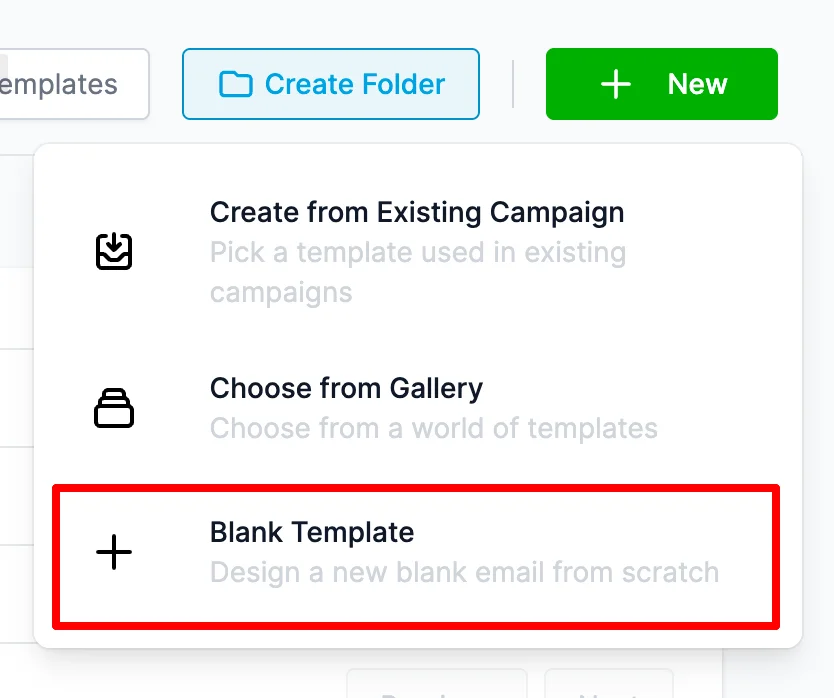
Visual editor: Drag elements onto your canvas - text blocks, images, buttons, dividers, social links, and video thumbnails. Customise fonts, colours, spacing, and mobile layout. The editor is functional and handles most design needs.
Template library: GoHighLevel includes dozens of pre-designed templates organised by category - newsletters, promotions, announcements, welcome emails, and follow-ups. Templates are fully editable and provide a fast starting point.
Personalisation tokens: Insert dynamic contact data into any email. {contact.firstName}, {contact.company}, {contact.customField} - these tokens pull data from the CRM to make each email feel personal. Personalised subject lines increase open rates by 26% on average.
HTML editor: For advanced users who want pixel-perfect control, switch to the HTML editor. Import custom HTML templates or build from scratch with full CSS support.
FREE TRIAL
Get 30 Days Free With Our Partner Link
- ✓Full access for 30 days
- ✓No charge during the trial
- ✓Cancel any time
Join 2.2 million businesses already running on GoHighLevel
Email Automation Sequences
The real power of GoHighLevel's email marketing is in automation. Instead of manually sending campaigns, you build sequences that trigger based on contact behaviour.
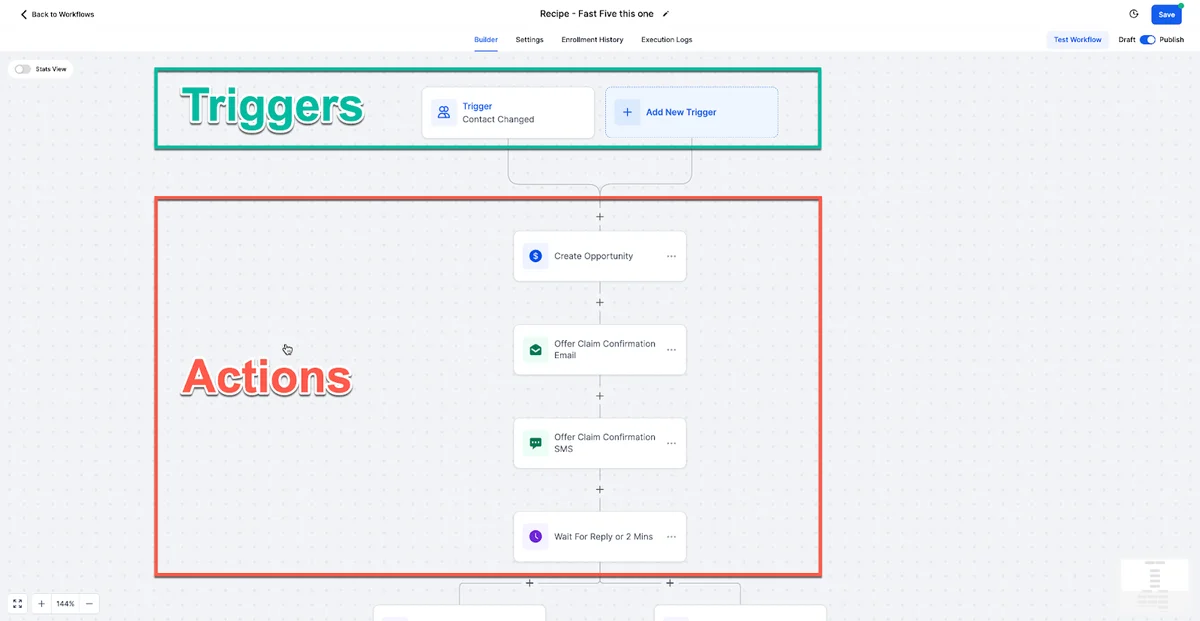
Welcome sequence (triggered by new contact creation):
- Email 1 (Day 0): Welcome message, introduce your brand, deliver any promised resource
- Email 2 (Day 2): Your story - why you do what you do, build personal connection
- Email 3 (Day 4): Most popular piece of content or quick win they can implement
- Email 4 (Day 7): Social proof - client results, testimonials, case studies
- Email 5 (Day 10): Address the number one objection your prospects have
- Email 6 (Day 14): Soft call-to-action - book a call, start a trial, visit your site
Re-engagement sequence (triggered by 90 days of inactivity):
- Email 1: "We have not heard from you" - check if they still want to receive emails
- Email 2 (Day 3): Your best recent content - re-demonstrate value
- Email 3 (Day 7): Direct question - "Is [topic] still a priority for you?"
- Email 4 (Day 14): Last chance before removing from active list
Post-purchase sequence (triggered by payment received):
- Email 1: Order confirmation and next steps
- Email 2 (Day 1): Getting started guide or onboarding content
- Email 3 (Day 3): Tips for getting maximum value
- Email 4 (Day 7): Check-in - how is it going?
- Email 5 (Day 14): Request for review or testimonial
- Email 6 (Day 30): Upsell or cross-sell related offer
GoHighLevel's workflow builder lets you combine email sequences with SMS, phone triggers, and CRM actions. A single workflow can send an email, wait for engagement, then branch to SMS if the email was not opened. See our automation workflows guide for examples.
Email Deliverability Best Practices
Deliverability is the percentage of emails that actually reach the inbox (not spam or promotions). GoHighLevel gives you the tools, but you need to use them correctly.
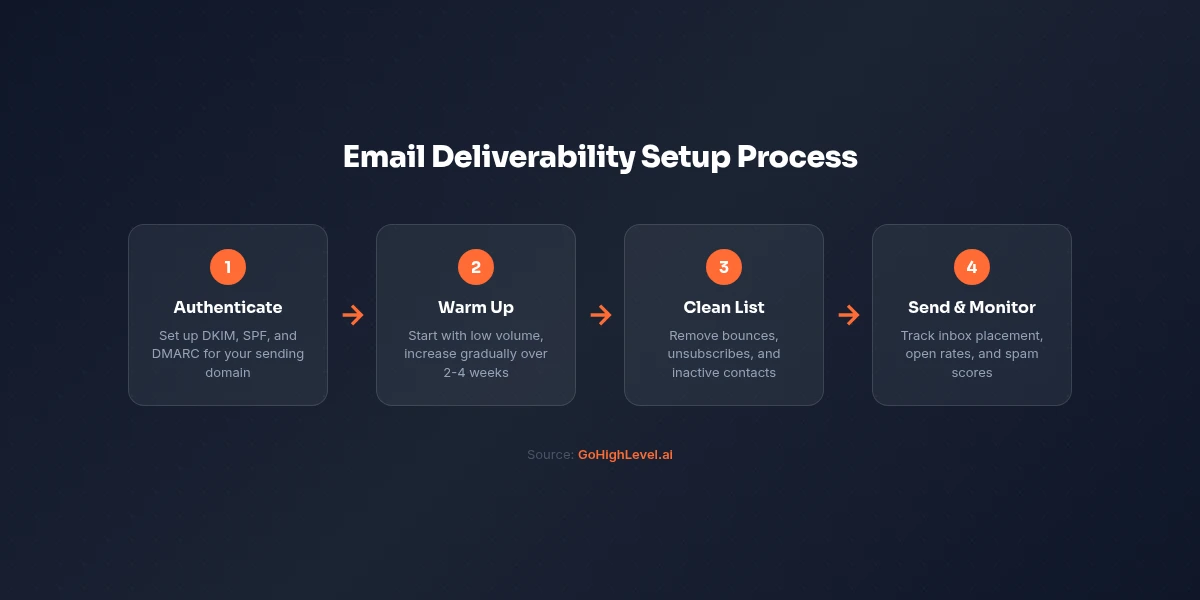
Maintain a clean list. Remove contacts who have not opened an email in 6 months. Hard bounces should be removed immediately. GoHighLevel handles hard bounce removal automatically, but soft bounces need monitoring.
Write genuine subject lines. Avoid spam trigger words: "free," "act now," "limited time," "click here" in ALL CAPS. Write subject lines that sound like a real person wrote them. "Quick question about your marketing" outperforms "FREE MARKETING SECRETS INSIDE."
Use a consistent sending schedule. Email providers reward consistency. Sending 1,000 emails every Tuesday is better for deliverability than sending 5,000 once a month then nothing for weeks.
Include a plain text version. GoHighLevel generates plain text versions automatically, but review them for readability. Some email clients display plain text, and having a quality version improves spam scoring.
Monitor metrics actively. Watch your open rates, click rates, bounce rates, and spam complaint rates. If open rates drop below 15% or spam complaints exceed 0.1%, investigate immediately.
Segment your list. Sending the same email to your entire database hurts deliverability. Segment by interest, engagement level, and lifecycle stage. Relevant emails get opened; irrelevant emails get reported as spam.
Comparing GoHighLevel Email to Dedicated Platforms
For a detailed comparison with ActiveCampaign, see our GoHighLevel vs ActiveCampaign guide.
| Feature | GoHighLevel | Mailchimp | |
|---|---|---|---|
| Contacts Included | Unlimited | 500 (free), paid scales | Scales with plan |
| Visual Editor | Good | Excellent | Excellent |
| Automation | Multi-channel | Email only | Email focused |
| A/B Testing | Subject lines | Subject + content | Subject + content + send time |
| Deliverability | Good (with setup) | Excellent (out of box) | Excellent (out of box) |
| SMS Integration | Native | Add-on | Integration only |
| CRM Integration | Native | Basic | Basic CRM included |
| Price (5K contacts) | $97/mo (flat) | $50/mo | $49/mo |
| Price (25K contacts) | $97/mo (flat) | $230/mo | $159/mo |
GoHighLevel's email marketing is not the most advanced on the market. Mailchimp and ActiveCampaign have more polished editors, more sophisticated A/B testing, and better out-of-the-box deliverability. But GoHighLevel's email marketing is good enough for 90% of businesses, and it comes bundled with CRM, SMS, funnels, and scheduling at no additional cost.
The real advantage is cross-channel automation. An email non-opener can automatically receive an SMS follow-up. A link clicker can be called by your sales team. This is where GoHighLevel's integrated approach creates value that standalone email platforms cannot match.
Getting Started
Start your 30-day free trial, configure your domain authentication on day one, and send your first automated welcome sequence by the end of week one. The 30-day trial gives you enough time to warm up your domain and see real engagement data.
For the 30-day free trial (double the standard 14 days), see our GoHighLevel free trial guide.
Related Articles
EXTENDED FREE TRIAL
Start with 30 days free, not 14.
Use our partner link to get double the standard 14-day trial.
Start Your Free 30-Day Trial →For additional context, see email marketing benchmarks from Mailchimp.
For additional context, see email deliverability guide from Litmus.
Ashley Kemp is a digital entrepreneur and perpetual traveller. Switched from ClickFunnels to GoHighLevel years ago and never looked back. Writing about what actually works.
Was this article helpful?