GoHighLevel Phone System: Pricing, Setup & A2P 10DLC
22 min read · Updated April 2026
Does GoHighLevel have a built-in phone system?
Yes. GoHighLevel includes a native phone system called LC Phone (Lead Connector Phone), built on top of Twilio's infrastructure. It gives you local and toll-free numbers, inbound and outbound VOIP calling, two-way GoHighLevel SMS marketing and MMS, call recording, AI call transcription, voicemail drops, missed call text-back, a power dialer, IVR phone trees, and call routing - all managed inside GHL without needing a separate Twilio account.
TL;DR
- GoHighLevel's LC Phone replaces the need for a standalone Twilio account for most agencies - local numbers, calling, SMS, and automation are all built in and billed through GHL.
- Missed call text-back is the standout feature: GHL automatically sends an SMS to anyone who calls and doesn't get answered, converting missed calls into booked appointments.
- LC Phone pricing is usage-based on top of your GHL plan - typical agency usage runs $30–$80/month in call and SMS charges.
EXTENDED FREE TRIAL
Start with 30 days free, not 14.
Use our partner link to get double the standard 14-day trial.
Start Your Free 30-Day Trial →What Is the GoHighLevel Phone System (LC Phone)?
GoHighLevel's phone system is called LC Phone, which stands for Lead Connector Phone. It is GHL's native telephony layer - built directly into the platform so you can purchase phone numbers, make and receive calls, send and receive SMS/MMS, and run phone-based GoHighLevel automations without ever leaving the GHL dashboard.
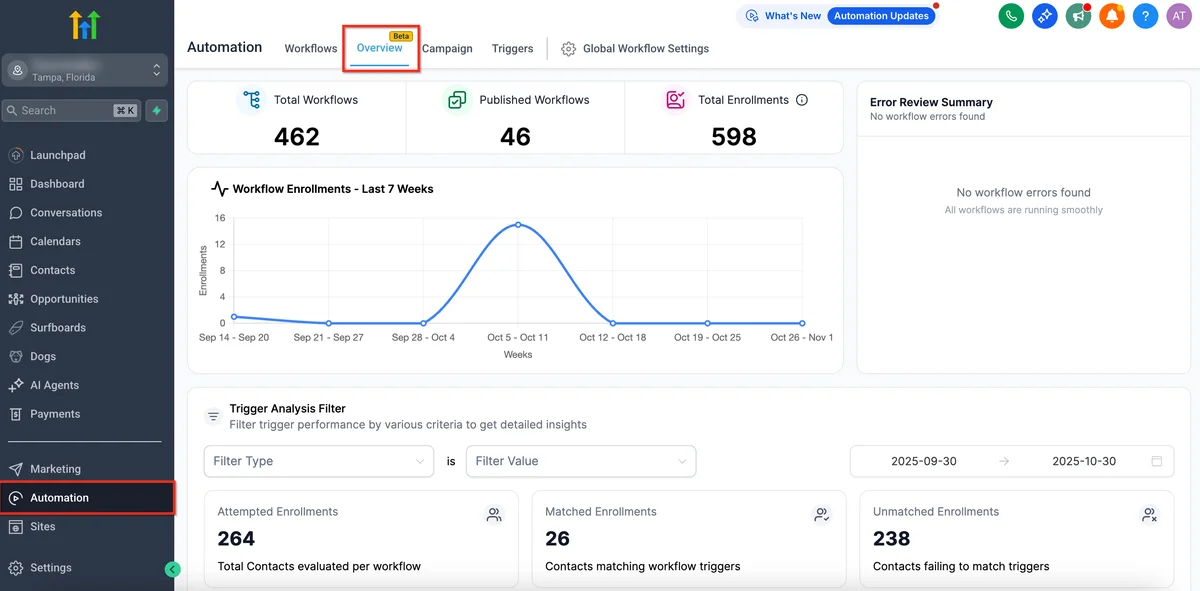
Under the hood, LC Phone runs on Twilio's carrier infrastructure. GHL negotiated wholesale rates and wrapped them in a managed layer that removes the need to set up your own Twilio account, manage API keys, or configure webhooks. For agencies managing dozens of client sub-accounts, this is a significant operational simplification.
Before LC Phone launched (it became widely available in 2022), every GHL agency had to create a Twilio account, wire it up to each sub-account, manage billing separately, and troubleshoot carrier issues independently. Many agencies still run their own Twilio accounts (this is called "Bring Your Own Twilio" or BYOT), but for most users - especially those setting up new sub-accounts - LC Phone is the simpler and recommended path.
LC Phone covers every telephony use case an agency client typically needs:
- Voice calling - inbound and outbound via browser or mobile app (VOIP)
- SMS and MMS - two-way text messaging with multimedia support
- Automation - missed call text-back, call routing, IVR, voicemail drops
- Recording and transcription - every call stored in the contact record, AI-powered transcripts
- Outbound campaigns - power dialer for sales teams doing bulk outreach
Everything logs automatically to the GoHighLevel CRM record and feeds into GHL's unified conversation inbox, so calls, texts, and voicemails sit alongside emails, DMs, and chat messages in one place.
LC Phone vs Using Your Own Twilio Account (BYOT)
GoHighLevel gives you two options for telephony: use LC Phone (GHL manages everything) or bring your own Twilio account. Here is how they compare:
| Feature | LC Phone | Bring Your Own Twilio (BYOT) |
|---|---|---|
| Setup complexity | Simple - enable in agency settings | Requires Twilio account, API keys, and sub-account wiring |
| Billing | Usage billed through GHL | Separate Twilio bills per account |
| Per-minute rates (outbound) | ~$0.014/min | ~$0.014/min (similar) |
| SMS rates (outbound) | ~$0.0079/segment | ~$0.0079/segment (similar) |
| Number portability | Port-in supported | Full Twilio number management |
| A2P 10DLC registration | Managed inside GHL | Managed in Twilio console |
| Support | GHL support team | Twilio support + GHL support |
| Recommended for | Most agencies (especially new ones) | Large agencies with existing Twilio setup |
The honest take: Rates between LC Phone and BYOT are nearly identical because both run on Twilio's carrier network. The difference is operational. With LC Phone, everything is managed inside GHL - one dashboard, one bill, one support team. With BYOT, you get more direct access to Twilio's advanced features and number management console, which matters if you are running enterprise-scale campaigns or need granular carrier controls.
For the vast majority of agencies setting up new clients, LC Phone is the right choice. Only migrate to BYOT if you have a specific technical requirement that LC Phone doesn't meet.
GoHighLevel LC Phone Features
Local and Toll-Free Phone Numbers
You can purchase local phone numbers in almost any US area code (and many international markets) directly inside GHL. Numbers are available for approximately $1.15/month each. Toll-free numbers are also available at a slightly higher GoHighLevel pricing plans.
Each sub-account can have multiple phone numbers - you might assign one number to inbound lead capture, another to the power dialer, and a third to a specific campaign. Numbers can also be pooled across team members for balanced call distribution.
Number porting is supported - if a client already has a business number they want to keep, you can port it into GHL rather than replacing it.
Inbound and Outbound Calling (VOIP)
Calls in GHL work over VOIP - either through the browser-based softphone in the GHL web app, or through the GoHighLevel mobile app on iOS and Android.
Inbound calls ring to whoever is assigned to that number or sub-account. You can set up simultaneous ring (ring multiple team members at once), sequential routing (ring person A, then B, then C if unanswered), or route to a specific user. Calls can also be forwarded to a mobile or landline number.
Outbound calls can be initiated directly from a contact record with one click. GHL displays your business number as the caller ID (not your personal mobile), and the call is logged automatically to the contact's activity timeline.
Call quality is solid for a VOIP solution. Latency is comparable to standard business VOIP systems like RingCentral or Nextiva.
Call Recording
Call recording can be enabled at the sub-account level with a single toggle. Once enabled, every inbound and outbound call is recorded automatically and attached to the contact record. No manual saving or exporting required.
Recordings are accessible directly from the conversation inbox or the contact timeline. Useful for:
- Training new sales reps using real call examples
- Dispute resolution and compliance documentation
- Quality assurance reviews
- Client reporting
Recordings are stored within GHL's infrastructure and accessible as long as your account is active.
AI-Powered Call Transcription
GHL transcribes calls automatically using AI. Once a call recording is available, a text transcript is generated and attached to the contact record alongside the audio.
Transcripts make it fast to review call content without listening to the full recording - you can scan for key information (what service they asked about, what objections they raised, what next steps were agreed) in seconds. GHL's AI analysis can also extract call summaries and sentiment indicators, giving managers an at-a-glance read on call quality across the team.
Voicemail Drops
Voicemail drops let you pre-record a voicemail message and deliver it directly to a contact's voicemail inbox without the phone ringing on their end. This is particularly useful in outbound sales outreach - your rep can leave a personalized-sounding voicemail message without spending time on an unanswered ring.
Voicemail drops can be triggered manually from a contact record or automated inside a GHL workflow (for example, drop a voicemail on day 3 of a follow-up sequence if the contact hasn't responded to SMS).
Two-Way SMS and MMS
LC Phone includes full two-way SMS and MMS messaging. You can send and receive texts, images, videos, PDFs, and other attachments from the GHL conversation inbox.
SMS messages are sent from your purchased local number, so replies come back to the same number and land in the unified inbox. All SMS history is attached to the contact record.
MMS works for standard multimedia - product images, appointment confirmation images, PDFs for proposals or menus, short video clips.
GHL's SMS automations are one of the most-used features in the platform. You can trigger SMS messages from virtually any CRM event: a new form submission, a pipeline stage change, a missed call, an appointment booking, a specific tag applied to a contact, or a custom date field.
Missed Call Text-Back
Missed call text-back is GHL's most impactful phone feature for most businesses, and we cover it in detail in the section below.
Power Dialer
The GHL power dialer is an outbound calling tool for sales teams doing volume outreach. It automatically dials contacts from a list and connects your rep as soon as the call is answered - eliminating the time spent manually dialing, waiting for rings, and leaving voicemails one by one.
Call Routing and Forwarding
You can configure inbound calls to route to:
- A specific team member
- A round-robin pool (cycling through available team members)
- Sequential routing (try person A, then B, then C)
- A personal mobile or landline (call forwarding)
- A voicemail box if unanswered
- An IVR menu
Call forwarding to a personal mobile is one of the most common configurations for small business clients - it means calls to the business number ring on the owner's mobile without revealing their personal number.
IVR (Phone Trees / Press 1 For...)
GHL's IVR (Interactive Voice Response) system lets you build automated phone trees with a drag-and-drop builder. A caller hears a greeting ("Thank you for calling XYZ. Press 1 for sales, press 2 for support..."), their keypad input routes them to the appropriate team member, voicemail box, or next IVR prompt.
IVR is useful for multi-department businesses or clients who want to present a professional phone presence even with a small team. You can also use IVR to collect caller information before routing (for example, "Enter your zip code to be connected to your local office").
Team Number Pools
For agencies managing outbound campaigns at scale, team number pools assign multiple phone numbers to a single campaign or workflow. As GHL sends SMS messages, it rotates across numbers in the pool - distributing volume to stay below carrier sending thresholds and reduce spam flagging.
Missed Call Text-Back: GHL's Most Popular Phone Feature
If you ask any GHL agency owner what feature generates the most immediate results for their clients, missed call text-back comes up more often than almost anything else.
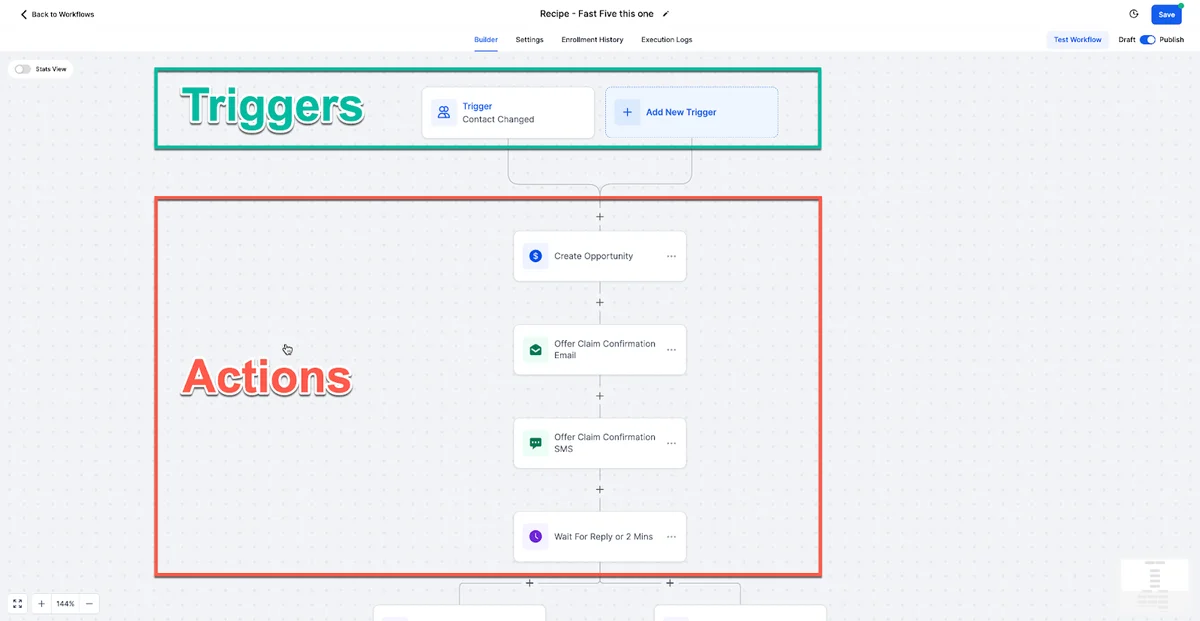
How It Works
The logic is simple:
- Someone calls a business number
- The call goes unanswered (owner is busy, outside hours, or doesn't pick up)
- GHL detects the missed call
- Within seconds, GHL automatically sends a text message to the caller: "Hey, sorry I missed your call! I'll get back to you shortly. In the meantime, is there anything I can help you with?"
- The prospect replies - and now you have a conversation started
Why It Converts
The window between a missed call and a lost lead is narrow. Research consistently shows that businesses lose 60–80% of callers who hit voicemail - they just call the next competitor. Missed call text-back changes that dynamic: instead of silence, the prospect immediately gets a personal-feeling response that opens a dialogue.
For local service businesses (plumbers, dentists, contractors, real estate agents), where every inbound lead has real dollar value, this single feature can measurably increase lead conversion rates within the first week of setup.
Setting Up Missed Call Text-Back
Setup takes under five minutes:
- Go to Settings → Missed Call Text-Back in the sub-account
- Toggle it on
- Customize the default message (make it sound like the business owner, not a robot)
- Set active hours if you only want it firing during business hours
- Optionally connect it to a full workflow (for example, if the prospect replies, route them into a booking flow)
The message is highly customizable. Many agencies personalize it with the business name and include a direct booking link: "Hi! This is [Business Name] - sorry I missed you. Click here to grab a time that works for you: [calendar link]"
How to Set Up Your GoHighLevel Phone System (Step-by-Step)
Step 1: Enable LC Phone in Agency Settings
- Log into your GoHighLevel agency account
- Navigate to Agency Settings → Phone Integration
- Select LC Phone as your phone provider (as opposed to Twilio/BYOT)
- Save your settings - LC Phone is now active for your agency and all sub-accounts
Step 2: Purchase a Local Phone Number
- Inside the relevant sub-account, go to Settings → Phone Numbers
- Click Buy Number
- Search by area code, city, or state to find a local number that matches your client's market
- Select the number and confirm the purchase (~$1.15/month)
- The number is immediately active and ready to use
Step 3: Set Up Call Forwarding to Your Mobile
- In Settings → Phone Numbers, click on your newly purchased number
- Under Incoming Call Settings, select Forward to Phone
- Enter the personal or business mobile number you want calls forwarded to
- Save - calls to your GHL number will now ring your mobile
Step 4: Enable Call Recording
- Go to Settings → Phone Numbers and select the number
- Toggle on Call Recording (or enable it at the sub-account level under Settings → General)
- Save - all future calls on this number will be recorded automatically
Step 5: Set Up Missed Call Text-Back Workflow
- Navigate to Settings → Missed Call Text-Back
- Toggle it on and write your customized message (include the business name and optionally a booking link)
- For a more advanced setup, go to Automations → Workflows and create a new workflow triggered by Missed Call
- Add your SMS action with the personalized message
- Chain additional steps: if the prospect replies, send a calendar booking link; if no reply in 1 hour, send a follow-up text
Step 6: Test Inbound and Outbound Calls
- Call your GHL number from a personal mobile - verify it rings correctly (forwarded or to the GHL softphone) and that recording is active
- From inside GHL, open a test contact record and click the Call button - verify the outbound call works and is logged
- Let a call go to voicemail and verify the missed call text-back fires within a few seconds
- Check the contact record to confirm all activity (call, recording, SMS) appears in the timeline
GoHighLevel Power Dialer: Outbound Calling Campaigns
For agencies running sales teams or clients doing outbound cold calling, the GHL power dialer is a built-in alternative to standalone tools like PhoneBurner, Kixie, or Mojo Dialer.
How the Power Dialer Works
- Build a contact list (from a smart list, imported CSV, or pipeline stage)
- Assign the list to a power dialer campaign
- Click Start - GHL begins auto-dialing contacts in sequence
- When a contact answers, the call is immediately connected to the rep
- When a call ends, GHL moves to the next number automatically
- If a call goes to voicemail, the rep can drop a pre-recorded voicemail with one click and move on
Power Dialer vs Auto Dialer
GHL's power dialer is a 1:1 power dialer - it dials one number at a time and only connects the rep when a live person answers. This is different from a predictive or auto dialer (which dials multiple numbers simultaneously and can result in dropped calls). The 1:1 approach is more compliant with TCPA regulations and better for quality conversations.
Ideal Use Cases
- Real estate agents calling expired listings or cold leads
- Insurance agents working aged internet leads
- Home services companies following up on estimates that didn't close
- Any sales team that does high-volume cold or warm outbound calls
The power dialer is available on the GHL Unlimited ($297/month) plan and is accessible per sub-account once LC Phone is configured.
GoHighLevel Phone System Pricing
LC Phone is usage-based - you pay for calls and SMS on top of your monthly GHL plan. There is no separate monthly fee for using LC Phone itself.
Current LC Phone Rates (US)
| Usage Type | Rate |
|---|---|
| Outbound calls (per minute) | ~$0.014 |
| Inbound calls (per minute) | ~$0.0085 |
| Outbound SMS (per segment) | ~$0.0079 |
| Inbound SMS (per segment) | ~$0.0079 |
| Local phone number | ~$1.15/month |
| Toll-free number | ~$2.15/month |
| Call recording storage | Included |
| A2P 10DLC brand registration | $4 one-time |
| A2P 10DLC campaign registration | $15–$25 one-time |
Rates are subject to change. International calling rates vary by country.
Typical Agency Cost Estimate
For a small business sub-account with moderate activity:
- 500 outbound minutes/month × $0.014 = $7.00
- 500 inbound minutes/month × $0.0085 = $4.25
- 1,000 outbound SMS/month × $0.0079 = $7.90
- 1,000 inbound SMS/month × $0.0079 = $7.90
- 2 phone numbers × $1.15 = $2.30
Total: ~$29–$40/month in usage costs per active sub-account, on top of your GHL plan. Higher-volume accounts (agencies running large SMS campaigns or sales teams doing heavy outbound calling) might see $100–$200/month in usage, but those operations would pay significantly more for the equivalent volume on standalone tools.
Compare this to a Twilio account ($25+/month minimum to maintain) plus a separate power dialer tool ($50–$100/month) plus SMS campaign platform costs ($50–$150/month). The consolidation savings are real.
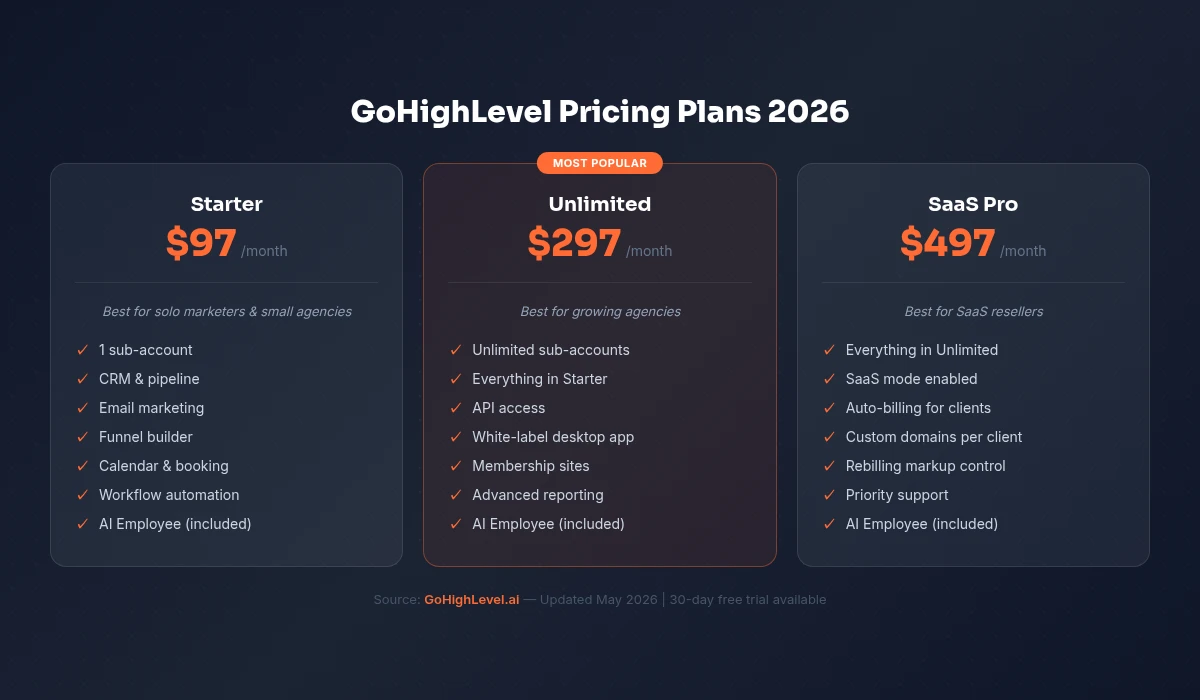
GHL Plan Pricing + LC Phone
- Starter ($97/month) - 1 location, LC Phone included, usage billed as above
- Unlimited ($297/month) - unlimited sub-accounts, power dialer, all LC Phone features
- SaaS Pro ($497/month) - white-label reselling of LC Phone to clients at your own markup (a significant revenue opportunity for agencies)
GoHighLevel vs Twilio: Do You Still Need Twilio?
This is the most common question agencies ask when setting up a new GHL account or evaluating LC Phone.
Short answer: no, most agencies do not need a separate Twilio account.
Longer answer: LC Phone gives you everything a typical GHL agency client needs - local numbers, calling, SMS, recording, automation. The rates are nearly identical to direct Twilio pricing because LC Phone is built on Twilio's carrier network. GHL just manages the complexity for you.
The cases where you might still want BYOT (Bring Your Own Twilio) are:
- You already have a large Twilio setup - existing numbers, campaigns, and integrations that would be disruptive to migrate
- You need Twilio-specific features - advanced carrier controls, specific number types, or third-party Twilio integrations outside GHL
- You want separate billing visibility - some agencies prefer to see Twilio costs as a separate line item for client billing or accounting purposes
- High-volume SMS at enterprise scale - very large senders sometimes negotiate custom Twilio rates that undercut what LC Phone offers
For anyone starting fresh with GHL, or migrating clients from a patchwork of separate tools, LC Phone eliminates the need to touch Twilio at all. That is a genuine operational win - fewer accounts to manage, fewer points of failure, and one support team to call when something breaks.
FREE TRIAL
Get 30 Days Free With Our Partner Link
- ✓Full access for 30 days
- ✓No charge during the trial
- ✓Cancel any time
Join 2.2 million businesses already running on GoHighLevel
GoHighLevel vs Dialpad vs JustCall for Agencies
How does GHL's phone system compare to standalone VOIP and sales dialer tools?
| Feature | GoHighLevel LC Phone | Dialpad | |
|---|---|---|---|
| Inbound/outbound calling | ✅ Yes (VOIP) | ✅ Yes (VOIP) | ✅ Yes (VOIP) |
| Two-way SMS/MMS | ✅ Yes | ✅ Yes | ✅ Yes |
| Call recording | ✅ Yes (auto) | ✅ Yes | ✅ Yes |
| AI call transcription | ✅ Yes | ✅ Yes (AI) | ✅ Yes |
| Voicemail drops | ✅ Yes | ✅ Yes | ✅ Yes |
| Power dialer | ✅ Yes (Unlimited plan) | ❌ No (separate) | ✅ Yes |
| IVR / phone trees | ✅ Yes | ✅ Yes | ✅ Yes |
| Missed call text-back | ✅ Yes (native) | ❌ No | ❌ No |
| Native CRM integration | ✅ Built-in GHL CRM | Requires integration | Requires integration |
| SMS automation / workflows | ✅ Yes (native) | Limited | Limited |
| Starting price | $97/mo + usage | $15/user/mo | $19/user/mo |
| Ideal for | Agencies managing client accounts | Internal business teams | Sales teams + CRM users |
The key differentiator is integration depth. Dialpad and JustCall are excellent standalone phone systems, but they require integrations with your CRM, your automation platform, and your SMS tool. With GHL, the phone system is natively integrated with the CRM, the conversation inbox, the workflow automation engine, and the reporting dashboard. There is no syncing, no webhooks to maintain, no third-party app connections to break.
For agencies building a complete communication and marketing stack for clients, GHL's phone system is not just competitive - it removes the need for a separate phone tool entirely.
A2P 10DLC Registration: What You Need to Know
If you are sending business SMS in the United States, A2P 10DLC registration is mandatory. This is not a GHL requirement - it is a US carrier industry standard that applies regardless of whether you use GHL, Twilio, or any other SMS platform.
What Is A2P 10DLC?
A2P stands for Application-to-Person - any SMS message sent programmatically from a business to a consumer. 10DLC stands for 10-Digit Long Code - the standard 10-digit local phone numbers used for business SMS.
Before 10DLC regulations, businesses could send SMS from local numbers without registering with carriers. This led to massive volumes of spam, which carriers cracked down on aggressively. The 10DLC framework requires businesses to register their brand and specific messaging campaigns with The Campaign Registry (TCR), so carriers can verify legitimate businesses and filter spam.
What Happens If You Don't Register?
Unregistered numbers sending business SMS in the US face:
- Significantly lower delivery rates (carriers block or filter unregistered traffic)
- Account suspension on the carrier side
- Higher risk of numbers being flagged as spam
For any US-based agency client sending marketing or operational SMS, 10DLC registration is not optional.
How to Register in GHL
Registration is managed directly inside GHL - you do not need to touch the Twilio console or TCR portal separately.
- Go to Settings → Phone Numbers → A2P Registration in the sub-account
- Complete the Brand Registration (company name, EIN, address, website) - one-time $4 fee
- Create a Campaign (describe your SMS use case: marketing, appointment reminders, customer notifications, etc.) - one-time $15–$25 fee
- Assign your phone number(s) to the registered campaign
- Wait for carrier approval (typically 24–72 hours)
Once approved, your numbers send SMS with full carrier trust and delivery rates. Registration is per brand and per use case - a business running both marketing SMS and appointment reminder SMS needs two campaign registrations.
Pro tip for agencies: Register 10DLC for every new client sub-account before you start sending SMS. It is a one-time setup step that takes 15 minutes and prevents delivery issues down the line.
Related Articles
EXTENDED FREE TRIAL
Start with 30 days free, not 14.
Use our partner link to get double the standard 14-day trial.
Start Your Free 30-Day Trial →Related Resources
- Visit the GoHighLevel official site
- Visit the Twilio usage documentation
Frequently Asked Questions
What is the GoHighLevel phone system (LC Phone)?
How does Missed Call Text-Back work in GoHighLevel?
How much does GoHighLevel LC Phone cost per month?
Can I port my existing business number to GoHighLevel?
What is the difference between LC Phone and Twilio in GoHighLevel?
Does GoHighLevel work as a full business phone system?
Ashley Kemp is a digital entrepreneur and perpetual traveller. Switched from ClickFunnels to GoHighLevel years ago and never looked back. Writing about what actually works.
Was this article helpful?