15 GoHighLevel Workflow Recipes You Can Build Today
10 min read · Updated April 2026
What are the best GoHighLevel workflows to build first?
Start with speed-to-lead response (auto-reply within seconds of form submission), missed call text back (send SMS when a call goes unanswered), and appointment reminder sequences (reduce no-shows by 25-40%). These three workflows alone justify the subscription cost for most GoHighLevel agency workflows.
Why workflow recipes matter
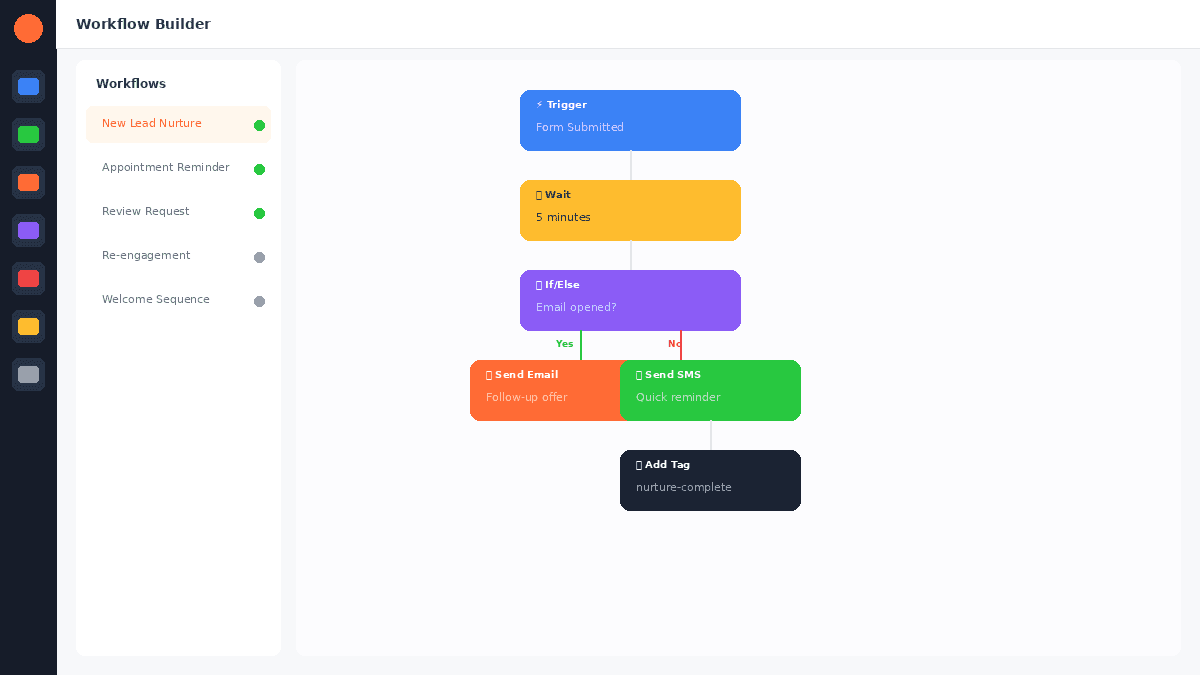
GoHighLevel's visual workflow builder is one of the most powerful features in the platform. But staring at a blank canvas can be overwhelming. These 15 recipes give you ready-to-build workflows with clear triggers, actions, and conditions.
Each recipe includes the trigger, the action sequence, any conditions or branches, and tips for customisation. For a general overview of the workflow builder, see our automation workflows guide. For the full platform context, read our GoHighLevel review.
Recipe 1: Speed-to-lead auto-response
Why it matters. Leads that receive a response within 5 minutes are 100x more likely to convert than leads contacted after 30 minutes. This workflow responds in seconds.
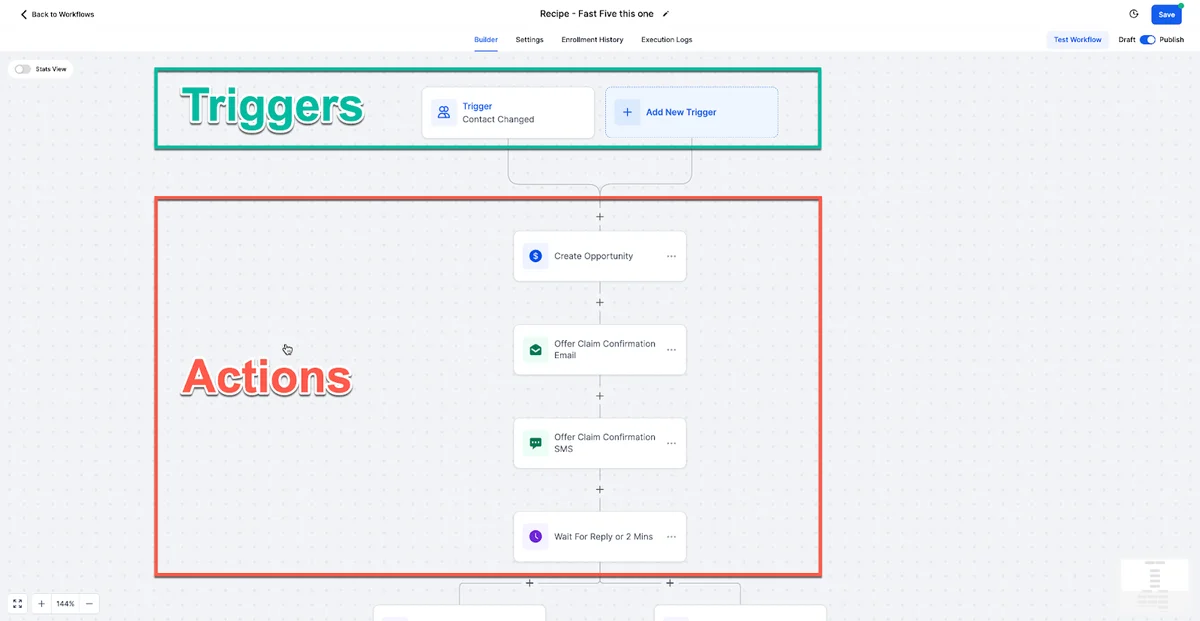
Trigger: Form submission or new contact created
Actions:
- Wait 10 seconds (feels more natural than instant)
- Send GoHighLevel SMS automation: "Hi [First Name], thanks for reaching out to [Business Name]. I received your request and will follow up shortly. Is there anything specific you need right away?"
- Send email with more detailed information about the service they requested
- Add contact to pipeline stage "New Lead"
- Notify team member via internal notification
Conditions: Check if the contact already exists. If they are a returning lead, skip the introduction and send a "Welcome back" message instead.
Recipe 2: Missed call text back
Why it matters. 85% of people whose calls go unanswered will not call back. An immediate text captures their attention before they contact a competitor.
Trigger: Missed call (call status = no answer)
Actions:
- Wait 30 seconds
- Send SMS: "Hi, I noticed we missed your call. Sorry about that. Can you let me know what you needed, and I will get back to you right away? You can also book a time that works for you here: [calendar link]"
- Add tag "Missed Call"
- Create task for team to follow up within 1 hour
Tip: Include a booking link so the lead can self-schedule rather than playing phone tag.
Recipe 3: Appointment reminder sequence
Why it matters. Automated reminders reduce no-shows by 25-40%. This multi-touchpoint sequence maximises attendance.
Trigger: Appointment scheduled
Actions:
- Immediately: Send confirmation email with appointment details, directions, and preparation instructions
- 24 hours before: Send SMS reminder: "Hi [First Name], just a reminder about your appointment tomorrow at [Time]. Reply YES to confirm or call us to reschedule."
- If no reply in 4 hours: Send follow-up SMS
- 2 hours before: Send final SMS with directions and any last-minute instructions
- If reply contains "reschedule" or "cancel": Trigger a branch that opens the calendar for rescheduling
Tip: The 24-hour reminder with a confirmation request is the most important touchpoint. It gives people enough time to reschedule if needed rather than simply not showing up.
EXTENDED FREE TRIAL
Start with 30 days free, not 14.
Use our partner link to get double the standard 14-day trial.
Start Your Free 30-Day Trial →Recipe 4: New client onboarding
Why it matters. Structured onboarding improves client retention and reduces early cancellations.
Trigger: Pipeline stage changed to "Won" or "New Client"
Actions:
- Send welcome email with login credentials, next steps, and team contact info
- Wait 1 day: Send "Getting started" guide
- Wait 3 days: Send check-in email asking if they need help with setup
- Wait 7 days: Send first value delivery email highlighting what has been accomplished
- Wait 14 days: Send satisfaction check and request for a review
Conditions: If the client responds at any point, pause the automated sequence and let the team handle manually.
Recipe 5: Review request after service completion
Why it matters. Timing matters for reviews. Asking immediately after a positive experience gets the best results.
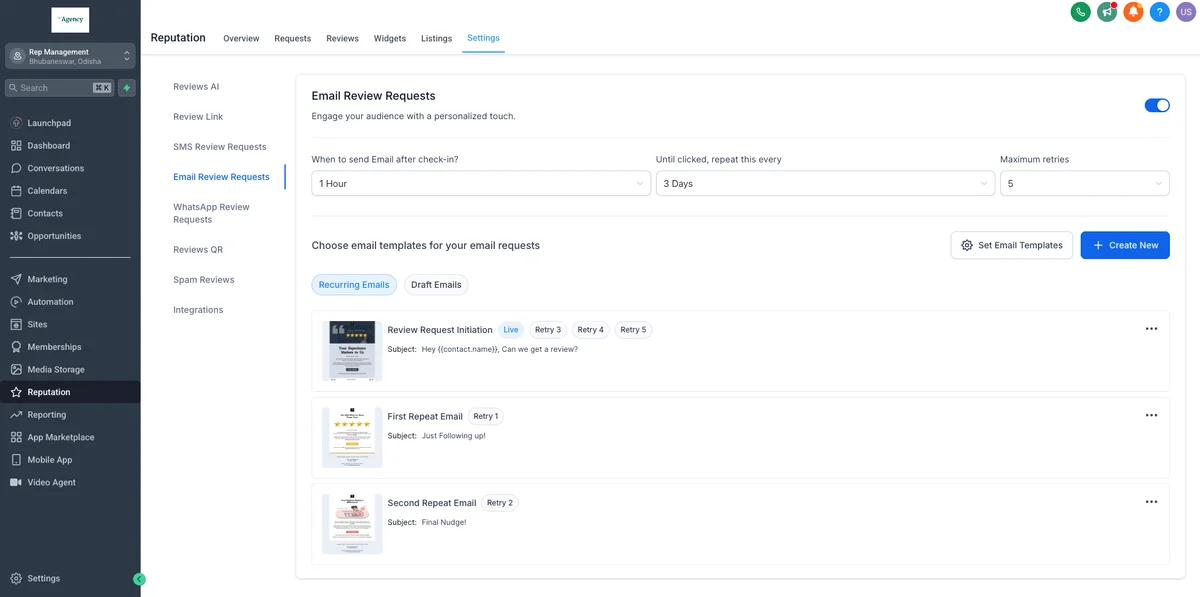
Trigger: Pipeline stage changed to "Service Complete" or appointment status changed to "Showed"
Actions:
- Wait 2 hours (give the experience time to settle)
- Send SMS: "Hi [First Name], thanks for choosing [Business Name]. If you had a positive experience, would you mind leaving us a quick Google review? It helps us a lot: [Google Review Link]"
- Wait 2 days: If no review detected, send follow-up email with a different approach
- If review is left: Send thank you message and add tag "Reviewed"
For more on this approach, see our reputation management guide.
Recipe 6: Lead nurture drip sequence
Why it matters. Most leads are not ready to buy immediately. A nurture sequence keeps you top of mind until they are.
Trigger: New lead enters pipeline at "Interested" stage
Actions:
- Day 0: Send welcome email introducing your business and what makes you different
- Day 3: Send case study or success story relevant to their interest
- Day 7: Send educational content (guide, video, or blog post)
- Day 14: Send comparison content showing why your solution is the best choice
- Day 21: Send social proof (testimonials, review highlights)
- Day 30: Send offer with urgency (limited-time discount or bonus)
- Day 45: Send "still interested?" check-in
Conditions: If the lead books an appointment or responds at any point, remove them from the drip and move to active conversation.
Recipe 7: Re-engagement campaign for cold leads
Why it matters. Your CRM is full of leads that went cold. Reactivation campaigns cost nothing compared to generating new leads.
Trigger: Manual or scheduled (run monthly on leads with no activity in 90+ days)
Actions:
- Send SMS: "Hi [First Name], it has been a while since we connected. We have some new [services/features] I thought you might be interested in. Worth a quick chat?"
- Wait 2 days: If no reply, send email with valuable content (not a sales pitch)
- Wait 5 days: If no reply, send final SMS with a specific offer
- If reply at any point: Move to active pipeline, notify team
- If no reply after all three: Tag "Unresponsive" and remove from future re-engagement for 6 months
Tip: The first message should feel personal, not automated. Use merge fields and reference something specific when possible.
FREE TRIAL
Get 30 Days Free With Our Partner Link
- ✓Full access for 30 days
- ✓No charge during the trial
- ✓Cancel any time
Join 2.2 million businesses already running on GoHighLevel
Recipe 8: Invoice follow-up automation
Trigger: Invoice sent (via webhook or manual trigger)
Actions:
- Day 0: Send invoice via email
- Day 3: If unpaid, send friendly reminder SMS
- Day 7: If unpaid, send follow-up email
- Day 14: If unpaid, send final notice and notify team for manual follow-up
Recipe 9: Birthday and anniversary campaigns
Trigger: Date-based trigger using contact's birthday or anniversary custom field
Actions:
- Send personalised birthday/anniversary message via SMS or email
- Include a special offer or discount valid for 7 days
- If redeemed: Track in CRM and move to active pipeline
Recipe 10: Webinar or event registration follow-up
Trigger: Form submission on webinar registration page
Actions:
- Immediately: Send confirmation email with event details and calendar invite
- Day before: Send reminder SMS
- 1 hour before: Send "starting soon" notification with join link
- After event: Send replay link and call to action
- Wait 2 days: Send follow-up offer related to webinar topic
Recipe 11: Referral request automation
Trigger: Pipeline stage = "Happy Client" (set manually or triggered by positive review)
Actions:
- Send personalised referral request: "Hi [First Name], we are thrilled you had a great experience. If you know anyone who might benefit from [service], we would love to help them too. Here is a link you can share: [referral link]"
- Wait 14 days: If no referral, send follow-up with incentive (discount on next service)
- If referral received: Send thank you and apply referral credit
Recipe 12: Contract renewal reminder
Trigger: Date-based trigger 30 days before contract end date
Actions:
- 30 days before: Send email overview of results achieved and renewal terms
- 14 days before: Send follow-up with updated pricing and any new features
- 7 days before: Send urgency SMS about upcoming renewal deadline
- 1 day before: Final reminder and connect to team for any questions
Recipe 13: Upsell sequence for existing clients
Trigger: Pipeline stage = "Active Client" for 90+ days
Actions:
- Send personalised email highlighting a service they do not currently use
- Include a case study from a similar client who added the service
- Wait 5 days: If no response, send SMS with limited-time offer
- If interested: Move to upsell pipeline and notify team
Recipe 14: Abandoned form recovery
Trigger: Contact created but form not completed (partial submission via webhook)
Actions:
- Wait 30 minutes: Send SMS: "Hi [First Name], it looks like you started filling out a form on our website but did not finish. Can I help you with anything?"
- Wait 1 day: Send email with the form link and a note about what they will get after completing it
- Wait 3 days: Send final SMS with a direct offer to help over phone
Recipe 15: Seasonal campaign automation
Trigger: Scheduled start date (set quarterly or for specific seasons/holidays)
Actions:
- Segment contacts by tags and past purchases
- Send personalised seasonal offer to each segment
- Wait 3 days: Send reminder to non-openers
- Wait 7 days: Send urgency message with deadline
- After campaign end: Move responders to sales pipeline, tag non-responders for next campaign
How to build these workflows
All 15 recipes use GoHighLevel's visual workflow builder. Navigate to Automation, then Workflows, then Create Workflow. You can start from scratch or use GoHighLevel's template library as a foundation.
For a detailed guide on the workflow builder interface, see our automation workflows guide. For ready-made setups you can import directly, check out our GoHighLevel snapshots guide.
If you need email marketing workflows specifically, that guide covers email-focused automations in more depth.
For additional context, see marketing automation benchmarks from HubSpot.
For additional context, see GoHighLevel workflow documentation.
Frequently Asked Questions
Can I import these workflows directly into GoHighLevel?
How many workflows can I create?
Can workflows send messages to multiple channels?
Do workflows work across sub-accounts?
What is the best first workflow to build?
You can start building these workflows today with a 30-day free trial.
For the 30-day free trial (double the standard 14 days), see our GoHighLevel free trial guide.
Related Articles
EXTENDED FREE TRIAL
Start with 30 days free, not 14.
Use our partner link to get double the standard 14-day trial.
Start Your Free 30-Day Trial →Ashley Kemp is a digital entrepreneur and perpetual traveller. Switched from ClickFunnels to GoHighLevel years ago and never looked back. Writing about what actually works.
Was this article helpful?