GoHighLevel Social Media Planner (2026)
17 min read · Updated April 2026
Does GoHighLevel have social media scheduling?
Yes. GoHighLevel includes a built-in social media planner on all plans - Starter ($97/mo), Pro ($297/mo), and Agency ($497/mo). It supports scheduling and publishing to Facebook Pages, Facebook Groups, Instagram Business accounts, LinkedIn personal profiles and company pages, Google Business Profile, TikTok, and Twitter/X. You can schedule individual posts, bulk-import via CSV, set recurring content, use AI to generate captions, and set up client approval workflows - all without paying for a separate tool like Hootsuite or Buffer.
TL;DR
- GoHighLevel includes a full social media planner on every plan - no extra cost
- Supports Facebook, Instagram, LinkedIn, Google Business Profile, TikTok, and Twitter/X
- Agencies save $99–$249/month compared to Hootsuite, with approval workflows, AI captions, and multi-account management built in
EXTENDED FREE TRIAL
Start with 30 days free, not 14.
Use our partner link to get double the standard 14-day trial.
Start Your Free 30-Day Trial →What Is the GoHighLevel Social Media Planner?
The GoHighLevel social media planner is a built-in content scheduling and publishing tool that lives inside every GoHighLevel account. You do not need to connect a third-party app or pay a per-seat fee - it is part of the platform alongside your CRM, GoHighLevel email marketings, funnels, and automation workflows.
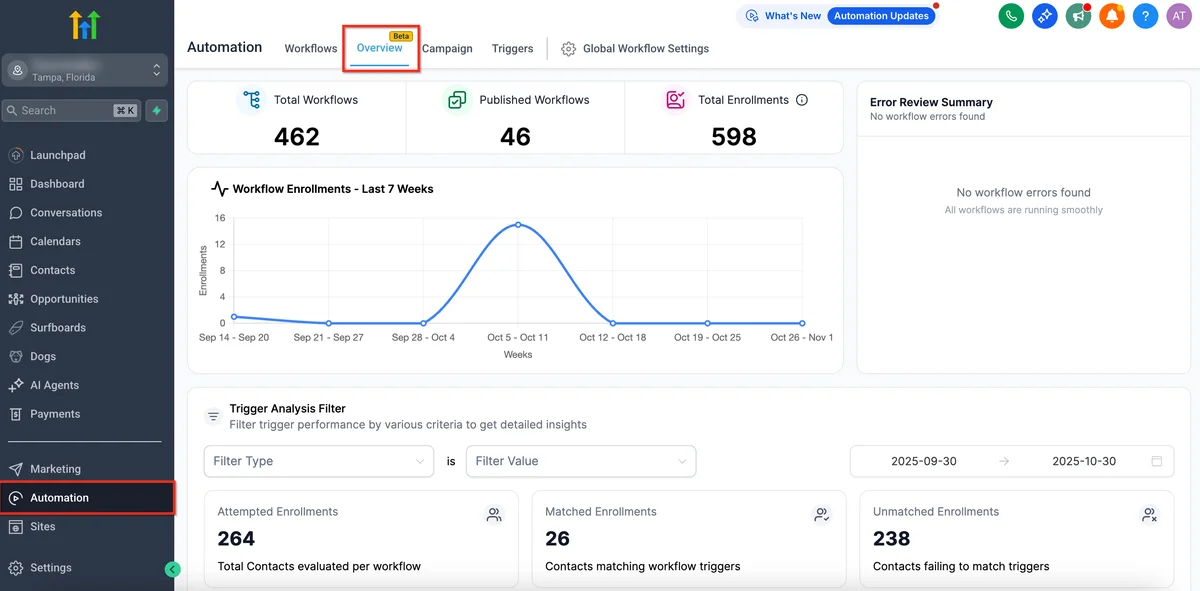
The social planner handles the complete content lifecycle: connect your accounts, create posts, add images or video, schedule the exact date and time, review everything in a visual calendar, and let GoHighLevel publish GoHighLevel automation workflows. Agencies also get a post approval layer so clients can review and approve content before it goes live.
For agencies who have been paying $99–$249 per month for Hootsuite or $6 per channel per month for Buffer, discovering that GoHighLevel already includes social scheduling is one of those "why didn't I know this earlier" moments. If you are already on any GHL plan, the social planner is available to you right now.
For a broader look at everything GoHighLevel includes, see our GoHighLevel review or our breakdown of GoHighLevel pricing plans.
Supported Social Platforms in GoHighLevel
GoHighLevel's social planner connects to six major platforms. Here is what you get on each:
Facebook Pages and Groups
Connect one or more Facebook Pages and publish posts, images, video, and links. Facebook Group posting is also supported - useful for community managers who maintain active groups alongside their business pages. You can schedule posts at any future date and time, and GHL will publish automatically when the time arrives.
Instagram Business Accounts
Instagram requires a Business or Creator account linked to a Facebook Page. GoHighLevel supports image posts, video posts, and carousels. Instagram Stories and Reels publishing have limitations depending on the API access available at the time - GoHighLevel follows Meta's API capabilities, so check the platform's release notes for the latest status on Reels scheduling.
LinkedIn Personal Profiles and Company Pages
Connect both your personal LinkedIn profile and any Company Pages you manage. This is valuable for thought leadership content - you can schedule the same article post across your personal profile and your agency's company page simultaneously, or create separate posts for each.
Google Business Profile
Google Business Profile (formerly Google My Business) posts appear in Google Search results and Google Maps. Scheduling GBP posts inside GoHighLevel keeps your local SEO presence active without logging into Google's interface separately. This is a feature that Hootsuite and Buffer do not include at comparable price points.
TikTok
TikTok posting is supported for Business accounts. You can schedule TikTok videos through the social planner, making it possible to manage short-form video content alongside your other channels from one place.
Twitter / X
Twitter/X is available for scheduling text posts and image posts. Given the ongoing changes to X's API pricing and policies, verify current access status in your GHL account - GoHighLevel has historically kept integrations active as platform APIs allow.
GoHighLevel Social Media Planner Features
Content Calendar
The social planner displays a visual monthly and weekly calendar view. Each scheduled post appears as a block on the calendar, colour-coded by platform. You can drag and drop posts to reschedule them, click any post to edit, and toggle between calendar and list views depending on your workflow.
The calendar gives agencies a clear view of content density - you can instantly see if a client's feed has gaps or if posts are clustering on certain days.
Post Composer
The post composer is a multi-platform drafting environment. Write your caption, attach images or video, add a first comment (useful for Instagram hashtags), and preview how the post will appear on each platform. You can toggle which platforms receive the post, which is handy when you want to post across Facebook and LinkedIn but not Instagram on the same piece of content.
The composer handles character limits per platform - LinkedIn allows longer posts, Twitter/X limits you to 280 characters - and flags if you exceed a platform's limits before you schedule.
Schedule or Publish Immediately
Post immediately with one click or schedule for any future date and time. You can set times manually or use GoHighLevel's suggested best-time feature, which recommends posting windows based on general engagement patterns.
Bulk Scheduling via CSV Import
For agencies producing high volumes of content or onboarding a new client with a full content library, the CSV import feature saves hours. Prepare a spreadsheet with columns for post text, date, time, platform, and media file references, then import the whole batch in one go. GoHighLevel queues every post from the CSV and populates the calendar automatically.
This is particularly useful for campaign launches, seasonal content calendars, or transitioning a client from another scheduling tool.
Post Approvals for Agencies
The approval workflow lets agencies submit posts for client review before they go live. When you create a post and flag it for approval, your client receives a notification and can log in to review, approve, or request changes. Posts stay in a pending state until approved - they will not publish without sign-off.
This feature solves a common agency pain point: sending content for approval via email threads, Google Docs comments, or separate tools. Everything stays in one platform, with a clear audit trail of what was approved and when.
AI-Powered Caption Generation
GoHighLevel's AI assistant is available inside the social planner. Click the AI button in the composer, describe what the post should be about and the tone you want, and the AI generates a draft caption. You can regenerate if the first draft misses the mark, or edit directly in the composer.
The AI works well for first drafts and overcoming blank-page paralysis. It supports hashtag suggestions and can adapt copy for different platforms from the same brief. For agencies managing 10-20 clients, even saving five minutes per post per client adds up to meaningful time savings each month.
Content Categories and Tags
Organise posts with categories and tags to make content filtering easier. Set up categories like "Educational," "Promotional," "Client Spotlight," or "Behind the Scenes" and tag posts accordingly. This helps you maintain content mix balance - ensuring a client's feed is not all promotional - and makes it easy to pull reports on what types of content performed best.
RSS Feed Auto-Posting
Connect an RSS feed to automatically pull in new content and create social posts. This is useful for agencies managing clients who publish blog content regularly - new posts can automatically generate social shares without manual action, keeping the client's social presence active between manually scheduled campaigns.
How to Schedule Posts in GoHighLevel (Step-by-Step)
Follow these steps to schedule your first post using the GoHighLevel social media planner:
Step 1: Connect your social accounts
Navigate to Settings > Integrations in your GoHighLevel sub-account. Find the Social Media section and click Connect next to each platform you want to add. Follow the OAuth flow for each platform - Facebook will ask you to authorise access to your Pages and Groups; Instagram connects via the same Facebook authorisation; LinkedIn has its own OAuth; Google Business Profile connects via Google account. Complete the flow for each platform.
Step 2: Open the Social Planner
Go to Marketing > Social Planner in the left-hand navigation. The content calendar loads, showing your current and scheduled posts. If this is your first time, the calendar will be empty.
Step 3: Create a new post
Click the New Post button (or click on any date in the calendar). The post composer opens in a side panel or full-screen view.
Step 4: Add text and media
Write your caption in the text field. Attach images, videos, or links using the media upload button. To use AI generation, click the AI icon and describe what you want. Add a first comment if needed (for Instagram hashtag stacking).
Step 5: Select your platforms
In the platform selector at the top of the composer, toggle on the platforms you want this post to go to. The preview section updates to show how the post will look on each selected platform. Adjust the caption for any platform where the formatting differs.
Step 6: Set the schedule date and time
Click Schedule Post and choose your date and time from the date-picker. If you want to publish immediately, click Publish Now instead. For posts requiring approval, click Submit for Approval to send it to your client review queue.
Step 7: Review in the content calendar
Close the composer and check the calendar. Your scheduled post appears as a block on the chosen date. Click it to edit, drag it to reschedule, or use the kebab menu to duplicate or delete. The post will publish automatically at the scheduled time.
Post Approval Workflows for Agencies
The post approval system is one of GoHighLevel's most practical GoHighLevel features overview for agencies managing client social media.
Here is how to set it up:
First, ensure your client has access to their sub-account. They do not need a full GoHighLevel licence - you can grant them limited access with specific permissions. Navigate to Settings > Team in the sub-account, add the client as a user, and assign them the Social Media role or a custom role with social planner permissions.
When you create posts, use the Submit for Approval button instead of scheduling directly. The client receives an email notification with a link to review. Inside the social planner, they see the post with options to Approve or Request Changes. If they request changes, the post returns to you with their comments attached.
Approved posts move to scheduled status automatically. You can see all pending, approved, and rejected posts in the Approvals section of the social planner.
This workflow eliminates the approval chaos that agencies typically manage through WhatsApp messages, email chains, and shared Google Docs. Everything is timestamped, traceable, and contained within the platform your team is already using.
AI Caption Generator in GHL Social Planner
GoHighLevel's AI caption generator is powered by the same AI infrastructure that runs across the platform's content tools. Inside the post composer, click the sparkle or AI icon to open the generation prompt.
You provide:
- Topic or brief: What the post is about (e.g., "spring HVAC maintenance checklist")
- Tone: Professional, casual, friendly, urgent, educational
- Platform: The AI adjusts length and style for LinkedIn vs Instagram vs Facebook
- Call to action: What you want the reader to do
The AI returns a draft caption in seconds. You can regenerate multiple times, edit the output directly, or use the generated post as a starting point and rewrite sections that need a human touch.
For agencies running social media for many clients, the AI is most valuable for scaling first-draft production. A social media manager can use AI to generate a first draft for each post, do a light edit to match the client's voice, and move on - rather than writing from scratch every time.
The AI also generates hashtag suggestions based on the post content, which saves research time and helps keep posts discoverable.
GoHighLevel vs Hootsuite vs Buffer for Agencies
One of the most common questions from agencies evaluating GoHighLevel is how its social planner compares to dedicated tools like Hootsuite and Buffer. Here is an honest comparison:
| Feature | GoHighLevel | Hootsuite Professional | |
|---|---|---|---|
| Price | Included - $97/mo (Starter) | $99/mo per user | $6/channel/mo |
| Platforms supported | Facebook, Instagram, LinkedIn, GBP, TikTok, Twitter/X | Facebook, Instagram, LinkedIn, TikTok, Twitter/X, Pinterest, YouTube | Facebook, Instagram, LinkedIn, TikTok, Twitter/X, Pinterest |
| Google Business Profile | ✅ Yes | ❌ No (add-on) | ❌ No |
| Bulk scheduling / CSV import | ✅ Yes | ✅ Yes | ✅ Yes (paid plans) |
| Post approval workflow | ✅ Yes | ✅ Yes (Team plan, $249/mo) | ✅ Yes (paid plans) |
| AI caption generation | ✅ Yes (included) | ✅ Yes (add-on cost) | ✅ Yes (AI Assistant add-on) |
| White-label for clients | ✅ Full white-label | ❌ No | ❌ No |
| CRM + email + funnels | ✅ All included | ❌ Social only | ❌ Social only |
| Multi-client sub-accounts | ✅ Yes (agency plans) | ❌ Separate seats | ❌ Separate workspaces |
| Analytics depth | Basic - posts, reach, engagement | Deep - cross-channel, custom reports | Basic - engagement metrics |
| 30-day trial | ✅ Yes | ❌ 30-day trial available | ✅ 14-day free trial |
The key takeaway: for agencies already paying for GoHighLevel, the social planner is not an extra cost. If you are using Hootsuite Professional at $99/month on top of your GHL subscription, you may be able to consolidate.
Where Hootsuite and Buffer win is analytics depth. If your clients demand detailed cross-channel reporting, competitor analysis, or Pinterest/YouTube scheduling, dedicated tools offer more in those specific areas. For most agency clients - local businesses, service businesses, professional services - GoHighLevel's social planner covers everything you need without additional spend.
FREE TRIAL
Get 30 Days Free With Our Partner Link
- ✓Full access for 30 days
- ✓No charge during the trial
- ✓Cancel any time
Join 2.2 million businesses already running on GoHighLevel
Limitations of GHL's Social Media Planner
Honest assessment: GoHighLevel's social planner is excellent for its price point, but it has limitations compared to dedicated social media management platforms.
Instagram direct publishing restrictions
Instagram's API has constraints that affect all third-party schedulers, not just GoHighLevel. Reels scheduling through the API has been available since Meta opened access, but functionality can change with API updates. Stories scheduling is limited - you may receive a reminder notification to publish manually rather than full auto-publishing, depending on current API capabilities. Always check the current GHL release notes for the latest Instagram status.
Analytics are basic
The social planner shows post-level performance - impressions, reach, engagement, and clicks - but it does not offer the deep analytics that Sprout Social, Hootsuite Analytics, or Iconosquare provide. There is no competitor analysis, no cross-channel performance dashboards, no best-time-to-post analysis based on your specific audience data, and no custom report builder.
For agencies whose clients simply want posts scheduled and published, this is fine. For clients who expect detailed monthly reporting with benchmark comparisons and audience growth trends, you may still need a dedicated analytics tool or need to pull reports directly from each platform's native insights.
No Pinterest or YouTube scheduling
If your clients are heavily reliant on Pinterest (e-commerce, food, lifestyle) or YouTube, GoHighLevel does not currently support scheduling to those platforms. You would need to publish to those channels separately or use a complementary tool.
No inbox management for social DMs
GoHighLevel's Conversations inbox handles Facebook Messenger and Instagram DM replies, but the social planner itself does not include a unified social inbox for monitoring comments on scheduled posts. Monitoring and responding to post comments happens through the native platform apps or GoHighLevel's conversations tool where API access allows.
Occasional posting delays
Like all third-party schedulers, GoHighLevel publishes via API and can experience minor delays during high-traffic periods. For time-sensitive posts - live event announcements, flash sales - always add a buffer or publish manually to guarantee exact timing.
GoHighLevel Social Media Planner for Agencies
For agencies managing social media across multiple clients, GoHighLevel's sub-account structure is the key advantage over every dedicated social media tool on the market.
Each client gets their own sub-account. Within each sub-account, you connect that client's social profiles, create their content, manage their approval workflows, and track their performance. Everything is isolated - client A cannot see client B's content or data.
Agency owners and team members work across sub-accounts from a single Agency dashboard. Assign team members to specific client accounts, set permissions so each team member only sees the clients they manage, and oversee everything from the top-level view.
Compare this to Hootsuite Team at $249/month, which gives you three users and multiple social profiles but no built-in CRM, no email marketing, no funnel builder, and no automation workflows. GoHighLevel at $297/month (Pro plan) or $497/month (Agency plan) includes all of those features plus unlimited sub-accounts.
For an agency billing clients for social media management, the math is straightforward:
- Hootsuite Team: $249/mo + CRM: $50-100/mo + email tool: $50-100/mo + funnels: $97-297/mo = $446-746/month minimum for comparable capabilities
- GoHighLevel Agency: $497/month - CRM, social, email, funnels, automations, reputation management, and more included
The social planner alone is not why agencies choose GoHighLevel - but for agencies already on the platform, consolidating social scheduling from Hootsuite or Buffer into GHL is an easy decision.
For the full picture of what the agency plan includes, read our GoHighLevel for agencies guide.
Related Articles
EXTENDED FREE TRIAL
Start with 30 days free, not 14.
Use our partner link to get double the standard 14-day trial.
Start Your Free 30-Day Trial →Related Resources
- Visit the GoHighLevel official site
- Visit the Hootsuite social media statistics
Frequently Asked Questions
Does GoHighLevel have a social media planner?
How does the post approval workflow work in GoHighLevel?
Is GoHighLevel social media scheduling included on all plans?
Can you bulk schedule social media posts in GoHighLevel?
Can GoHighLevel replace Hootsuite for agencies?
Which social media platforms does GoHighLevel support?
Ashley Kemp is a digital entrepreneur and perpetual traveller. Switched from ClickFunnels to GoHighLevel years ago and never looked back. Writing about what actually works.
Was this article helpful?