GoHighLevel Landing Pages: Builder, Templates & Tips
20 min read · Updated April 2026
What is the GoHighLevel landing page builder?
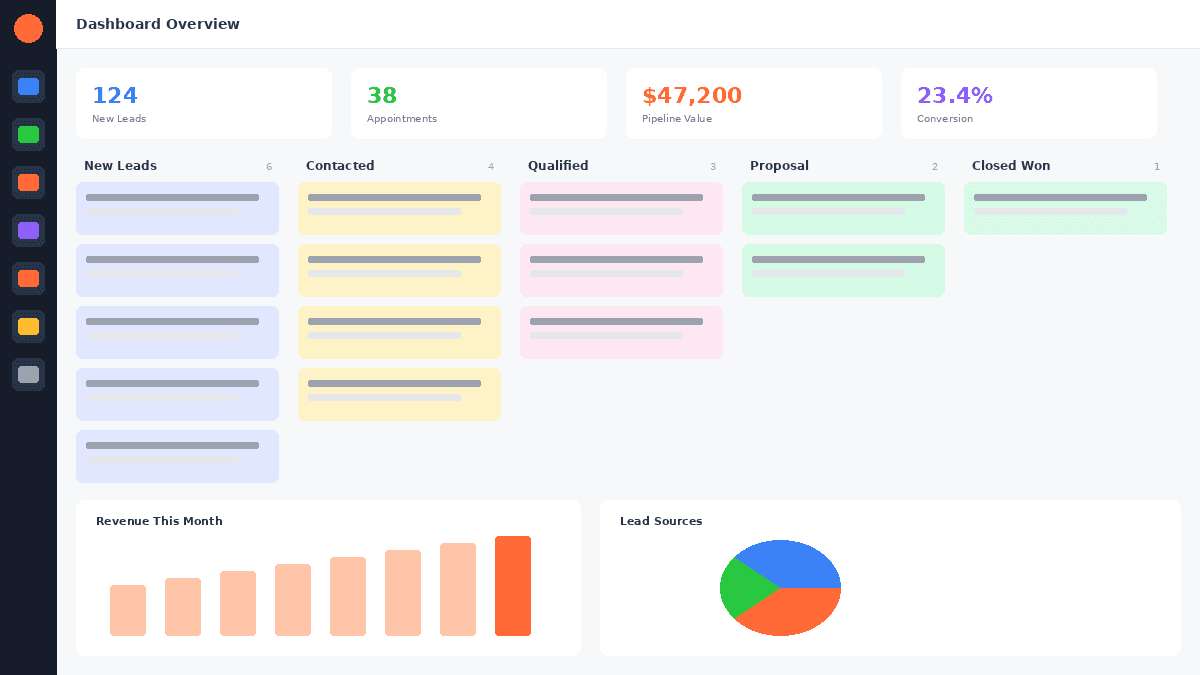
GoHighLevel's landing page builder is a drag-and-drop page editor included in all GHL plans (starting at $97/mo) that lets you build landing pages, full websites, multi-step sales funnels, membership portals, and blog pages - all without code. It includes A/B split testing, custom domains, SEO settings, mobile-responsive design, smart GoHighLevel forms and surveys with CRM auto-capture, and 100+ pre-built templates.
TL;DR:
- GoHighLevel's page builder is included in every plan - no extra subscription needed, unlike ClickFunnels ($97–$297/mo separately).
- You can build landing pages, full websites, multi-step funnels, membership areas, and blogs from one drag-and-drop editor.
- A/B testing, custom domains, SEO meta settings, and CRM-connected forms are all built in.
EXTENDED FREE TRIAL
Start with 30 days free, not 14.
Use our partner link to get double the standard 14-day trial.
Start Your Free 30-Day Trial →What Is the GoHighLevel Landing Page Builder?
GoHighLevel's landing page builder is a full drag-and-drop visual editor built directly into the GHL platform. It is not a third-party add-on or a bolt-on integration - it ships with every GoHighLevel subscription and shares the same database as your CRM, automations, GoHighLevel email marketinging, and SMS tools.
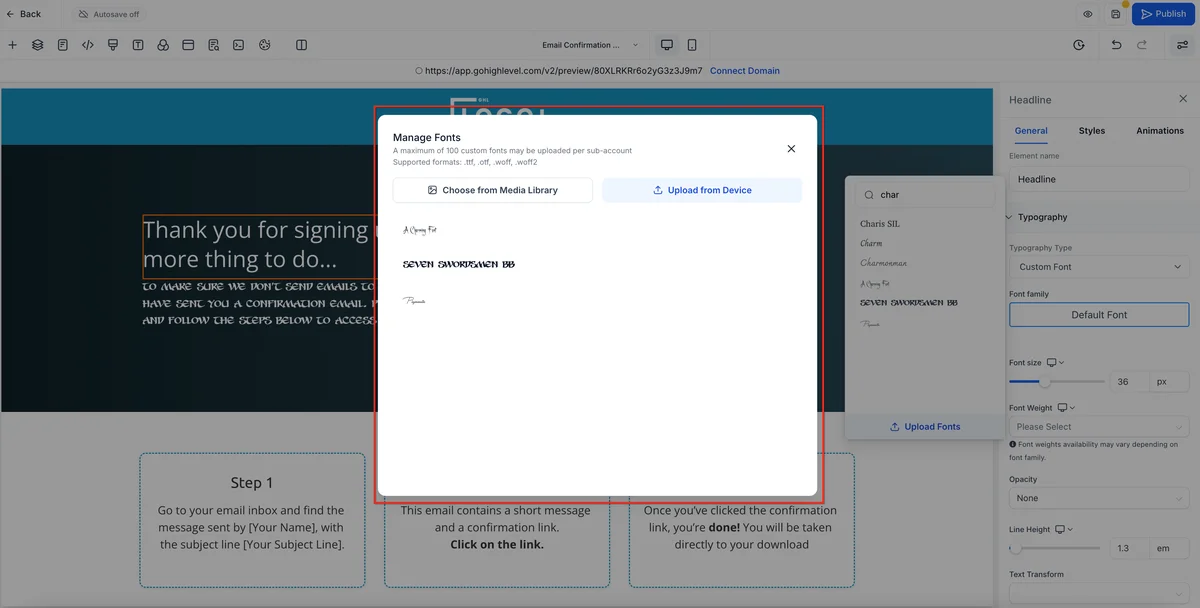
The builder sits inside the Sites section of your GoHighLevel sub-account. From there, you access three distinct but related tools:
- Funnels - multi-step conversion flows (opt-in → thank you → upsell → checkout)
- Websites - multi-page sites with navigation, headers, footers, and blog
- Blogs - SEO-focused content pages nested within your website
All three use the same visual editor engine, so learning one means you know all three. Elements, sections, and global styles carry over between them.
Why this matters for agencies: Every GHL sub-account you spin up for a client gets its own fully functional page builder. At the Unlimited plan ($297/mo), you can create unlimited sub-accounts - meaning you're delivering a ClickFunnels-quality funnel builder to every client at no additional per-seat cost.
What Can You Build With It?
GoHighLevel's page builder covers the full spectrum of conversion-focused web properties:
Landing Pages - Single-purpose pages designed to capture a lead or drive one action. Standard structure: headline, hero, benefit bullets, form, social proof. GHL forms connect directly to the CRM so every submission creates or updates a contact record automatically.
Full Multi-Page Websites - Complete business websites with navigation menus, sub-pages (About, Services, Contact), global headers and footers, and integrated blog. Suitable as a primary web presence, not just a marketing page.
Multi-Step Sales Funnels - The core of GHL's funnel builder. A funnel chains together pages in a defined sequence: opt-in page → thank-you page → sales page → order form → upsell → downsell → confirmation. Each step tracks conversions separately so you can spot drop-off points instantly.
Sales Pages - Long-form pages with video, testimonials, pricing tables, countdown timers, and order forms. GoHighLevel includes a native order form element that connects to Stripe for one-click payment collection.
Thank-You Pages - Post-conversion pages that confirm the action, deliver lead magnets, and often contain a one-click upsell offer. GHL's funnel logic lets you route contacts to different thank-you pages based on their previous actions.
Membership Portals - Password-protected content areas for courses, coaching programs, and subscription content. Members can be auto-enrolled via workflow automations when they purchase or opt in.
Blog - SEO-optimized blog pages with category support, author profiles, featured images, and meta fields. Built directly into the website builder.
GoHighLevel Page Builder vs ClickFunnels vs Leadpages
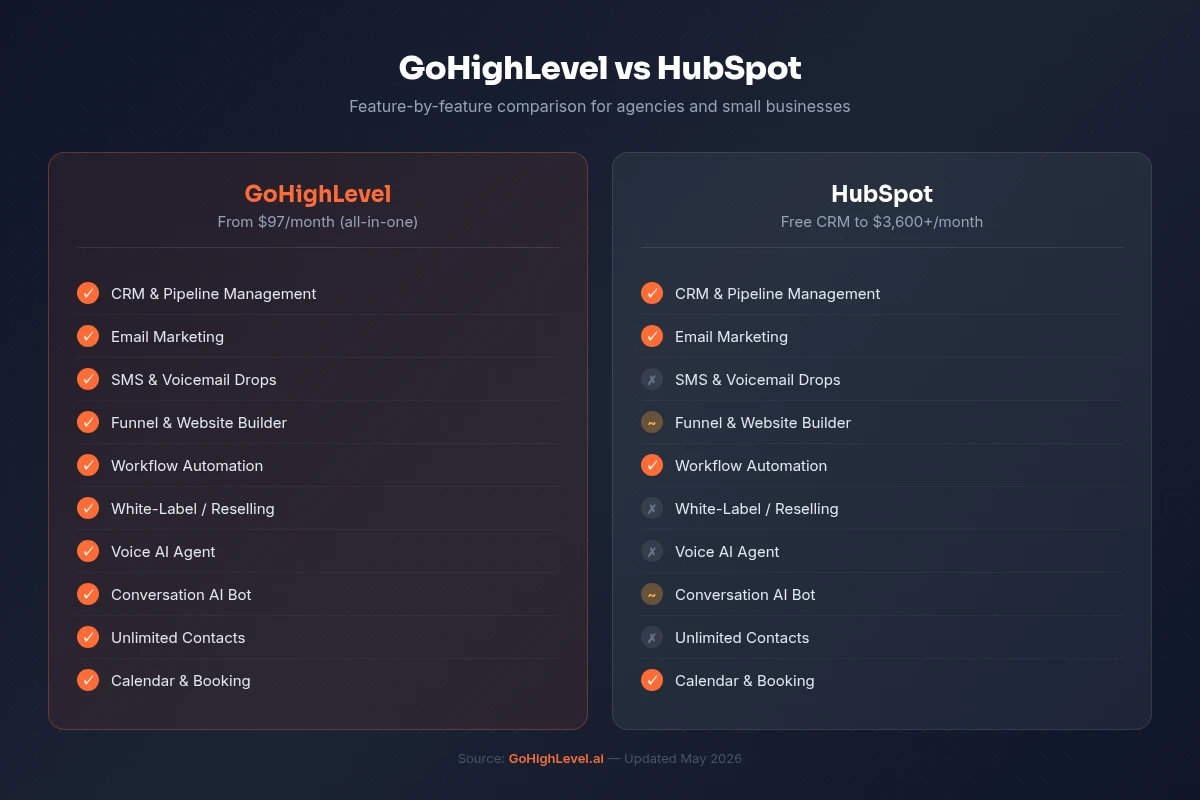
The three most-compared tools in this category. Here's how they stack up on the features that matter most:
| Feature | GoHighLevel | ClickFunnels 2.0 | |
|---|---|---|---|
| Starting price | $97/mo (full platform) | $97/mo (funnels only) | $49/mo (pages only) |
| Landing pages | ✅ Unlimited | ✅ Unlimited | ✅ Unlimited |
| Full website builder | ✅ Included | ✅ Included | ⚠️ Limited |
| Multi-step funnels | ✅ Included | ✅ Core feature | ❌ Not included |
| A/B split testing | ✅ Included | ✅ Included | ✅ Included |
| Built-in CRM | ✅ Full CRM | ✅ Basic CRM | ❌ No CRM |
| Email + SMS marketing | ✅ Both included | ✅ Email only | ❌ Integrations only |
| Custom domains | ✅ Unlimited | ✅ Included | ✅ Custom domain per plan |
| Templates | 100+ included | 100+ included | 200+ included |
| White-label | ✅ SaaS Pro plan | ❌ Not available | ❌ Not available |
| Native checkout / payments | ✅ Stripe + PayPal | ✅ Stripe + PayPal | ⚠️ Via integrations |
| Membership / courses | ✅ Included | ✅ Included | ❌ Not included |
| Automation workflows | ✅ Full builder | ✅ Basic workflows | ❌ Not included |
| Free trial | 30 days | 14 days | 14 days |
The key takeaway: GoHighLevel at $97/mo includes the page builder, CRM, email, SMS, automations, calendars, and reputation management. ClickFunnels at $97/mo gives you funnels and a CRM - you'd still need separate tools for SMS, reputation, and advanced automations. Leadpages at $49/mo is pages only.
For agencies especially, GoHighLevel's white-label capability (available on the SaaS Pro plan at $497/mo) has no equivalent in either competitor.
Key Features of the GHL Page Builder
Drag-and-Drop Elements
The GHL editor uses a column-and-section layout. Every page is composed of sections (full-width rows), columns within those sections, and elements dropped into columns. Available elements include:
- Text - headings (H1–H4), paragraphs, bulleted lists
- Image - with lazy loading, alt text, and link options
- Video - YouTube, Vimeo, or hosted video with autoplay and loop controls
- Button - CTA buttons with click tracking, custom URL, or funnel step navigation
- Form - smart forms that create/update CRM contacts on submission; supports custom fields, conditional logic, and hidden fields
- Calendar - embed a GHL booking calendar directly on any page
- Countdown timer - evergreen or fixed-date timers for urgency campaigns
- Progress bar - visual step indicators for multi-step funnels
- Testimonials - formatted review blocks with name, photo, and star rating
- Pricing table - single or multi-column pricing cards with feature lists
- Code block - embed custom HTML, CSS, or JavaScript for third-party widgets
- Survey - multi-question survey widget with conditional branching
- Divider, Spacer - layout control elements
Mobile-Responsive Editor
Every element has separate desktop, tablet, and mobile property panels. You can hide elements on specific device types, adjust font sizes by breakpoint, and reorder column stacking on mobile. The editor previews each breakpoint in real time - no guessing how your page looks on a phone.
A/B Split Testing
GoHighLevel's built-in A/B testing lets you create up to 5 variants of any funnel step and set traffic split percentages. The system automatically tracks:
- Total visits per variant
- Opt-in conversion rate
- Revenue per visitor (when connected to an order form)
After reaching statistical significance, you can declare a winner and redirect all traffic to the winning variant with one click. This is available on all plan levels - not locked behind a higher tier.
Custom Domains
Connect unlimited custom domains to your GHL sub-account at no additional cost. Each funnel and website can be assigned its own domain or subdomain. SSL certificates are provisioned automatically. There is no per-domain fee - a meaningful advantage over Leadpages, which charges based on how many custom domains you need.
SEO Meta Settings
Every page in GHL has its own SEO panel where you can set:
- Page title and meta description
- OG image (for social sharing previews)
- Canonical URL
- Header and footer tracking scripts (per-page or site-wide)
- robots meta tag (index/noindex)
The blog module adds structured data fields for author, publish date, and article category automatically.
Global Sections and Templates
Create a section once - a hero, testimonial block, footer, or pricing table - and save it as a global section. Use it across multiple pages. Update the global section once and every instance updates automatically. This is the GHL equivalent of reusable components in a design system.
Pop-Ups and Sticky Elements
The pop-up builder in GHL supports:
- Trigger types: time delay, scroll depth, exit intent, click-triggered
- Display frequency: once per session, once per day, once per visitor
- Sticky bars: top or bottom of viewport, with close/dismiss option
Pop-ups use the same drag-and-drop editor as regular pages and connect to the same GoHighLevel CRM forms.
Smart Form + CRM Auto-Capture
This is where GHL's page builder pulls ahead of standalone tools like Leadpages. When a contact submits a form on your GHL page:
- A new contact record is created (or existing record updated) in the CRM
- Tags and custom field values are applied based on form data
- A workflow automation triggers immediately (e.g., send welcome SMS, notify sales rep, start nurture sequence)
- The contact moves to a specified pipeline stage
All of this happens with zero code and zero Zapier integration required.
How to Build a Landing Page in GoHighLevel (Step-by-Step)
Step 1 - Navigate to Funnels. Log in to your GoHighLevel sub-account and go to Sites → Funnels in the left sidebar. This is your funnel dashboard showing all active, draft, and archived funnels.
Step 2 - Create a new funnel. Click New Funnel in the top right. Enter a funnel name (internal reference only - visitors never see this) and select a campaign goal. The goal field is informational but helps you stay organized at scale.
Step 3 - Add your first funnel step. On the Funnel Steps screen, click Add New Step. Name it (e.g., "Opt-In Page") and choose a step type. Step types control the available elements and conversion tracking: Opt-In, Sales Page, Upsell, Downsell, Order Form, Confirmation.
Step 4 - Choose a template or start blank. Click the pencil icon to open the editor. For most use cases, starting from a template is 5x faster than blank. Templates are filterable by industry (real estate, coaching, dental, agency, e-commerce) and goal type. Pick one close to your vision - it's faster to edit an existing design than build from scratch.
Step 5 - Build your page. Drag elements from the left panel onto the canvas. A high-converting lead gen page typically has: a strong H1 above the fold, a subheadline with the value proposition, 3–5 benefit bullets, a form with as few fields as necessary (name + email is enough for most opt-ins), and a prominent CTA button.
Step 6 - Configure your form. Click the form element and open Settings. Map each form field to the correct CRM custom field. Set the "On Submit" behavior: redirect to a thank-you page URL (best practice) or show an inline confirmation message. Optionally add hidden fields to tag leads by source.
Step 7 - Configure SEO and domain settings. Click the Settings tab (gear icon) on your funnel step. Set the page title, meta description, OG image, and assign your custom domain. Add your Google Analytics or Meta Pixel tracking code in the header scripts field.
Step 8 - Publish. Click Save, then use the preview button to check desktop and mobile rendering. Fix any layout issues using the mobile breakpoint panel. When satisfied, toggle the step status from Draft to Published. Your page is immediately live at the domain you configured.
GoHighLevel Funnel Builder: Multi-Step Funnels Explained
A funnel in GoHighLevel is a sequence of linked pages with a defined flow between them. Unlike a standalone landing page, a funnel controls what happens after each conversion event - and this is where GHL creates serious revenue leverage.
Funnel step types and their purpose:
| Step Type | Purpose |
|---|---|
| Opt-In | Capture name/email in exchange for a lead magnet |
| Sales Page | Present offer, overcome objections, drive purchase decision |
| Order Form | Collect payment via Stripe/PayPal |
| Order Bump | Add-on product offered on the order form page (checkbox opt-in) |
| Upsell | One-time offer presented after purchase, accepted with one click |
| Downsell | Lower-priced alternative shown if upsell is declined |
| Confirmation | Thank-you page confirming order, delivering access, next steps |
How order bumps and upsells work in GHL:
Order bumps appear as a checkbox on the order form page. A visitor sees your primary offer plus an additional product they can add for an incremental price. No second checkout - they click a checkbox and both products are charged together. Average order bump acceptance rates are 20–35%.
One-click upsells (OTO pages) appear after the primary purchase is complete. Because the payment details are already captured, GHL charges the upsell with a single button click - no re-entering card info. This "one-click" mechanic is what makes post-purchase upsells so effective.
Funnel analytics in GHL:
Each funnel step shows visits, opt-ins/conversions, conversion rate %, and revenue. You see the entire funnel as a visual flow so drop-off points are immediately visible. If your opt-in page converts at 42% but your order form converts at 1.2%, you know exactly where to focus optimization effort.
GoHighLevel Website Builder vs Landing Page Builder - When to Use Each
GoHighLevel gives you two distinct tools inside Sites, and choosing the right one for each project saves significant rework.
Use the Funnel Builder when:
- Your goal is a single conversion action (opt-in, purchase, booking, application)
- You want to control exactly what a visitor sees next - no navigation menu, no distractions
- You're running paid traffic and need maximum conversion focus
- You need A/B testing, upsell sequences, or order forms
Use the Website Builder when:
- You're building a client's primary web presence
- You need multi-page navigation (Home, About, Services, Contact)
- You want a blog for SEO content
- Visitors need to browse and explore before converting
- You're building a portfolio or agency showcase
The hybrid approach: Many agencies build a client's main website in the GHL website builder, then link specific CTAs (Book a Call, Get a Quote, Download Free Guide) to focused funnel pages rather than internal website pages. This gives SEO authority from the full website while maintaining conversion-optimized experiences for paid traffic.
Templates and Snapshots
Built-In Template Library
GoHighLevel includes 100+ funnel and page templates organized by:
- Industry: real estate, dental, legal, fitness, coaching, restaurant, e-commerce, agency
- Goal: lead gen, webinar registration, book a call, product sales, event signup
- Style: minimal, bold, professional, dark mode
Every template is fully editable - fonts, colors, images, copy, and layout. Global style settings let you apply a brand color palette and font stack to all pages in a funnel simultaneously, instead of editing each element individually.
Snapshots for Agency Workflows
Snapshots are GHL's most powerful templating feature. A snapshot captures an entire sub-account configuration - not just pages, but also: workflows, pipelines, email/SMS templates, custom fields, tags, and calendars.
When an agency onboards a new client in the same industry (e.g., a dental practice), they load the dental snapshot and the entire marketing infrastructure is pre-built in minutes. Industry-specific snapshots can include:
- A 5-page patient acquisition funnel
- Pre-built appointment reminder workflow
- Review request automation
- 30-day lead nurture email sequence
- Custom CRM fields for patient type and appointment status
GHL has a Snapshot Marketplace where agencies sell and buy pre-built snapshots. If you're starting from scratch in a new vertical, buying a $97–$497 snapshot from the marketplace is almost always faster than building from zero.
FREE TRIAL
Get 30 Days Free With Our Partner Link
- ✓Full access for 30 days
- ✓No charge during the trial
- ✓Cancel any time
Join 2.2 million businesses already running on GoHighLevel
Conversion Optimization Tips for GHL Pages
Building a page in GHL is straightforward. Building a page that converts at 30%+ requires intentional decisions. Here are the highest-leverage optimizations specific to GHL:
1. Put your form above the fold. GHL lets you place your form anywhere - most templates bury it below a long hero section. Move your lead capture form (or at minimum your CTA button) to the top of the viewport. Data consistently shows above-fold forms outperform below-fold by 40–60% for cold traffic.
2. Minimize form fields aggressively. Every additional form field reduces conversions. For top-of-funnel lead gen: first name + email is the maximum. Use GHL's hidden fields to capture source data (UTM parameters) automatically without asking visitors. You can collect phone number and other details in the follow-up workflow.
3. Use a video as your hero element - but make it optional. GHL's video element supports autoplay with mute by default. A 90-second VSL (video sales letter) above the fold outperforms a static image for offers above $100 value. For free lead magnets, a compelling headline + image often converts just as well without the video production overhead.
4. Set a specific redirect after form submission. Under form settings, always redirect to a dedicated thank-you page URL rather than showing an inline message. This lets GHL fire your conversion tracking pixel accurately (trigger it on the thank-you page URL load), gives you space to deliver the lead magnet, and opens the door for an upsell offer.
5. Connect your workflow before publishing. Before you publish the page, go to Automation → Workflows and create your post-opt-in workflow: tag the contact, send the lead magnet via email, start a nurture sequence. Trigger it on the "Form Submitted" event from your specific form. Publishing without a workflow means leads pile up in the CRM with no automated follow-up.
6. Test page load speed before running ads. Use the Code Block element to add a Google Tag Manager container and load all tracking scripts through GTM rather than stacking them directly in GHL's header scripts. Keeping header scripts lean significantly improves page load time, which affects Quality Score on Google Ads and CPL.
7. Use sticky elements for mobile. On mobile, GHL supports sticky footers and headers. A sticky "Book a Call" button fixed to the bottom of the viewport on mobile pages typically increases booking conversion by 15–25% for service business pages.
Common Limitations and Workarounds
GoHighLevel's page builder is capable, but it has known constraints worth understanding before you commit:
Limitation: No native e-commerce catalog. GHL order forms handle single product or small multi-product checkouts well, but it is not a replacement for Shopify or WooCommerce for stores with dozens of SKUs, variant management, or inventory tracking. Workaround: Use GHL for the front-end funnel (ads → opt-in → sales page) and link to a Shopify checkout for the actual purchase. GHL can still capture the lead and trigger automations via webhook.
Limitation: Blog SEO features are functional but not advanced. GHL blogs support meta fields, categories, and author profiles, but lack built-in XML sitemaps (you need to configure manually), schema markup customization, and advanced redirect management. Workaround: For SEO-heavy content sites, some agencies use WordPress for the blog and GHL for all conversion-oriented pages, connecting them via subdomain (blog.yourdomain.com on WordPress, landing pages on app.yourdomain.com via GHL).
Limitation: Global styles apply at funnel level, not account level. Brand colors and fonts are set per-funnel, not site-wide across all funnels in a sub-account. If you manage a brand with 10 funnels, updating the brand palette requires updating each funnel's global styles separately. Workaround: Save a "brand section" as a global section with your color palette visually documented, and use the CSS code block element to inject site-wide custom CSS from a saved snippet.
Limitation: Limited animation and interaction options. GHL pages lack the micro-animation and scroll-triggered interaction capabilities of tools like Webflow or Framer. Workaround: Add custom CSS/JavaScript animations via the Code Block element for specific cases, or use an embedded Lottie animation via the HTML embed element.
Limitation: Editor performance on very large pages. Long-form sales pages with 50+ sections can feel sluggish in the GHL editor, particularly on lower-spec machines. Workaround: Break very long funnels into smaller steps (e.g., split a giant sales page into a 3-step funnel with distinct conversion checkpoints).
Related Articles
EXTENDED FREE TRIAL
Start with 30 days free, not 14.
Use our partner link to get double the standard 14-day trial.
Start Your Free 30-Day Trial →Related Resources
- Visit the GoHighLevel official site
- Visit the Unbounce conversion benchmarks
Frequently Asked Questions
Does GoHighLevel have a landing page builder?
How long does it take to build a landing page in GoHighLevel?
Is the GoHighLevel landing page builder included on all plans?
Does GoHighLevel support A/B split testing for landing pages?
How does GoHighLevel's page builder compare to ClickFunnels?
Can I build a full website with GoHighLevel or just landing pages?
Ashley Kemp is a digital entrepreneur and perpetual traveller. Switched from ClickFunnels to GoHighLevel years ago and never looked back. Writing about what actually works.
Was this article helpful?