ClickFunnels to GoHighLevel Migration Guide (2026)
19 min read · Updated April 2026
Can you migrate from ClickFunnels to GoHighLevel?
Yes - migrating from ClickFunnels to GoHighLevel is straightforward. You export your contacts as a CSV, document your funnels, then rebuild them in GHL's GoHighLevel landing page builder. GoHighLevel's 30-day free trial (vs ClickFunnels' 14-day) gives you enough time to fully migrate before spending a dollar. Most businesses complete the switch in 1–2 weeks.
TL;DR
- You can migrate everything - contacts, funnels, email sequences, automations, and payment integrations all have direct GHL equivalents
- Start your 30-day free trial first - it gives you enough runway to migrate, test, and go live before your ClickFunnels bill renews
- Most users save $100–$300/mo by replacing ClickFunnels + ActiveCampaign + Calendly + Twilio with one GHL subscription
EXTENDED FREE TRIAL
Start with 30 days free, not 14.
Use our partner link to get double the standard 14-day trial.
Start Your Free 30-Day Trial →Why People Switch from ClickFunnels to GoHighLevel
ClickFunnels built the funnel-builder category. Russell Brunson deserves credit for that. But the platform has not kept pace with what modern businesses actually need, and the GoHighLevel pricing plans reflects a premium that is harder to justify every year.
Here is what pushes most users to make the switch.
The Cost Gap Is Widening
ClickFunnels 2.0 pricing starts at $97/month for the Launch plan, $197/month for Scale, and $297/month for Optimize. That sounds reasonable - until you realise that ClickFunnels does not include a real GoHighLevel CRM features, no native SMS, no phone calling, no reputation management, and limited automation compared to what you actually need to run a business.
So ClickFunnels users typically stack tools:
- ActiveCampaign or Klaviyo for email automation: $15–$79/month
- Calendly or Acuity for scheduling: $20–$24/month
- Twilio or SimpleTexting for SMS: $30–$100/month
- HubSpot Free or another CRM for contact management: free to $90+/month
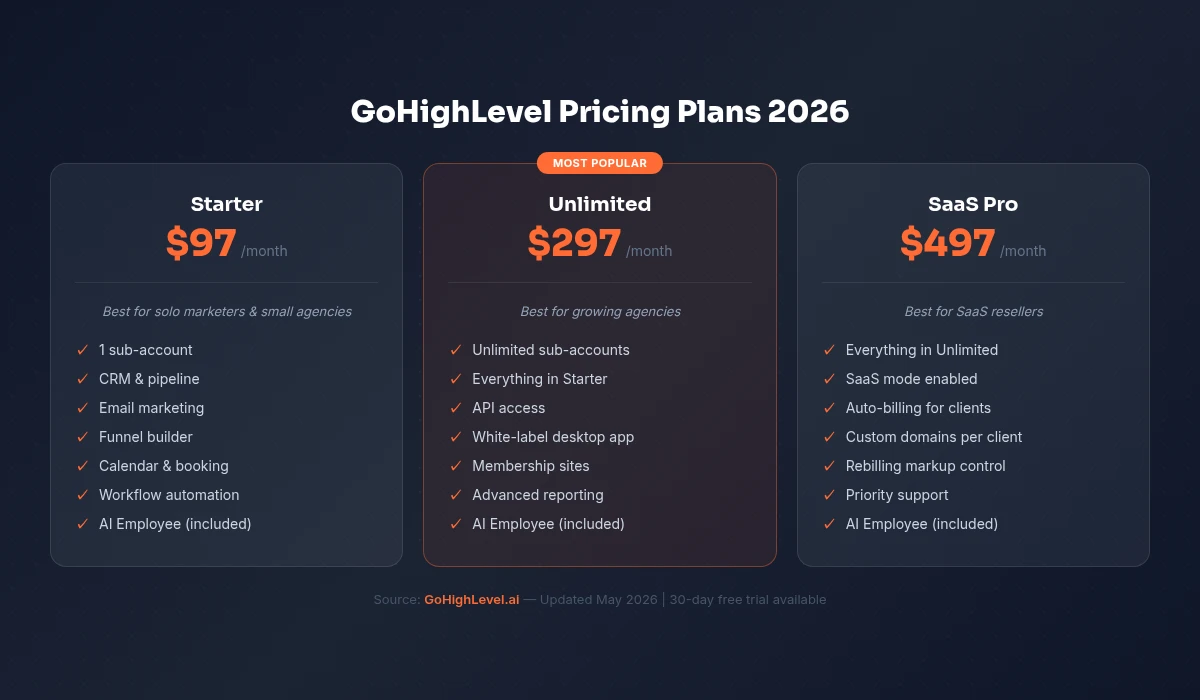
That stack easily reaches $350–$600/month on top of your ClickFunnels subscription. GoHighLevel's Unlimited plan at $297/month replaces every single one of those tools.
ClickFunnels Pain Points That Drive the Switch
No real CRM. ClickFunnels tracks contacts, but it is not a CRM. There is no pipeline, no opportunity stages, no deal tracking, no conversation history. The moment you have a sales process, you need another tool.
No native SMS. ClickFunnels has no built-in SMS marketing or two-way SMS conversations. In 2026, SMS open rates sit at 98% vs email's 20%. Not having it in your funnel platform is a significant handicap.
Automation ceiling. ClickFunnels workflows handle basic if-this-then-that sequences inside the funnel. They cannot trigger off phone call outcomes, form submissions from outside the funnel, or pipeline stage changes. GoHighLevel's workflow builder connects every channel.
No sub-accounts. If you run an agency or manage multiple brands, ClickFunnels forces you to pay for separate accounts. GoHighLevel's Unlimited plan includes unlimited sub-accounts - one flat price.
Support and updates. ClickFunnels 2.0 was a controversial relaunch. Many users still encounter bugs and found the 1.0-to-2.0 transition disruptive. GoHighLevel pushes weekly updates and has a more active development velocity.
ClickFunnels vs GoHighLevel: Feature Comparison
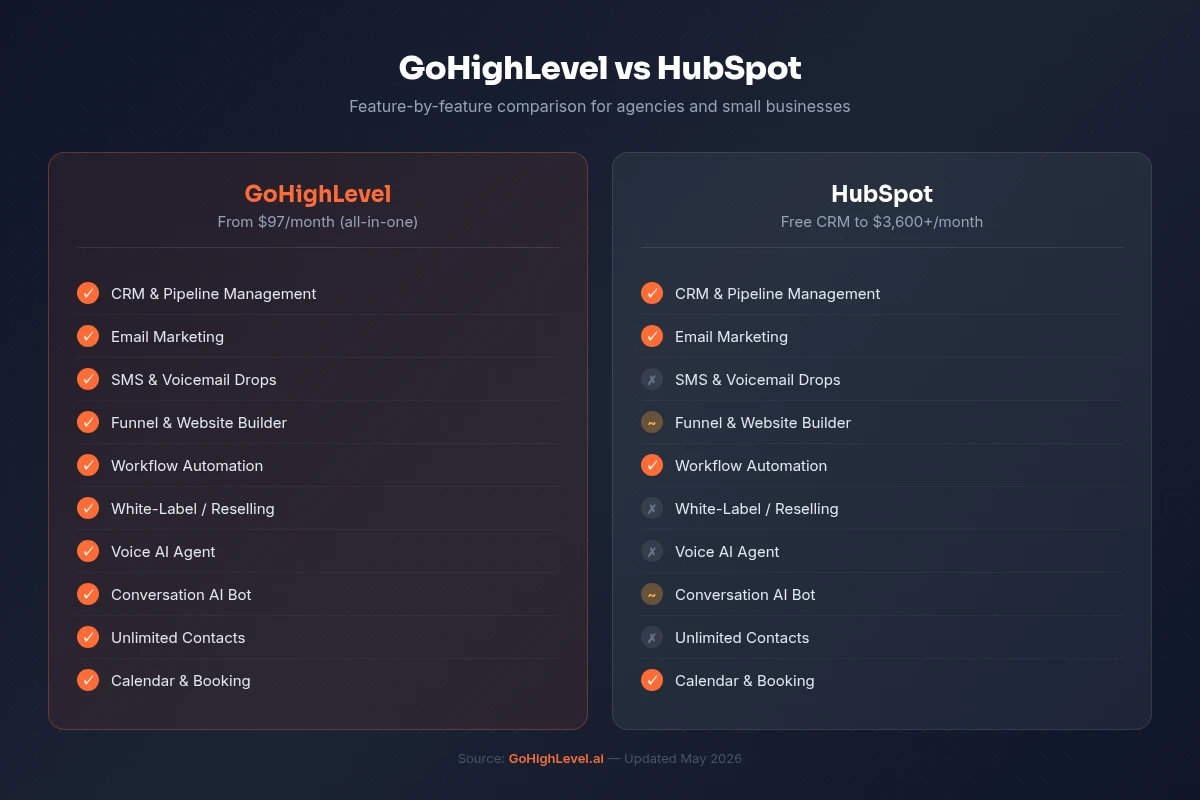
| Feature | ClickFunnels 2.0 | GoHighLevel |
|---|---|---|
| Starting Price | $147/month | $97/month |
| Funnel Builder | Yes (core feature) | Yes (full builder) |
| CRM & Pipelines | Basic only | Full CRM built-in |
| Email Marketing | Yes | Yes (unlimited contacts) |
| SMS Marketing | No | Yes (native) |
| Phone & Calling | No | Yes (built-in dialer) |
| Automations | Basic (funnel-level) | Advanced (multi-channel) |
| Membership Sites | Yes | Yes |
| Online Courses | Yes (2.0) | Yes |
| Booking / Scheduling | No (needs Calendly) | Yes (built-in) |
| Reputation Management | No | Yes (review automation) |
| Affiliate Management | Yes (limited) | Yes |
| White Label / Resell | No | Yes (Unlimited plan) |
| Sub-Accounts | No | Unlimited (Unlimited plan) |
| Free Trial | 14 days | 30 days |
The comparison speaks clearly. ClickFunnels is a funnel tool that expanded. GoHighLevel is an all-in-one platform built from the ground up for agencies and service businesses - funnels are just one of many features.
Before You Migrate: What to Prepare
A successful migration is mostly preparation. Spend one hour auditing your ClickFunnels account before you touch GoHighLevel, and the actual rebuild will go much faster.
Audit Your ClickFunnels Assets
Funnels. List every active funnel. For each one, note: the URL/domain it uses, the number of steps, what integrations are connected (Stripe, Zoom, webinar tools), and whether it has active traffic or is archived.
Contacts. Check your contact count and how your list is segmented. Note any custom fields you have created - you will need to recreate these in GHL.
Email sequences. Document every active follow-up sequence. Export the email copy, note the triggers (opted into funnel X, bought product Y), and map the delay logic.
Automations. Screenshot or document any automation rules you have set up. Note what triggers them and what they do.
Integrations. List every third-party tool connected via Zapier or native integration - your payment processor, webinar platform, membership software, and anything else.
Domains. Write down every custom domain you have pointed at ClickFunnels. You will re-point these to GHL once you are ready to go live.
Set Your Migration Timeline
A realistic migration timeline for a typical ClickFunnels account:
- Audit and prep: 2–4 hours
- GHL onboarding and setup: 1–2 days
- Contact import: 1–2 hours
- Funnel rebuild (per funnel): 2–6 hours depending on complexity
- Email sequences: 1–2 hours per sequence
- Testing and QA: 1–2 days
- DNS/domain cutover: 15–30 minutes per domain
Most businesses complete a full migration in 5–10 business days. GoHighLevel's 30-day free trial is deliberately longer than ClickFunnels' 14-day trial - it gives you exactly this kind of breathing room to migrate properly before committing.
Step-by-Step Migration Guide
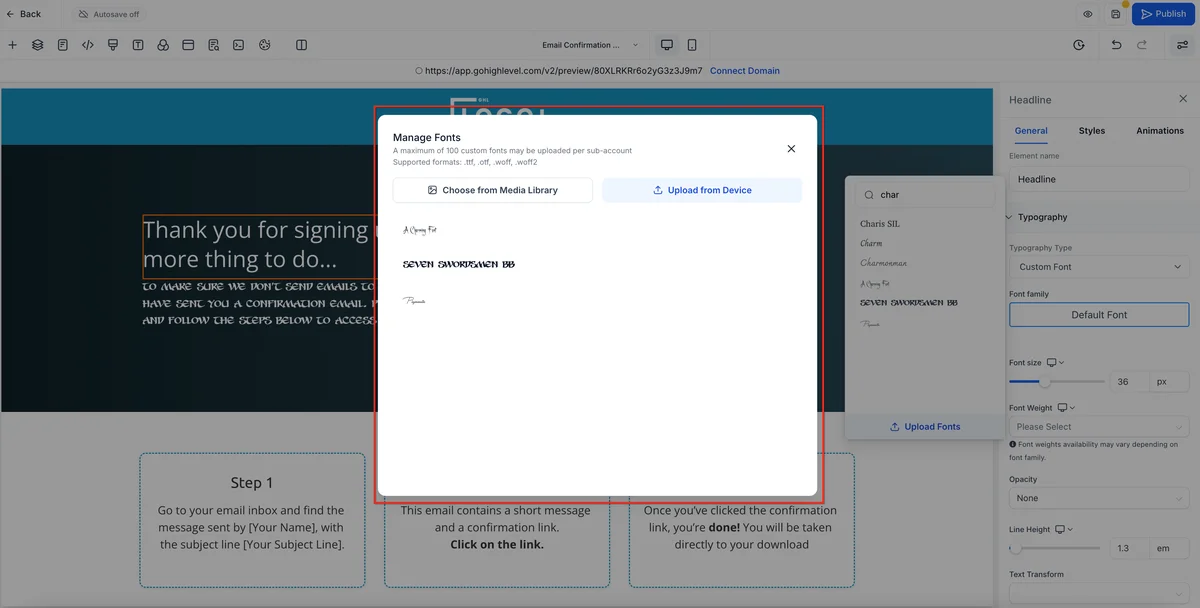
Step 1: Start Your 30-Day GoHighLevel Trial
Before anything else, get your GoHighLevel account. Use our affiliate link for the 30-day free trial - this is the extended trial, not the standard 14-day trial you find elsewhere. You need those 30 days to migrate correctly.
Once inside, take 30 minutes to explore the dashboard. Specifically locate: the Contacts section, the Funnels/Websites builder, the Workflows (GoHighLevel automation workflows), the Conversations inbox, and Settings > Integrations.
Do not try to build anything yet. Just orient yourself.
Step 2: Export Your ClickFunnels Contacts
In ClickFunnels, navigate to Contacts in the left sidebar. Use the filter to select all contacts (or segment by list if you have multiple). Click Export and download the CSV file.
Important: ClickFunnels exports standard fields (name, email, phone) plus any custom fields you created. Open the CSV in a spreadsheet tool and review the column headers. You will use these to map fields during the GHL import.
If you have contacts segmented into different lists or funnels, export each segment separately and label the files clearly (e.g., cf-export-webinar-leads.csv, cf-export-buyers.csv). This makes it much easier to tag them properly in GHL.
Step 3: Document and Export Your Funnels
ClickFunnels does not offer a native funnel export that GHL can import directly. You need to document each funnel manually before you rebuild it.
For each funnel:
- Screenshot every page - opt-in page, sales page, order form, upsell, downsell, thank-you page
- Copy all the text - headlines, body copy, button text, form field labels
- Note every integration - what Stripe product is connected, what email tag is applied on opt-in, what automation is triggered
- Download all images and videos - save everything you have uploaded to ClickFunnels (images, backgrounds, video thumbnails)
- Copy your custom CSS - if you have added custom code to any pages, save it somewhere
If you have more than 3–4 funnels, create a simple spreadsheet to track each one's status through the rebuild process.
Step 4: Import Contacts to GoHighLevel
In GoHighLevel, go to Contacts and click Import Contacts.
Upload your CSV file and go through the field mapping step. GHL will attempt to auto-map standard fields (first name, last name, email, phone). For any custom fields, you have two options:
- Map to an existing GHL field if a close equivalent exists
- Create a new custom field in GHL (go to Settings > Custom Fields first) and then re-import
Best practice: Before importing, create tags in GHL that match your ClickFunnels segments. For example, if you are importing your webinar leads separately, create a "CF-Webinar-Lead" tag and assign it during the import. This makes your new GHL list immediately usable.
After importing, spot-check 20–30 contacts to confirm the data came through cleanly. Verify phone numbers, custom field values, and tag assignments.
Step 5: Rebuild Your Funnels in GoHighLevel
In GoHighLevel, navigate to Sites > Funnels and click New Funnel.
GHL's funnel builder is a drag-and-drop editor similar in concept to ClickFunnels. The core workflow is the same: add steps (pages), build each page in the editor, configure the form/order settings, then publish.
Start with the template library. GHL includes dozens of pre-built funnel templates for opt-ins, webinars, sales funnels, service funnels, and more. Find one that matches the structure of your existing funnel - it will be faster to modify a template than to build from scratch.
Key differences to know as you rebuild:
- Products/order forms: Set up your products first in Payments > Products, then add the Order Form element to your funnel page and connect the product
- Thank-you page redirects: Configure these in the funnel step settings, not the page editor
- Tracking pixels: Add Google Tag Manager or Facebook Pixel in Settings > Tracking Code - it applies globally rather than per-page
- Pop-ups: GHL handles these differently from CF - use the Pop-ups section within the page editor
Rebuild your highest-traffic funnels first. Get those live before worrying about archived funnels.
Step 6: Recreate Your Email Sequences in GHL
This is where GoHighLevel actually gives you more power than you had in ClickFunnels.
Go to Automation > Workflows and create a new workflow. Choose a trigger that matches your ClickFunnels equivalent:
- Form submitted (matches CF opt-in trigger)
- Contact tag added (use this for buyer sequences - tag on purchase, trigger sequence)
- Pipeline stage changed (no equivalent in CF - this is a new superpower)
Build your email sequence as workflow actions. Each Send Email action is one email. Set delays using the Wait action (e.g., "Wait 1 day", "Wait 3 days").
Upgrade your sequences while you are at it. Since GHL workflows support SMS, email, and internal notifications in the same automation, you can add an SMS touch-point at day 1 and an email at day 2 - something ClickFunnels simply cannot do.
Copy your email copy from the documents you saved in Step 3, paste it into the GHL email editor, and match your formatting. The template editor is similar to most email platforms.
Step 7: Set Up Your Domain in GHL
Go to Settings > Domains in GoHighLevel and click Add Domain.
Enter your domain name and follow the DNS instructions GHL provides. You will need to add a CNAME record pointing to GHL's servers. This is done through your domain registrar (GoDaddy, Namecheap, Cloudflare, etc.).
Do not point your live domain to GHL yet. Create a staging subdomain first (e.g., new.yourdomain.com or go.yourdomain.com) and connect that to your rebuilt funnels for testing. Only cut over the main domain when everything is verified and working.
SSL certificates in GHL are automatic. Within minutes of your DNS propagating, your domain will be secured.
Step 8: Set Up Payment Integrations
Go to Settings > Integrations > Stripe and connect your Stripe account. This is a one-click OAuth connection - GHL will redirect you to Stripe, you authorise the connection, and you are done.
Back in GHL, go to Payments > Products and recreate your products:
- Match the product name and price exactly
- For subscription products, set the billing interval correctly
- For upsells/downsells, create separate products for each
Then go back to your funnels and connect each order form to the correct product. Test with a $1 test product or Stripe's test mode before going live with real prices.
If you use PayPal, GHL also supports PayPal integration under the same Settings > Integrations section.
Step 9: Test Everything Before Going Live
Before you touch your DNS settings, run through every funnel end-to-end as a real customer would:
- Submit a test opt-in - verify the contact appears in GHL, the correct tag is applied, and the welcome email sends
- Complete a test purchase - verify the Stripe charge appears, the buyer tag triggers the correct automation, and the receipt email sends
- Test every automation - manually trigger each workflow and verify each step executes correctly
- Check mobile - preview every funnel page on mobile and tablet views
- Test your confirmation emails - check that links work, images load, and unsubscribe links function
Create a simple checklist and tick each item off. This step takes 1–2 days but saves you from discovering broken funnels after you have already cancelled ClickFunnels.
Step 10: Cancel ClickFunnels
Once you have:
- All contacts imported and verified
- All active funnels rebuilt and tested in GHL
- All automations recreated and tested
- Your domain(s) pointed to GHL and SSL active
- A payment confirmed through the new GHL checkout
Then - and only then - go to ClickFunnels account settings and cancel your subscription.
Log out, take a breath, and welcome to your new platform.
How Long Does the Migration Take?
Here is a realistic timeline based on account complexity:
Simple account (1–3 funnels, basic email sequences): 3–5 days total Mid-size account (4–10 funnels, multiple sequences, integrations): 7–14 days total Complex account (10+ funnels, advanced automations, multiple domains): 2–4 weeks total
The 30-day free trial on GoHighLevel was designed with migrations like this in mind. It gives you 30 days to set everything up before your first payment - ClickFunnels' 14-day trial is not enough runway for a real migration. This is one of the practical reasons to use the extended trial link.
If you run into timeline pressure (your ClickFunnels billing date is coming up), prioritise your highest-revenue funnel first. Get that one live on GHL, then decide whether to maintain both platforms briefly or push hard to finish the rest quickly.
What GoHighLevel Does Better Than ClickFunnels
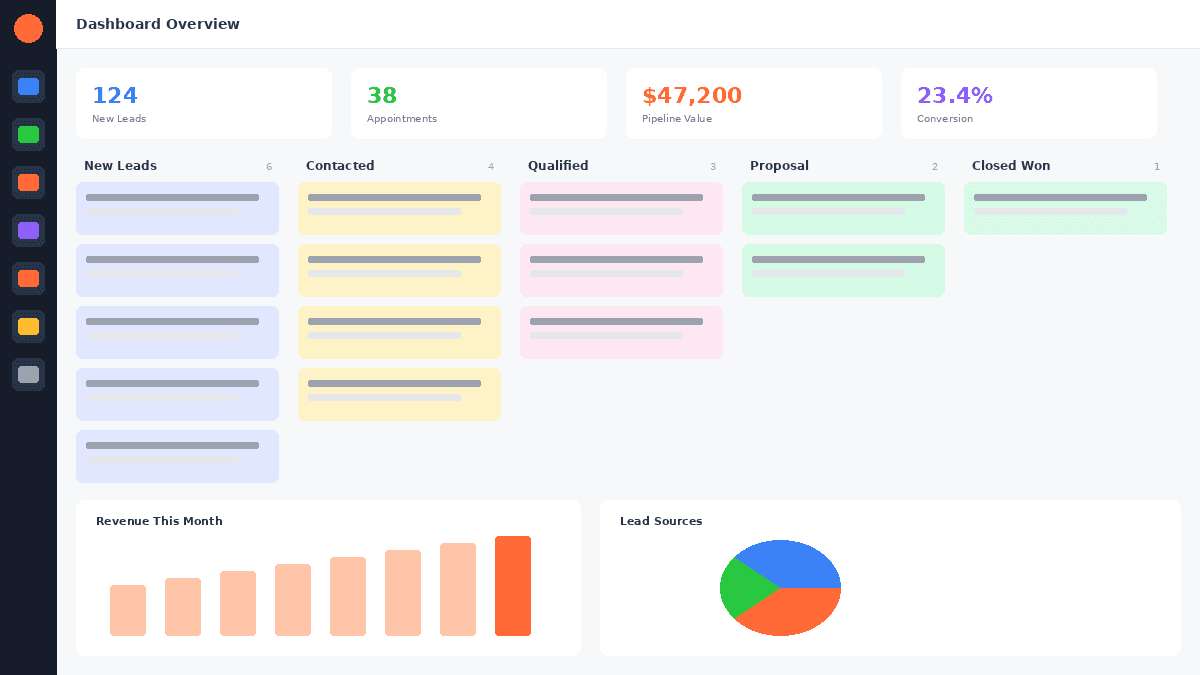
Built-in CRM with visual pipelines. Every contact captured through any GHL funnel automatically enters a real CRM. You see each lead's full timeline, can move them through pipeline stages, and set tasks for follow-up. ClickFunnels has no equivalent.
Native SMS and two-way conversations. GHL's Conversations inbox aggregates SMS, email, Facebook Messenger, Instagram DMs, and live chat in one place. You can text a lead directly from their contact record. ClickFunnels cannot send a single SMS.
Multi-channel automations. GHL workflows combine email, SMS, voicemail drops, Google My Business messages, and internal CRM updates in a single automation. A lead comes in, gets an immediate SMS, an email 5 minutes later, a voicemail drop if they do not respond - all automated. ClickFunnels workflows are email-only.
Built-in scheduling and calendar booking. GHL replaces Calendly and Acuity completely. Calendar links, round-robin booking, team calendars, and appointment reminders are all native.
Reputation management. GHL can automatically send review request messages after a sale or appointment, monitor your Google and Facebook reviews, and display them on your website widgets.
Sub-accounts for agencies. The Unlimited plan at $297/month includes unlimited client accounts. For agencies, this is transformative - manage every client from one login, white-label the platform, and even resell it as SaaS.
Faster development velocity. GoHighLevel ships weekly product updates with new features. ClickFunnels 2.0 launched with significant bugs and has moved slower since.
What ClickFunnels Does Better
Being honest here matters - it helps you plan your migration and builds trust in this comparison.
Funnel templates and design polish. ClickFunnels' template library is larger and the designs tend to be more polished out of the box, especially for info-product and high-ticket sales funnels. GHL's templates have improved significantly but ClickFunnels still has an edge in raw template variety.
Funnel Hacker community. ClickFunnels has built one of the strongest online marketing communities in the industry. The Two Comma Club, FunnelHacking Live, and the Facebook groups contain years of tactical funnel knowledge. GHL's community is growing but not yet at that level.
Course and membership UX. ClickFunnels 2.0's course and membership features have a slightly more polished student-facing experience - progress tracking, drip content scheduling, and certificate delivery feel more native. GHL's membership features are functional and improving, but if you run a large course business, it is worth testing both before you fully commit.
These are real differences, not dealbreakers. For most businesses - especially those running lead gen, service, or agency operations - GoHighLevel's advantages outweigh these gaps significantly.
FREE TRIAL
Get 30 Days Free With Our Partner Link
- ✓Full access for 30 days
- ✓No charge during the trial
- ✓Cancel any time
Join 2.2 million businesses already running on GoHighLevel
How Much Will You Save Switching to GoHighLevel?
This is usually the calculation that makes the decision obvious.
| Tool | Current Cost (ClickFunnels Stack) | With GoHighLevel |
|---|---|---|
| Funnel Builder | ClickFunnels Scale: $197/mo | Included |
| Email Automation | ActiveCampaign: $99/mo | Included |
| SMS Marketing | SimpleTexting: $49/mo | Included |
| Calendar / Scheduling | Calendly Teams: $20/mo | Included |
| CRM | HubSpot Starter: $45/mo | Included |
| Review Management | BirdEye or Podium: $99/mo | Included |
| Total Monthly Cost | $509/mo | $97–$297/mo |
| Annual Cost | $6,108/year | $1,164–$3,564/year |
| Annual Savings | - | $2,544–$4,944/year |
The example above uses conservative numbers. Agencies paying for the Optimize plan at $297/month and a beefier email platform can easily save $400-$600 per month - that is $5,000-$7,000 per year back in the business.
Even at the most conservative estimate - someone on ClickFunnels Launch ($97/month) who also pays for ActiveCampaign and Calendly - switching to GHL Starter ($97/month) saves $100-$150/month immediately by consolidating tools.
The math alone is a compelling reason to migrate. The additional capabilities (CRM, SMS, automations) are the bonus.
Common Migration Mistakes to Avoid
Pointing your domain to GHL before testing. This is the biggest mistake. Always test on a staging subdomain first. Never cut over live traffic until every page, form, and automation has been tested end-to-end.
Forgetting to recreate custom fields before importing. If your ClickFunnels contacts have custom field data (industry, funnel source, lead score), create the matching custom fields in GHL before you run the CSV import. Fields that do not map get dropped - and you cannot easily recover them.
Cancelling ClickFunnels too early. Wait until everything is live, tested, and receiving real traffic on GHL before cancelling. Keep ClickFunnels running for at least one week after your GHL funnels go live as a safety net.
Not tagging contacts on import. Import your contacts with meaningful tags (their origin list, buyer status, lead magnet they opted into). Without tags, your whole list is a single undifferentiated blob and you cannot trigger the right automations.
Trying to migrate everything at once. Go funnel by funnel, sequence by sequence. Trying to migrate a 10-funnel account in one weekend usually results in errors and burnout. Pick your most critical funnel, migrate it perfectly, then move to the next.
Skipping the automation test phase. Automations are invisible until they break. Trigger every workflow manually with a test contact before going live. Confirm emails send, SMS messages go out, tags apply correctly, and pipeline stages update as expected.
Not updating your Zapier connections. If you have Zaps connecting ClickFunnels to other tools (webinar platforms, membership sites, Slack notifications), you need to rebuild those using GHL's Zapier app or GHL's native webhooks. Do this before cancelling ClickFunnels or you will have silent integration failures.
Related Articles
EXTENDED FREE TRIAL
Start with 30 days free, not 14.
Use our partner link to get double the standard 14-day trial.
Start Your Free 30-Day Trial →Related Resources
- Visit the GoHighLevel official site
- Visit the Unbounce conversion benchmarks
Frequently Asked Questions
Can I import my ClickFunnels funnels directly into GoHighLevel?
How do I migrate my email sequences from ClickFunnels to GoHighLevel?
How much will I save switching from ClickFunnels to GoHighLevel?
Can I run ClickFunnels and GoHighLevel at the same time during migration?
Is GoHighLevel harder to learn than ClickFunnels?
Will I lose any contacts when I migrate from ClickFunnels?
Ashley Kemp is a digital entrepreneur and perpetual traveller. Switched from ClickFunnels to GoHighLevel years ago and never looked back. Writing about what actually works.
Was this article helpful?