
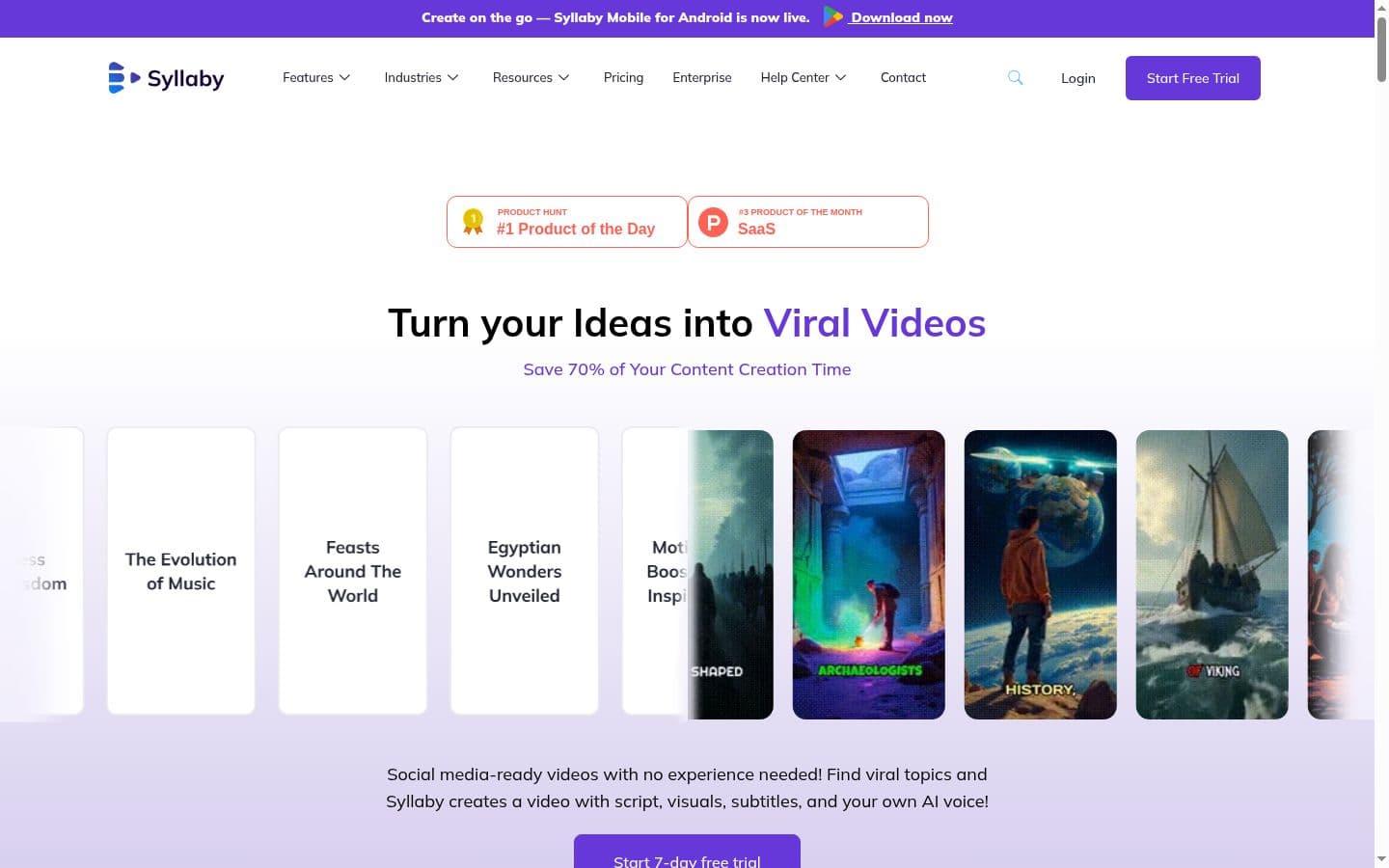
The fastest-growing accounts on TikTok and YouTube Shorts in 2026 are not influencer-led. They are faceless content operations producing 10 to 20 videos per week. No camera setup. No presenter. No studio. Just AI-generated visuals, voiceover, captions, and hooks designed to capture attention in the first three seconds.
The production problem with video content has always been the same: it takes too long. Writing a script, setting up a camera, recording, editing, adding captions, formatting for each platform, scheduling. For a single short-form video, the process can easily consume two to three hours. For someone trying to publish daily across multiple platforms, the math does not work without a team.
Syllaby compresses the entire production pipeline into 20 to 30 minutes per video, no camera required. Topic ideation backed by real search data, AI script generation, voice cloning, AI-generated visuals powered by Sora 2 and Google VEO 3, automatic captions, and built-in scheduling to six platforms. One tool replaces what used to require four or five.
This review covers how well that pipeline actually works, where the output quality holds up, where it falls short, and who should (and should not) use Syllaby. The score of 8.6/10 reflects a tool that does one specific job very well, with honest limitations outside that niche.
Is Syllaby worth it in 2026?
For creators producing faceless short-form video on TikTok, YouTube Shorts, Instagram Reels, or Facebook, Syllaby at $29-$153/month genuinely accelerates the pipeline from topic to published video. The full workflow (ideation, script, voice clone, AI-generated video, scheduling) lives in one tool. It is NOT the right fit for premium brand video, in-depth tutorials, or long-form content. Best as a testing engine: produce many shorts to find what resonates, then invest production effort in the winners. Now with 250,000+ videos created and Sora 2 / VEO 3 integration.
Score Breakdown
What Is Syllaby?
Syllaby is an end-to-end faceless video creation platform that takes you from topic idea to published social media video without ever touching a camera or video editor. The platform earned Product Hunt's #1 Product of the Day and has been used to create over 250,000 videos since launch.
The tool sits at the intersection of content strategy and content creation. It combines four things that usually require separate tools: a topic research engine with real search volume data, an AI script generator, a faceless video creator powered by cutting-edge AI models, and a multi-platform social media scheduler.
The workflow runs like this. You tell Syllaby your niche and it pulls topics that real people are searching for on YouTube, TikTok, Instagram, and other platforms. You pick the ones that fit your positioning. It writes the scripts. Then it assembles a complete video using AI-generated visuals (not stock footage from five years ago, but genuine AI-generated scenes using Sora 2, Google VEO 3, and Seedance models), your cloned voice or a selected AI voice, auto-generated captions, and transitions. You review, adjust if needed, and publish directly to six platforms from one dashboard.
What sets Syllaby apart from earlier-generation tools is the visual quality. Previous faceless video tools relied on generic stock footage that looked recycled across thousands of videos. Syllaby integrates the newest AI video generation models as they launch. The result is output that looks genuinely cinematic for short-form content rather than like a slideshow of stock photos with a voiceover.
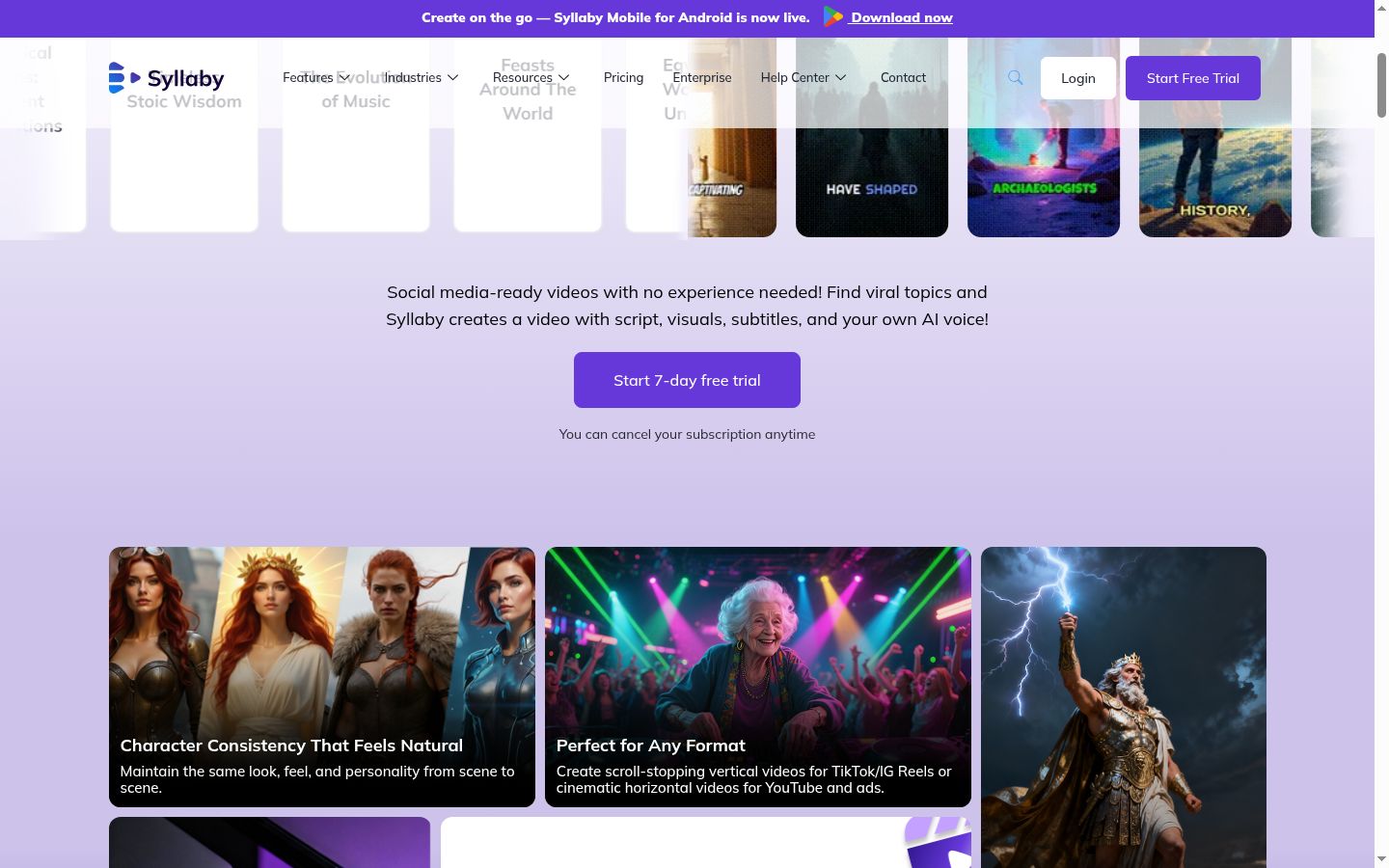
The platform also introduced character consistency, which means the AI-generated characters in your videos maintain the same look, feel, and personality across different scenes. This was one of the biggest limitations of earlier AI video tools, where characters would change appearance between cuts. Syllaby's consistency engine solves this for faceless content creators building recognisable visual brands.
Syllaby also offers a mobile app for Android, bringing the creation workflow to mobile for creators who produce on the go.
Who Syllaby Is Built For
Understanding fit matters more than features. Syllaby is a specialist tool, and that specialisation means it is excellent for certain workflows and wrong for others.
Solo creators producing regular short-form video. If you publish daily or near-daily on TikTok, YouTube Shorts, Instagram Reels, or similar platforms, Syllaby is built for your exact workflow. The full pipeline from topic to published video removes the production overhead that prevents most creators from maintaining a consistent publishing schedule. The credit-based system (500 to 5,000 credits per month depending on plan) supports serious output volume.
Marketers running multiple brand accounts. Managing social content across multiple brand accounts means multiplying every production step. Syllaby's scheduling across six platforms (Instagram, Facebook, LinkedIn, YouTube, TikTok, and Threads) means you create once and distribute everywhere. For marketing teams at businesses already using GoHighLevel for marketing automation, Syllaby handles the content creation side while GoHighLevel's social media planner handles the broader distribution strategy.
Entrepreneurs who do not want to be on camera. Some of the most successful content accounts on social media never show a face. Educational content, motivational content, industry commentary, listicles, explainers. These formats perform well on every platform and do not require a presenter. For founders who want content marketing without becoming a public figure, Syllaby removes the on-camera barrier entirely.
Anyone testing content ideas at volume. The most valuable use of Syllaby is not producing one perfect video. It is producing 10 to 20 videos per week to find what resonates with your specific audience. That iteration speed, finding your winning formats and topics before investing in higher-production versions, is what Syllaby actually delivers at scale.
Agencies producing client social content. For agencies handling social content for multiple clients, Syllaby's pipeline accelerates production. The Standard plan with 3 voice clones and 1,500 credits per month supports meaningful output across client accounts.
Weaker fit: Personal brand operators where face and personality drive engagement. Premium brand video producers needing broadcast-quality output. Long-form YouTube creators making tutorials, deep dives, or educational content over five minutes. Creators with existing video production infrastructure (cameras, editors, established workflows). For those use cases, tools like Arcads for AI video ads or traditional video production workflows serve better.
Core Features Deep Dive
Content Ideation Engine
This is the feature that most reviews overlook and the one that provides the most compounding value over time.
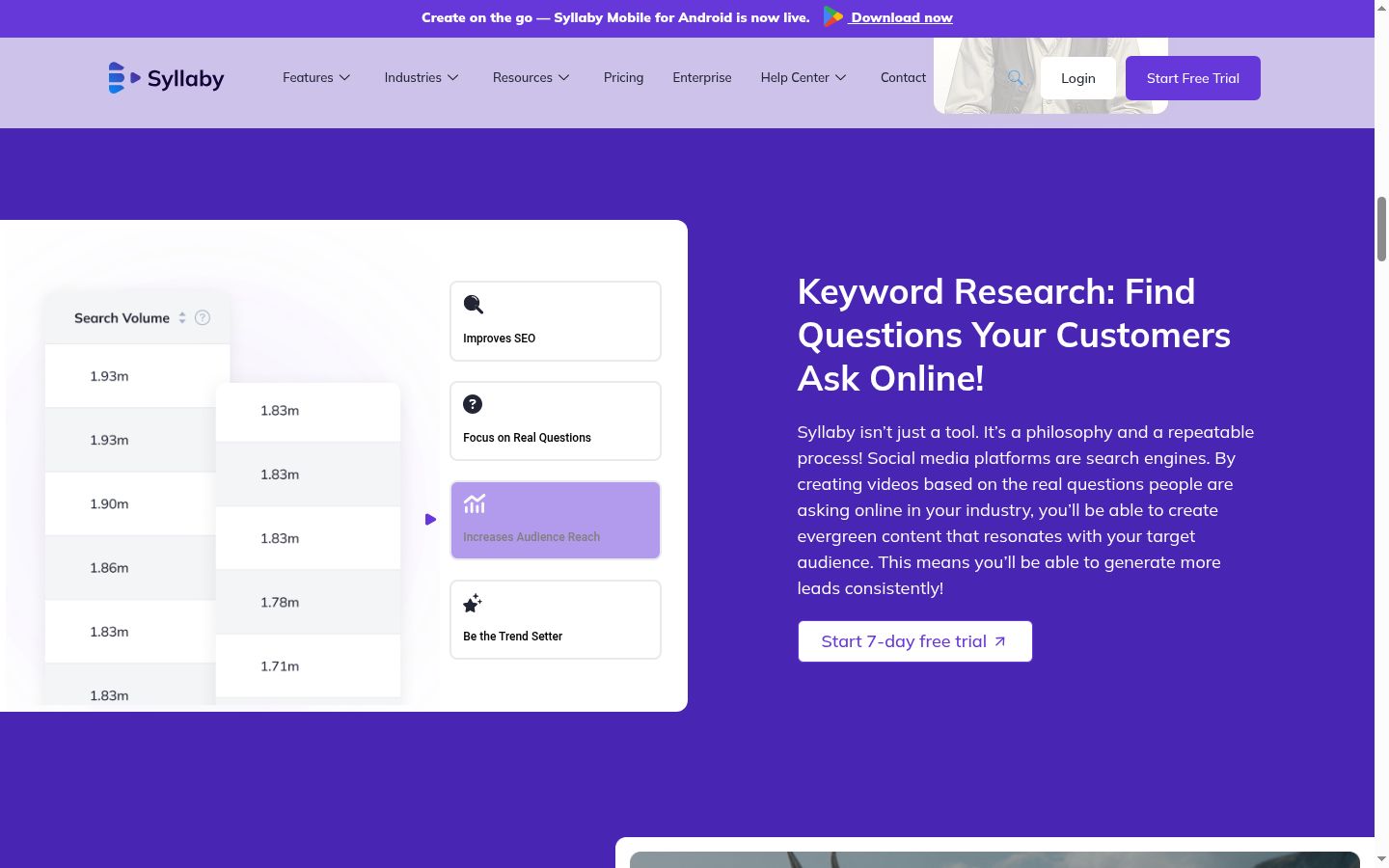
Syllaby's philosophy, stated directly on their site, is that "social media platforms are search engines." Instead of guessing what your audience wants to watch, Syllaby queries search and social data to find questions and topics in your niche with real search volume. You enter a topic or keyword, and the system returns a prioritised list of content ideas with estimated audience reach.
The specificity of the results is what separates this from manually browsing YouTube search suggestions or TikTok trending sounds. Instead of returning broad ideas like "marketing tips," it surfaces specific hooks like "why your email welcome sequence loses subscribers in the first 48 hours" or "the one metric most agency owners ignore in their pipeline." These highly specific, problem-focused topics make better social content because they speak directly to a real question someone is already asking.
The keyword research shows actual search volume data in the millions, letting you prioritise topics with proven audience demand. In testing across a digital marketing niche, Syllaby surfaced 30 to 50 usable topic ideas per session. Not all were winners, but the hit rate was significantly higher than manual research. The features are categorised: Improves SEO, Focus on Real Questions, Increases Audience Reach, and Be the Trend Setter.
For creators already using AI tools for their business, Syllaby's ideation engine fills a gap that general-purpose AI tools like ChatGPT do not cover well. ChatGPT can brainstorm topics, but it does not have access to real-time search volume data or social trend signals.
Limitations of the ideation engine: The results are strongest for consumer-facing niches with established search demand. Very narrow B2B topics, emerging industries with limited search history, and highly technical niches may return fewer or less relevant ideas. The quality is proportional to how clearly defined your niche is.
Faceless Video Creation
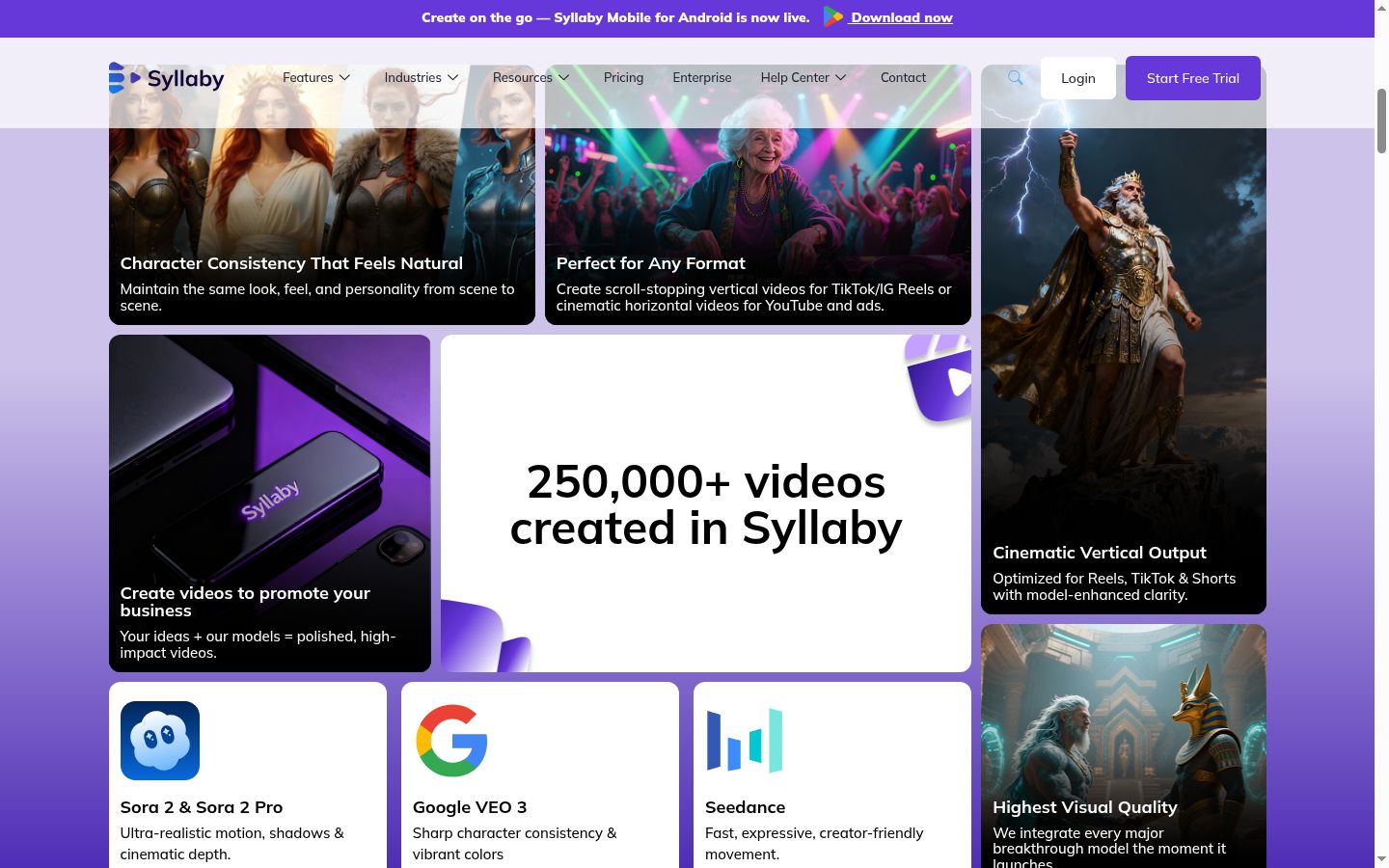
This is Syllaby's flagship feature and the reason 250,000+ videos have been created on the platform.
The full workflow runs: topic selection, script generation, voiceover (using your cloned voice or a selected AI voice), AI-generated visuals matched to the script, automatic caption generation and styling, and basic transitions. The output is a complete, publish-ready video that requires no video editing skills.
What makes the 2026 version of Syllaby dramatically better than earlier faceless video tools is the AI model integration. Syllaby runs on Sora 2 and Sora 2 Pro (ultra-realistic motion with shadows and cinematic depth), Google VEO 3 (sharp character consistency and vibrant colors), and Seedance (fast, expressive, creator-friendly movement). These are among the most advanced AI video generation models available, and Syllaby integrates each new breakthrough model as it launches.
The character consistency feature deserves specific attention. Earlier AI video tools had a persistent problem: AI-generated characters would look completely different between scenes. A person in Scene 1 would have different hair, clothing, and facial features in Scene 2. Syllaby's consistency engine maintains the same look, feel, and personality across every scene in a video. For faceless channels building a visual brand around recurring AI characters, this is a significant advancement.
Output format flexibility: Syllaby produces vertical video (9:16) optimized for TikTok, Instagram Reels, and YouTube Shorts, as well as horizontal video (16:9) for standard YouTube and ads. The formatting is automatic based on your selected output platform, with platform-specific caption styling applied.
The production time from topic idea to finished video is typically 20 to 30 minutes, including review and minor adjustments. For context, producing equivalent content manually (writing a script, finding footage, recording voiceover, editing, adding captions) takes two to four hours per video. That 80% time reduction is the core value proposition.
Info
Editor's Note
The phrase "faceless video" sounds gimmicky until you watch how well it converts on TikTok and YouTube Shorts. Some of the highest-performing accounts on those platforms are faceless. Voiceover plus AI-generated visuals plus captions, no presenter ever shown.
For creators who do not want to be on camera (whether by preference, privacy, or industry constraint), Syllaby's faceless pipeline removes the biggest production friction. You go from topic to publishable video in 20-30 minutes without setting up a camera. With models like Sora 2 and VEO 3, the visual quality has crossed a threshold where the output genuinely looks good, not like placeholder content.
- Ashley Kemp
AI Voice Cloning
Each Syllaby plan includes voice clones: 1 on Basic, 3 on Standard, and 5 on Premium. Voice cloning lets you create a consistent voiceover presence across all your videos without recording a single audio clip after the initial setup.
The quality of AI voice cloning in 2026 has improved dramatically over earlier tools. The voices capture cadence, pronunciation patterns, and speaking energy. They are still identifiable as AI to attentive listeners, particularly in longer content where viewers focus closely on the voice. But for short-form social media where viewers spend seconds scrolling through a feed, the quality is more than adequate.
For creators building a faceless channel with a recognisable voice, this is a genuine workflow improvement. You clone your voice once and every video uses it consistently. No recording sessions, no microphone setup, no audio editing. The voice becomes part of the brand without the production overhead.
The Standard and Premium plans allow multiple voice clones, which is useful for creators running multiple channels or agencies producing content across different brand voices.
Multi-Platform Scheduling
Syllaby includes a built-in social media scheduler covering six platforms: Instagram, Facebook, LinkedIn, YouTube, TikTok, and Threads. You can plan, queue, and time content directly from within Syllaby without jumping to a separate scheduling tool.
The scheduling capability scales by plan:
- Basic ($29/mo): Schedule 20 posts for up to 2 weeks
- Standard ($78/mo): Schedule 60 posts for up to 4 weeks
- Premium ($153/mo): Unlimited scheduled posts
A content calendar view lets you visualise your publishing schedule across platforms. For solo creators managing one or two channels, the Basic plan's 20-post limit covers a solid two-week content cadence. For more ambitious publishing schedules, the Standard plan's 60 posts across four weeks handles a daily-across-multiple-platforms workflow.
Honest comparison to dedicated schedulers: Syllaby's scheduling covers the basics: queue content, set timing, publish to connected accounts. What it lacks compared to dedicated tools like Buffer, Later, or Hootsuite is deep analytics (engagement metrics, optimal posting time suggestions, audience insights), team collaboration features (approval workflows, role-based access), and the breadth of platform-specific features that dedicated schedulers offer.
For most Syllaby users, the built-in scheduler is good enough. You are already in Syllaby creating the content; scheduling from the same tool removes a workflow step. Power users managing large accounts or teams requiring analytics-driven scheduling may still want a dedicated tool alongside Syllaby.
Content Calendar and Workflow
The content calendar ties together ideation, creation, and scheduling into a single view. You can plan a month of content, see what is in production, what is scheduled, and what has been published. For creators who struggle with consistency (most of them), having the entire workflow visible in one place reduces the friction that causes publishing gaps.
The workflow also supports batching. You can research 20 topics in one session, generate scripts for all of them, produce the videos over a few days, and schedule them out over weeks. This batch production approach is how the most successful faceless content accounts operate: dedicated production days followed by weeks of automated publishing.
Output Quality: The Honest Assessment
This section matters because most reviews either oversell the quality or dismiss it unfairly. The truth is nuanced.
Where Syllaby genuinely produces excellent output: Short-form social video for TikTok, YouTube Shorts, Instagram Reels, and similar platforms. Educational and informational content (explainers, how-tos, listicles, motivational content, historical content, science topics). Faceless commentary and opinion pieces. Content where the hook, information density, and pacing matter more than visual polish.
The AI-generated visuals from Sora 2 and VEO 3 are genuinely impressive for short-form content. The cinematic depth, lighting, and character consistency have crossed a quality threshold where the output looks intentional rather than like a budget workaround. Viewers scrolling through TikTok or Shorts are not pausing to inspect whether the visuals are AI-generated. They are deciding in three seconds whether the hook is compelling enough to keep watching.
Where output is acceptable but not great: Brand content where visual polish matters to the company's identity. Content over two minutes where viewers study the visuals more carefully. Videos requiring very specific visual accuracy (product demonstrations, UI walkthroughs, real-world footage requirements).
Where Syllaby falls short: Premium brand video and commercials. Tutorials requiring screen recording or real-world demonstrations. Documentary-style content requiring authentic footage. Content where the presenter's face and personality are core to the audience relationship. Long-form YouTube content over five to ten minutes where visual quality must sustain extended viewer attention.
The honest framing: Syllaby produces excellent video for the formats it is designed for. Short-form social content is a volume game where publishing speed and topic relevance matter more than production polish. Syllaby optimises for that reality. If you need broadcast-quality video, this is not the tool. If you need to publish daily across platforms without a production team, this is exactly the tool.
Pricing Deep Dive
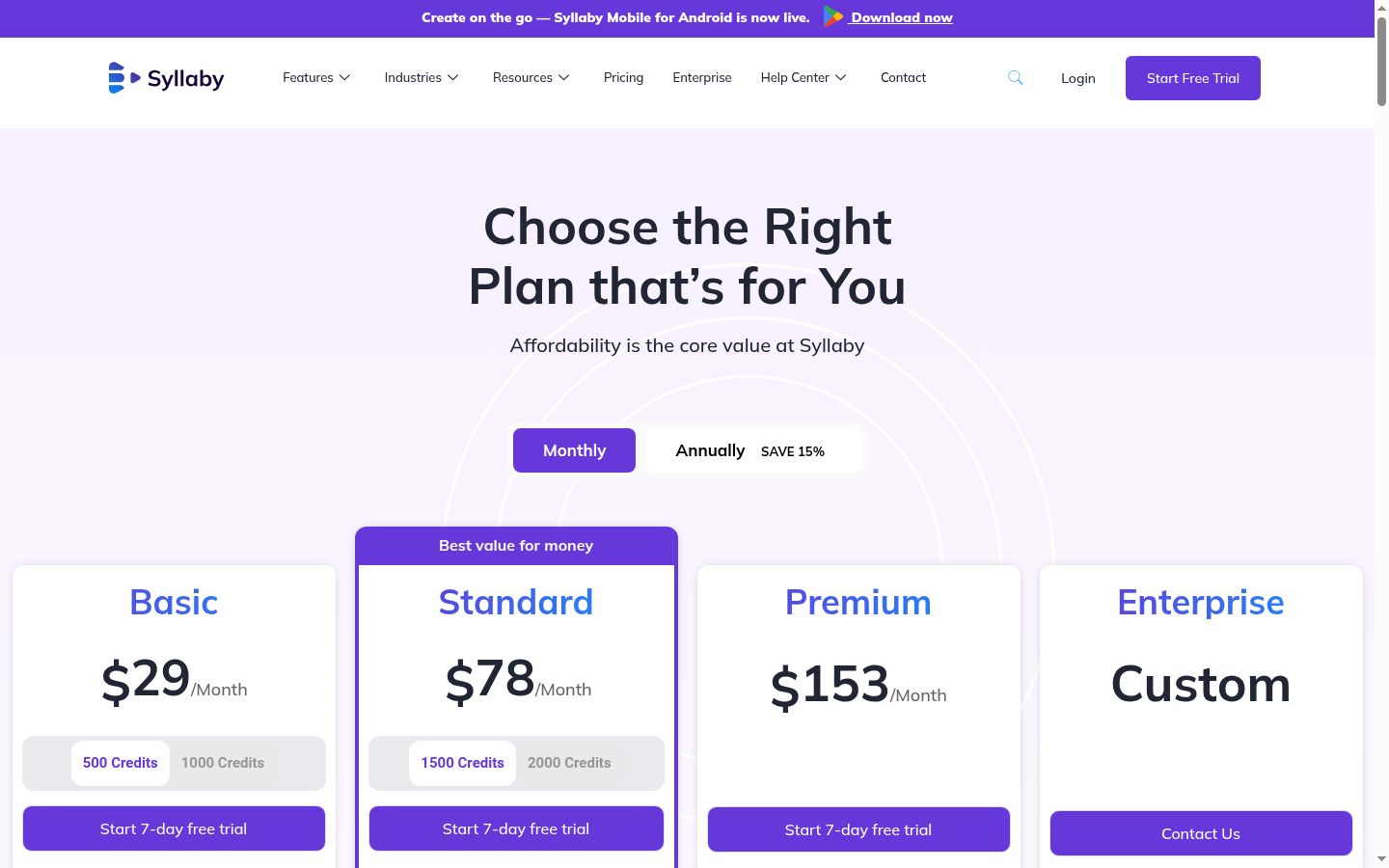
Syllaby uses a credit-based pricing system with a 7-day free trial on all plans. Annual billing saves 15%.
7-Day Free Trial
Every paid plan includes a 7-day free trial. You get full access to the plan's features during the trial period and can cancel anytime. This is generous enough to run through the full workflow: research topics, generate scripts, produce several videos, and evaluate the output quality for your specific niche.
Strategic use of the trial: Pick your best-performing content niche, generate 5-10 videos, and compare the production time and quality against your current workflow. If Syllaby saves you meaningful time and the output quality is good enough for your audience, the paid plan will pay for itself. If the visual style or voice quality does not meet your standards, cancel before the trial ends.
Basic Plan - $29/Month
- 500 credits per month (Generate Ideas, Scripts, and Videos)
- 1 Voice Clone
- Video Editor
- Social Media publishing to Instagram, Facebook, LinkedIn, YouTube, TikTok, Threads
- Schedule 20 posts for up to 2 weeks
- Content Calendar
- 5GB Storage
- Text to Scene: Veo3 Fast, Seedance-1-lite, Sora-2
Best for: Solo creators producing 3-5 videos per week on one or two platforms. The 500 credits cover a solid output volume for a single-channel faceless content operation. The 1 voice clone is sufficient for a single-brand workflow.
Cost per video math: At 500 credits per month, depending on video length and complexity, you can produce roughly 30-50 short-form videos. That puts the cost at approximately $0.60 to $1.00 per video. For context, hiring a freelance video editor for equivalent output costs $30 to $100 per video. The economics work strongly in Syllaby's favour.
Standard Plan - $78/Month (Best Value)
- 1,500 credits per month
- 3 Voice Clones
- Video Editor
- Same 6-platform social media publishing
- Schedule 60 posts for up to 4 weeks
- Content Calendar
- 10GB Storage
- Text to Scene: Veo3 Fast, Veo3 Quality, Seedance-1-lite, Seedance-1-pro, Sora-2, Sora-2-pro
Best for: Serious creators producing daily content across multiple platforms or managing multiple faceless channels. The 1,500 credits support high-volume output. The 3 voice clones allow different voices for different content series or channels. Access to Veo3 Quality and Sora-2-pro models provides the best visual output.
The value jump: Standard gives you 3x the credits of Basic for roughly 2.7x the price. The additional AI models (Veo3 Quality and Sora-2-pro) produce notably better visuals than the Fast/Lite models on Basic. For anyone producing content seriously, Standard is the sweet spot.
Premium Plan - $153/Month
- 5,000 credits per month
- 5 Voice Clones
- Unlimited Scheduled Posts
- 20GB Storage
- All AI models (including Veo3 Quality, all Seedance variants, Sora-2-pro)
Best for: Agencies, high-volume content operations, and creators running five or more channels simultaneously. The 5,000 credits support industrial-scale content production. Unlimited scheduling removes any publishing constraints.
Enterprise - Custom Pricing
Custom voice clones, custom scheduling, advanced content calendar, custom storage, and all AI models. For organizations with specific requirements beyond the standard tiers.
Comparison to Alternatives
| Tool | Monthly Cost | Creates Video? | Topic Research? | Voice Clone? | Scheduling? |
|---|---|---|---|---|---|
| Syllaby Basic | $29 | Yes (AI-generated) | Yes (search data) | 1 clone | 20 posts/2 weeks |
| Syllaby Standard | $78 | Yes (premium models) | Yes (search data) | 3 clones | 60 posts/4 weeks |
| Opus Clip | $9-$49 | No (repurposes existing) | No | No | No |
| Pictory | $19-$99 | Yes (stock-based) | No | No | No |
| HeyGen | $24-$120 | Yes (AI avatars) | No | Yes | No |
| Hiring an editor | $500-$3,000 | Yes (manual) | No | N/A | No |
Syllaby vs Major Alternatives
vs Opus Clip
Opus Clip is Syllaby's most frequently compared competitor, but they solve fundamentally different problems. Opus Clip takes existing long-form video (a podcast episode, a webinar recording, a YouTube video) and uses AI to extract the best short clips. It is a repurposing tool. Syllaby creates video from scratch using topic ideas and AI generation. It is a creation tool.
When to use Opus Clip: You already have long-form video content and want to extract short-form clips without manual editing. Podcasters, webinar hosts, and YouTubers with existing libraries get immediate value.
When to use Syllaby: You are starting from scratch with no source footage. You want to build a faceless content operation. You need topic research, script writing, video creation, and scheduling in one pipeline.
The combination play: Some creators use both. Opus Clip repurposes their existing content. Syllaby creates net-new faceless content on topics identified through search data. The two tools serve different parts of the content strategy.
vs HeyGen
HeyGen creates AI avatar videos where a digital presenter appears on camera. This is the opposite approach to faceless content. HeyGen is for creators who want a presenter without hiring one or being one. Syllaby is for creators who want no presenter at all.
When to use HeyGen: You want an on-camera presence without filming. Corporate communications, training videos, and multilingual content where a consistent presenter matters.
When to use Syllaby: You explicitly want faceless content. Educational channels, motivational content, and commentary accounts where the information matters more than who delivers it.
vs Pictory
Pictory creates stock-footage-based videos from scripts or blog posts. It is similar in concept to Syllaby's faceless video feature but without the AI-generated visuals, topic research engine, voice cloning, or scheduling.
Syllaby's advantage is the AI video models (Sora 2, VEO 3, Seedance) producing original visuals rather than repurposing stock footage. The visuals are more engaging and less likely to appear across thousands of other videos using the same stock clips.
vs Hiring a Video Editor
A freelance video editor for regular short-form content costs $500 to $3,000 per month depending on volume, quality, and turnaround speed. A good editor produces higher-quality output than Syllaby, with more creative control, better transitions, and manual attention to detail.
Syllaby's advantage is speed and cost. $29 to $153 per month versus $500+ per month. 20 to 30 minutes per video versus one to three days turnaround from an editor. For testing content ideas at volume, where you need 10 to 20 videos per week to find what resonates, Syllaby's speed advantage is decisive. For proven content formats where quality matters more than velocity, a human editor produces better results.
The smart combination: Use Syllaby to produce high volumes of test content. Identify the topics and formats that get traction. Then hire an editor to produce premium versions of the winners.
Use Case Scenarios
Solo Creators Building Faceless Accounts
Fit: Excellent. This is Syllaby's core user. Daily TikTok or YouTube Shorts output, topics sourced from search data, scripts generated and refined, faceless video produced with consistent AI characters and voice cloning. The workflow from idea to published video runs in under 30 minutes.
For creators also building a broader online business, Syllaby pairs well with other tools for content creators handling email marketing, community, and monetisation. Poppy AI handles written content (newsletters, social posts, emails) in your voice, while Syllaby handles video. The combination covers the two primary content formats without requiring different writing and production workflows.
Marketers Running Multiple Brand Accounts
Fit: Strong. Multi-account workflows benefit from Syllaby's scheduling across six platforms and the ability to produce content rapidly for different brands. The Standard plan's 3 voice clones support three distinct brand voices. The 1,500 credits per month cover meaningful output across multiple accounts.
The limitation is that each account still needs its own topic research and content strategy. Syllaby accelerates production but does not replace the strategic work of understanding each brand's audience.
Entrepreneurs Testing Content Strategies
Fit: Strong. The highest-value use of Syllaby for entrepreneurs is testing at volume. Produce 10 to 20 videos per week across different topics, formats, and hooks. Watch what gets traction. Double down on winners. This iteration speed is Syllaby's secret advantage. Most entrepreneurs spend weeks crafting one perfect video. Syllaby lets you produce 20 experiments in the same time.
The search volume data from the ideation engine adds a strategic layer to this testing: you are not just guessing at topics, you are testing topics with proven search demand.
Agencies Producing Client Social Content
Fit: Good. Syllaby's pipeline scales content production for agency use. The Premium plan with 5 voice clones and 5,000 credits supports multi-client workflows. The unlimited scheduling removes publishing constraints.
The consideration for agencies is client expectations around quality. Some clients expect premium production values that AI-generated video does not deliver (yet). For clients who prioritise publishing consistency and topic relevance over production polish, Syllaby works well. For clients in luxury, premium, or highly visual industries, human production may still be necessary.
Honest Limitations
Output Quality vs Premium Brand Video
The AI-generated visuals from Sora 2, VEO 3, and Seedance are genuinely impressive for 2026. But they are not broadcast quality. Close inspection reveals AI artifacts: slightly off physics, occasional character inconsistencies in complex scenes, lighting that does not quite match between elements. For fast-scrolling social media where viewers make three-second decisions, these artifacts are invisible. For brand content that will be scrutinised on a website, in a presentation, or in advertising, the quality gap matters.
Limited Editing Control
Syllaby's video editor covers basics: scene selection, caption styling, voiceover adjustment. What it does not offer is the frame-by-frame control of DaVinci Resolve or Premiere Pro. You cannot keyframe animations, apply complex colour grading, or do detailed audio mixing. For most faceless content creators, this limitation is irrelevant because the entire point is speed. For creators who want precise control, Syllaby's output serves as a starting point that can be exported and refined in a professional editor.
AI Scripts Need Human Review
The script generator produces competent, well-structured scripts. But "competent" is not "expert." Scripts occasionally contain factual inaccuracies (especially for technical topics), generic statements that need your specific perspective or data, and transitions that feel templated. Budget 10 to 15 minutes of script editing per video for content you want to be genuinely good. For testing content at volume, the raw scripts are often good enough to publish directly.
Basic Scheduler vs Dedicated Tools
The built-in scheduler handles publishing but not strategy. No engagement analytics, no optimal posting time suggestions, no A/B testing, no team approval workflows. For solo creators managing their own accounts, this is fine. For teams and agencies needing data-driven scheduling, a dedicated tool like Buffer or Later alongside Syllaby is the better setup. For businesses using GoHighLevel's social media planner for their broader marketing automation, you can create in Syllaby and schedule in GoHighLevel for a more analytics-rich workflow.
Not for Long-Form Content
Syllaby's sweet spot is 15 to 90 seconds. You can produce longer content, but the AI-generated visuals become less convincing at scale, voiceover over longer durations can feel monotonous even with good voice cloning, and the lack of editing depth makes it harder to maintain viewer engagement past the two-minute mark. For long-form YouTube content, tutorials, or documentary-style videos, traditional production workflows still produce meaningfully better results.
Info
Editor's Note
Syllaby is not the right tool for premium brand video, in-depth tutorials, or long-form YouTube content. The output quality is genuinely good for short-form social video where attention spans are measured in seconds.
Where it earns its keep: testing content ideas at volume. You can produce 10-20 short videos per week to find what resonates, then invest production effort into the winners. That iteration speed is what Syllaby actually delivers. The search data from the ideation engine means you are testing topics with proven demand, not guessing.
I think of Syllaby as a content laboratory. Cheap experiments, fast results, then scale the winners with proper production.
- Ashley Kemp
The Verdict
Pros
- Full pipeline from topic ideation to published video in a single tool with no video editing experience required
- Faceless video creation removes the need to be on camera or invest in studio equipment
- Content ideation engine finds topics with real search volume data in your niche
- AI voice cloning lets you create a consistent voiceover presence across all videos without recording
- Cutting-edge AI video models including Sora 2, Google VEO 3, and Seedance produce genuinely impressive visuals
- Multi-platform output optimized for TikTok, YouTube Shorts, Instagram Reels, Facebook, LinkedIn, and Threads
- Built-in scheduling with content calendar covers social media publishing without needing a separate tool
Cons
- Video output quality is excellent for short-form social but not suitable for premium brand content or commercials
- Limited control over video editing and post-production compared to dedicated tools like DaVinci Resolve or Premiere
- Social media scheduler covers basics but lacks the analytics depth of Buffer or Later
- AI-generated scripts occasionally need editing for factual accuracy and tone adjustment
- Not designed for long-form content like YouTube tutorials, in-depth educational videos, or documentary-style pieces
The smart play: Start with the 7-day free trial, pick your strongest niche topic, and produce 5-10 videos across different formats. Compare the production time against your current workflow. If Syllaby saves you meaningful hours per week and the output quality matches your audience's expectations, the paid plan pays for itself quickly. Most creators who complete the trial produce more content in one week than they typically produce in a month.
For a comparison of how Syllaby fits alongside other AI and content tools, see our best AI tools for digital entrepreneurs ranking and best tools for content creators roundup.
Syllaby
Read about our review methodology to understand how we test and score every product.