
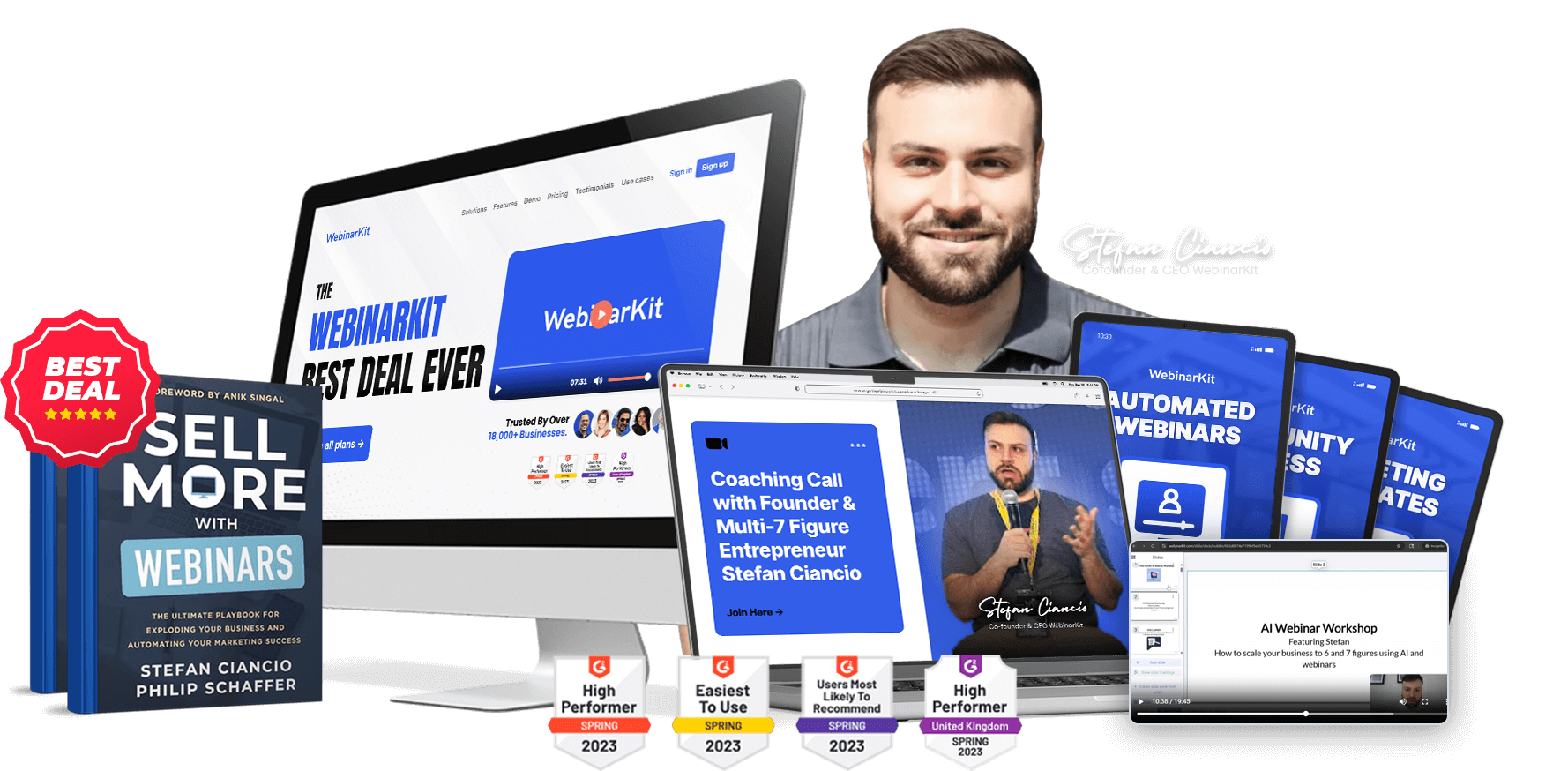
Is WebinarKit worth it in 2026?
WebinarKit has transformed from an automated-webinar-only tool into a full webinar ecosystem with unlimited live and automated webinars, 5 AI tools that generate complete webinars from a URL, white label rights with 100 sub-accounts, and a lifetime pricing option at $2,972. It scores 9.0 out of 10 in editorial testing for 2026. For sales-focused users, coaches, course creators, and agencies, it is now category-leading at $81-167/month or a one-time lifetime payment. The honest hesitations: no native GoHighLevel integration, support can be slow, and AI credit limits constrain very high-volume users.
WebinarKit in 2026 is not the same product it was 12 months ago. If you last evaluated it in 2024 or early 2025, when it was a solid but limited automated webinar tool at $39 per month, what exists today will change your assessment entirely.
Webinars remain the most powerful sales mechanic for high-ticket offers, coaching programs, course launches, and agency services. Nothing else matches the combination of demonstration, objection handling, and scarcity that a well-built webinar delivers. The question has never been whether webinars work. The question is which platform handles the execution without creating more problems than it solves.
The webinar software landscape in 2026 is fragmented. WebinarJam and EverWebinar still operate on a split-product model where you pay separately for live and automated capability. Demio has refined its live experience but offers no AI tooling. Zoom Webinars handles scale but lacks the sales-focused features that drive conversions. GoHighLevel includes basic webinar workflows but treats webinars as a secondary feature rather than a primary product. And most platforms still require you to build the webinar yourself from scratch: write the script, design the slides, record the presentation, set up the funnel.
WebinarKit now answers all of these gaps with unlimited live and automated webinars, five distinct AI tools that build webinars for you, a Zoom replacement for meetings and sales calls, white label SaaS rights with 100 sub-accounts, and a lifetime pricing tier that eliminates recurring costs entirely. This review covers all of it, including the parts that still need work, based on years of hands-on use. For context on where WebinarKit ranks among alternatives, see the best webinar software comparison.
Score Breakdown
What Changed: WebinarKit's 2025-2026 Transformation
Understanding why this review reads differently from older WebinarKit reviews requires understanding how much the product has changed. Eighteen months ago, WebinarKit was a focused automated webinar platform. You uploaded a pre-recorded video, set up a registration page, configured fake chat messages, and ran it on autopilot. That was the product. It cost $39 per month for the Starter plan and $65 for Pro. No live webinars. No AI. No white label. No meetings.
The 2026 version is a different platform entirely:
- Then: Automated webinars only. Now: Unlimited automated and live webinars with up to 500 attendees per session.
- Then: You built everything manually. Now: 5 AI tools generate webinar scripts, slide decks, AI narration, sales pages, and handle real-time objections during the presentation.
- Then: Monthly subscription at $39-65/month. Now: Annual ($81/month), monthly ($167/month), or lifetime ($2,972 one-time) with every feature included on every plan.
- Then: Single-user tool. Now: White label SaaS with 100 sub-accounts, including a rebranded help desk and sales page.
- Then: No video conferencing. Now: Built-in Meetings feature that replaces Zoom for sales calls and team meetings.
Most existing WebinarKit reviews online are reviewing a product that no longer exists. This review reflects what the platform actually does today.
Info
Editor's Note
I have been a WebinarKit user since 2022 and have run dozens of webinars on the platform for my own offers. I also know founder Stefan Ciancio personally, which means I have watched this product evolve up close.
The version of WebinarKit I bought into years ago was a competent but limited automated webinar tool. The version that exists in 2026 is something else entirely: a full webinar sales system with AI that genuinely builds webinars for you, live webinar capability that rivals dedicated tools, and a white label model that turns your software subscription into an asset rather than just a cost.
This review reflects what the product actually does today, based on hands-on use of every major feature.
- Ashley Kemp
Core Webinar Capabilities
Unlimited Automated Webinars
The foundation that built WebinarKit's reputation remains its strongest feature. Automated webinars run 24/7 without manual hosting, using pre-recorded video dressed up as a simulated live event. The platform handles scheduling, confirmation emails, reminders, the simulated live experience with timed chat messages, and post-webinar follow-up sequences.
Three scheduling modes cover every use case: fixed times (every Tuesday at 7pm), just-in-time (starts within minutes of registration), and always-on (new sessions every hour). Just-in-time scheduling consistently drives the highest attendance rates because it catches registrants while their interest is fresh. The always-on mode works well for evergreen sales funnels where you want a webinar running continuously without manual scheduling.
Registration pages are fully customizable with drag-and-drop editing, custom fields for lead qualification, and integrations with payment processors for paid webinar events. Confirmation and reminder email sequences are built in, with templates for pre-webinar warmup content that increases show-up rates. In testing, a three-email reminder sequence (immediately after registration, one hour before, and five minutes before) consistently pushes attendance above 40% for warm traffic.
The simulated live experience is where WebinarKit separates itself from basic video hosting. Customizable chat messages fire at exact timestamps, creating the engagement signals that nudge real viewers toward the call to action. Dynamic offers can appear at specific points in the presentation. Countdown timers and urgency elements on registration pages average 30-35% conversion on warm traffic in testing. You control every element: which chat messages appear, when CTAs become visible, how long the replay stays available, and what happens when the webinar ends.
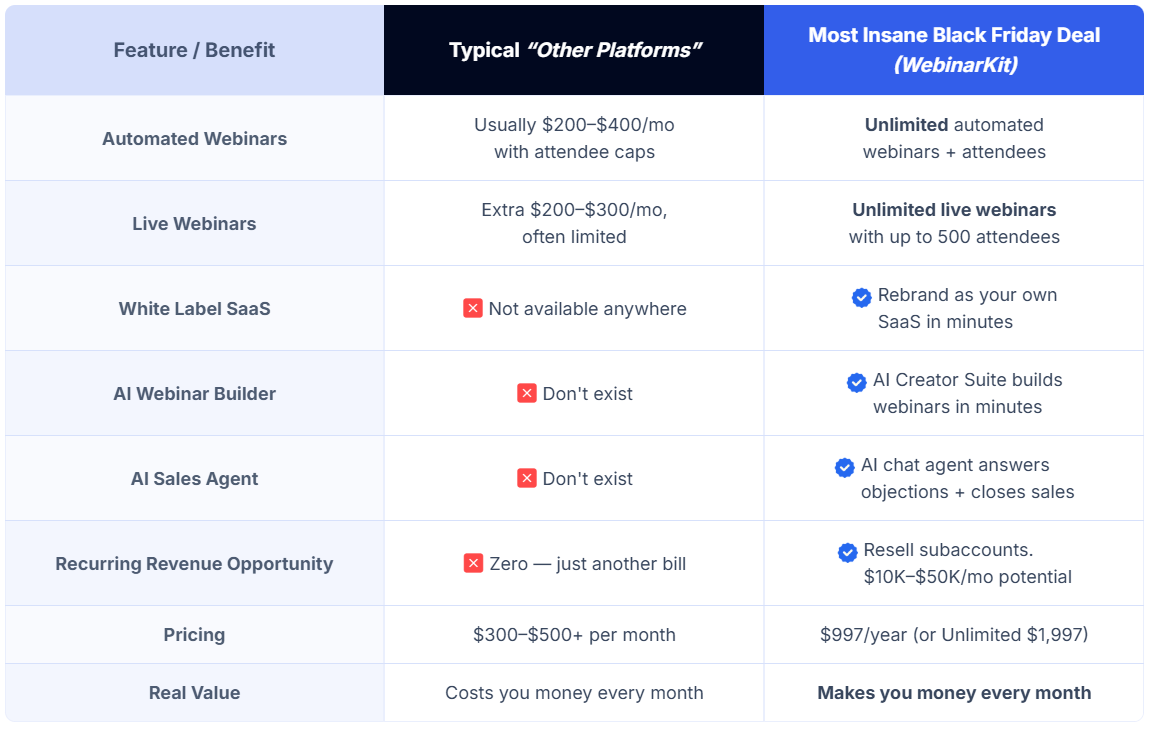
Unlike competitors who charge $300 or more per month for automated webinar capability and cap attendee numbers, WebinarKit includes unlimited automated webinars on every plan with no per-registrant fees.
Unlimited Live Webinars
This is the biggest change from the old WebinarKit and the reason the "no live webinar capability" con from previous versions is now wrong. All plans include unlimited live webinars supporting up to 500 attendees per session.
Live webinar features include built-in chat, Q&A management, polls, screen sharing, and real-time engagement tracking. The interface is clean and responsive. Presenters can share their screen or camera, toggle between presentation mode and Q&A mode, and manage chat moderation in real time. The experience is comparable to Zoom for business webinars, with the advantage that everything lives inside the same platform as your automated webinars, registration pages, and follow-up sequences.
For comparison, WebinarJam charges $499 or more per year for live webinar capability alone, and most competitors treat live webinars as an upsell rather than an included feature. WebinarKit includes live webinars at no additional cost on every plan.
The 500-attendee cap per session is the main limitation. For most coaches, course creators, and agencies running webinar funnels, 500 attendees is more than sufficient. The typical sales webinar targets 50-200 attendees for optimal engagement and conversion. Enterprise users regularly hosting 1,000+ attendee events will need a dedicated platform like Zoom Webinars. But for the core WebinarKit audience running sales webinars, this cap is rarely a constraint.
A hybrid approach works well: run live webinars to test new content and dial in the presentation, then record the best-performing version and set it up as an automated webinar running 24/7. This live-to-automated pipeline is one of the strongest use cases for having both capabilities in a single platform. No exporting, no re-uploading, no integration headaches between separate tools.
Meetings: The Zoom Replacement
WebinarKit now includes a full video conferencing feature designed to replace Zoom for sales calls, team meetings, and casual video conversations. No separate subscription. No clunky plugins. No room time limits.
The Meetings feature integrates directly with WebinarKit's funnel system, which means you can build a sales call funnel that handles booking, reminders, the meeting itself, and follow-up all within one platform. For coaches running discovery calls or agencies doing sales presentations, this eliminates the need for Zoom, Calendly, and the integrations that connect them.
The video quality is solid for business use. It is not a replacement for broadcast-quality production, but for sales calls and team meetings, it handles the job without the overhead of maintaining a separate Zoom subscription. For agencies evaluating whether to consolidate tools, see the breakdown of GoHighLevel for agencies to understand what GHL covers versus what WebinarKit adds.
Pro Sales Tools
WebinarKit Pro takes the automated webinar experience further with advanced conversion features:
- Custom registration fields for lead qualification before the webinar starts
- Embeddable webinar funnels that run on your own domain or landing pages
- Hosted webinar videos with optimized streaming delivery
- Pre-recorded live chat simulations with precise timestamp control
- Dynamic offers that appear at specific moments during the presentation
- Advanced analytics tracking registrations, attendance, watch time, and CTA clicks
The chat simulation system deserves specific attention. You write scripted messages, set exact timestamps, and they appear as if real attendees are responding to the presentation. Done well, this dramatically increases engagement and conversion. Done poorly, it backfires. WebinarKit provides the tool and the templates. Execution quality depends on the user.
The AI Suite: WebinarKit's Category-Leading Differentiator
This is where the 2026 product genuinely separates itself from every other webinar platform. No competitor offers anything comparable. Five distinct AI tools handle different parts of the webinar creation, delivery, and follow-up process.
AI Webinar Sales Agent
The AI Webinar Sales Agent generates complete webinar scripts and slide decks from minimal input. Paste a URL or enter basic offer details, and the system produces a structured sales presentation in minutes: hook, problem identification, solution framework, social proof sections, offer presentation, objection handling, and close.
The output quality for structured sales presentations is genuinely impressive. The AI follows proven webinar frameworks because it has been trained on what works in sales webinars specifically. For a standard offer-to-problem-to-solution-to-close format, the generated scripts are usable with minimal editing.
The workflow is simple: paste your sales page URL or enter your offer details (product name, price, target audience, key benefits, main objections). The AI generates a complete webinar script structured as a hook section to grab attention, a problem identification section that speaks to the audience's pain, a solution framework presenting your offer as the answer, social proof sections with placeholder slots for your testimonials, a detailed offer presentation with pricing justification, an objection handling section addressing common hesitations, and a close with urgency elements. The entire script runs 30-45 minutes of spoken content.
Stefan Ciancio's claim that users can build a $3,000-10,000 webinar in minutes is aspirational, but the time savings are real. What previously took days of copywriting and slide design now takes an afternoon of editing AI-generated output.
The limitation is specificity. For highly technical products, niche industries with specialized terminology, or complex educational content, the AI output requires more significant editing. It excels at mainstream coaching, course, and agency offers. It struggles with content that requires deep domain expertise the AI does not have.
AI Webinar Creator Suite
Where the Sales Agent handles scripts, the Creator Suite handles the visual presentation. It generates complete slide decks with AI-created images, layouts, and design elements. A drag-and-drop editor lets you refine the output.
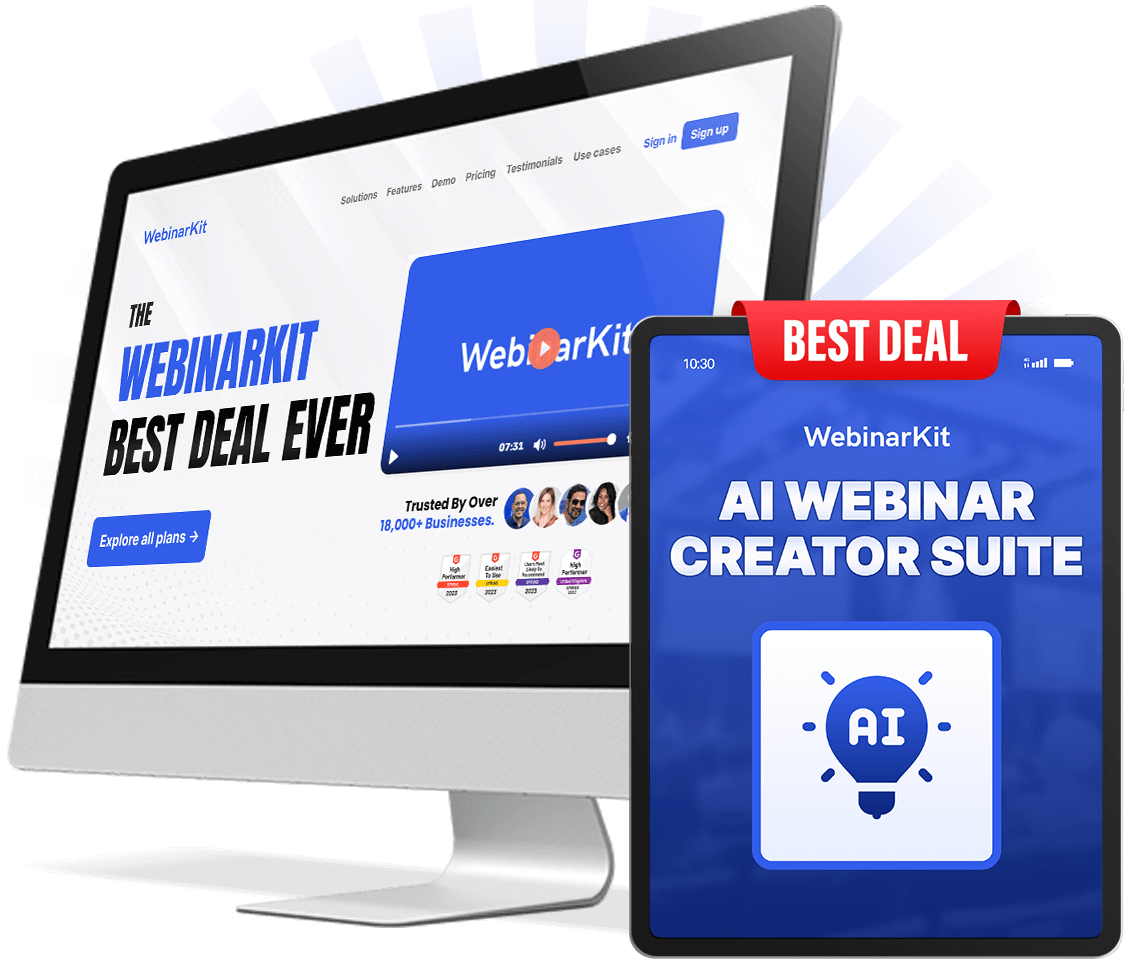
The workflow is straightforward: start with the Sales Agent to generate your script, then feed it into the Creator Suite to generate matching slides. The two tools work together as a pipeline. In testing, this pipeline produces a complete webinar presentation (script plus slides) in under 30 minutes from a standing start. Compare that to the typical 20-40 hours a professional webinar takes to produce from scratch.
Each plan includes 25 AI credits per month, which covers approximately 5-10 complete webinar builds depending on complexity. For most users running one to three webinars per month, this is sufficient. Agencies generating webinars for multiple clients weekly may hit the limit, which is one of the honest cons of the current product.
AI Voice and Face Narration
WebinarKit includes built-in AI avatars that can narrate your webinar using generated voice and face. The quality is serviceable for certain use cases: product demos, recurring evergreen webinars where you want consistent delivery, and situations where the presenter is not available to record.
For premium AI presenter quality, WebinarKit integrates with HeyGen, which offers more realistic avatars and voice options. The tradeoff is cost: HeyGen adds another subscription to your stack. The built-in avatars work for basic use. Professional-quality AI narration currently requires the HeyGen add-on.
The honest assessment: AI narration is impressive technology, but for sales webinars specifically, a real human presenter still outperforms AI narration on conversion metrics. Audiences can detect AI narration, and trust metrics drop measurably when the presenter feels synthetic rather than genuine. The AI narration is most valuable for scale (generating multiple versions of the same webinar in different voices or languages), for supplementary content rather than primary sales presentations, and for product demo videos where the focus is on the screen rather than the presenter.
For agencies building webinars for clients, the AI narration can serve as a rapid prototyping tool: generate a narrated version to show the client the concept, then record the final version with the client's real voice. This workflow saves significant time in the webinar production process.
AI Sales Page Builder
The AI generates landing pages and sales pages to accompany your webinar funnels. Input your offer details and the system produces a conversion-optimized page with headline, subheadings, benefit sections, testimonial placements, and CTA blocks.
The output is a solid first draft. The pages follow proven direct-response frameworks and include all the structural elements that high-converting sales pages need. For comparison, hiring a copywriter to produce a similar page typically costs $1,500-5,000. The AI produces a workable version in minutes.
The limitation is the same as the webinar scripts: the output is templated. For standard coaching, course, or agency offers, the generated pages work with moderate editing. For products that require unique positioning or heavily differentiated messaging, the AI gives you structure but you still need to supply the voice.
AI Chat and Follow-Up Agents
During live and automated webinars, the AI handles real-time objection handling in the chat, answers attendee questions, and guides viewers toward the call to action. Post-webinar, automated follow-up sequences engage prospects who did not convert during the presentation.
This is the feature that turns webinars from one-touch events into multi-touch sales processes. The AI chatbot handles the common questions (pricing objections, feature questions, "is this right for me" hesitations) that would otherwise go unanswered in an automated webinar. For live webinars, it supplements the presenter's ability to manage a high-volume chat without missing sales-critical questions.
The follow-up agents operate post-webinar, engaging no-shows and non-buyers through automated sequences. Because these agents understand the webinar content and the prospect's engagement level (did they attend, how long did they watch, did they click the CTA), the follow-up messaging is contextual rather than generic. A prospect who watched 80% of the webinar but did not buy receives different messaging than someone who registered but never showed up. This level of behavioral segmentation typically requires complex automation tool configuration. WebinarKit handles it natively.
White Label: The Revenue Model That Changes the Math
Every WebinarKit plan includes 100 white label sub-accounts. This means you can rebrand the entire platform under your own brand, with your own domain, your own sales page, your own rebranded help desk, and sell access to your customers for whatever price you set.
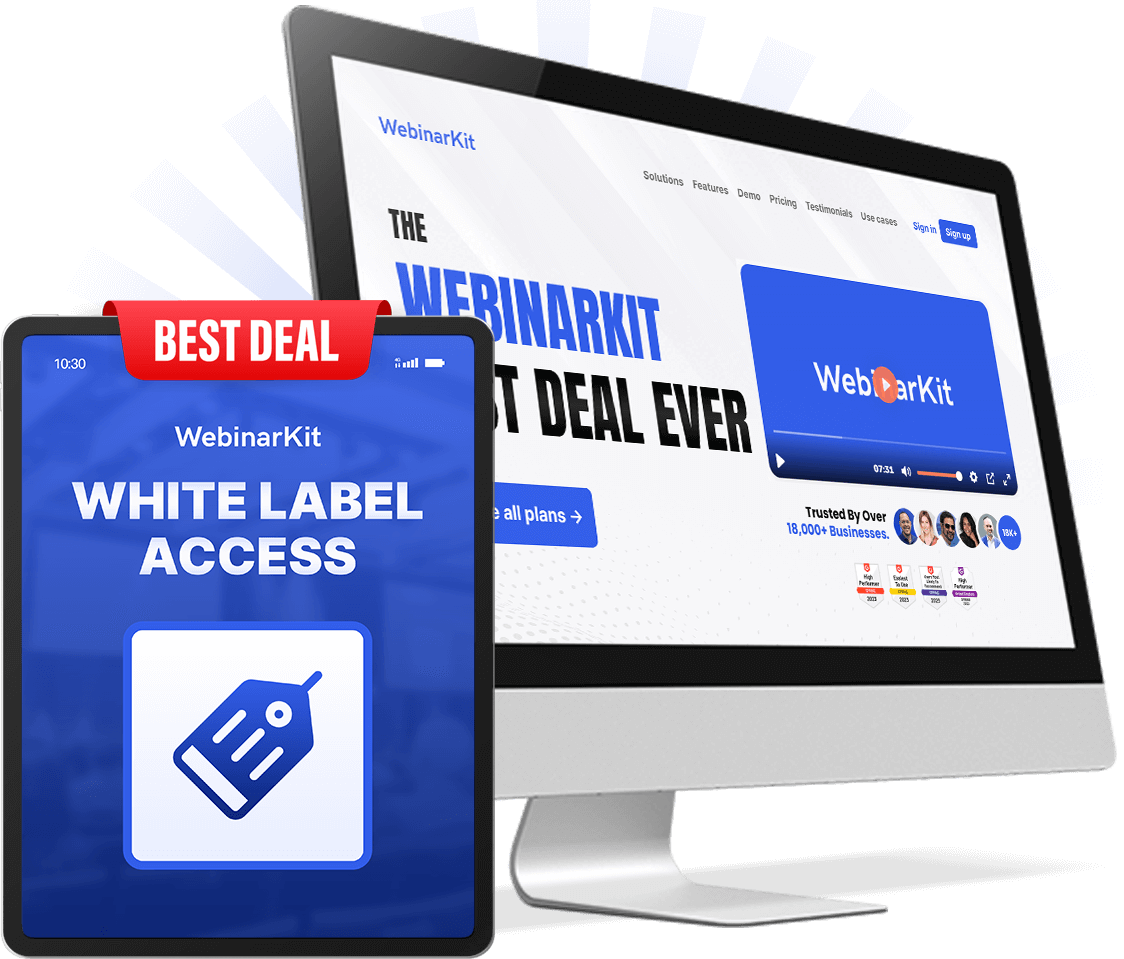
The rebranding process takes minutes, not months. No coding required. No custom development. You customize the logo, colors, domain, sales page copy, and help desk branding through a visual editor. WebinarKit handles the infrastructure, hosting, updates, and core support. You handle marketing, pricing, and customer relationships. Your customers never see the WebinarKit brand. They see your brand, your domain, and your support system.
The included White Label Academy walks through the entire process: setting up your branded instance, pricing your sub-accounts, building a sales funnel to acquire customers, and managing your growing SaaS business. This is not just a feature toggle. WebinarKit has built a complete playbook for turning the white label capability into a revenue stream.
The revenue math is straightforward. If you sell sub-accounts at $50-150 per month and fill even a fraction of the 100 available accounts:
- 10 accounts at $100/month = $1,000/month recurring revenue
- 25 accounts at $100/month = $2,500/month recurring revenue
- 50 accounts at $100/month = $5,000/month recurring revenue
Against a WebinarKit cost of $81/month (annual) or $2,972 lifetime, the break-even happens fast. One to three paying sub-accounts covers your entire WebinarKit subscription.
The honest caveat: selling SaaS sub-accounts is a real business that requires real marketing effort. The white label capability is a tool, not a turnkey income stream. Users who already have an audience (coaches with a following, agencies with a client base, course creators with a community) will monetize this faster than users starting from zero. WebinarKit provides the infrastructure. Building the customer base is on you.
For agencies already running client services, the white label model is a natural extension. Instead of just building webinars for clients, you can give them their own branded webinar platform and charge monthly for access. This creates recurring revenue that compounds alongside your service revenue.
Pricing Deep Dive: $81, $167, or $2,972
WebinarKit uses a single-tier feature model. Every plan includes every feature. The only variable is billing frequency. With the WKHOME coupon (applied automatically through the Best Deal Ever page):
| Plan | Price | Billing | Break-Even vs. Monthly |
|---|---|---|---|
| Annual | $81/month | Billed annually (~$972/year) | Saves $1,032/year vs. monthly |
| Monthly | $167/month | Month-to-month | Most flexible, highest cost |
| Lifetime | $2,972 one-time | Single payment | Breaks even at month 18 vs. monthly, month 37 vs. annual |
All plans include:
- Unlimited automated and live webinars (500 attendees per session)
- All 5 AI tools (Sales Agent, Creator Suite, Voice/Face, Sales Page Builder, Chat/Follow-Up)
- 100 white label sub-accounts with full rebranding
- WebinarKit Academy and White Label Academy lifetime access
- 20,000 email sends per month
- 100 SMS sends per month
- 25 AI credits per month
- Monthly coaching calls, private community, and course library
The lifetime deal at $2,972 is the headline. It is rare for a SaaS platform with this feature depth to offer a one-time purchase option. The math is decisive for committed users: at month 18, the lifetime tier has paid for itself compared to monthly billing. At month 37, it has paid for itself compared to annual billing. Everything after that is effectively free access.
For most serious users, the recommendation is clear. If you are testing WebinarKit, start with the annual plan at $81 per month. If you know you are going to use it long-term, the lifetime tier removes the recurring subscription entirely and turns WebinarKit into a permanent asset rather than an ongoing expense. For coaches specifically, compare this against what GoHighLevel for coaches includes before deciding which platform to prioritize.
What the pricing does not include: HeyGen integration for premium AI avatars is a separate subscription. If you exceed the 25 AI credit monthly allocation, additional credits may incur extra cost. These are the primary hidden costs to be aware of.
Compared to building this stack separately: Demio ($69/month for live webinars) plus Pictory ($50/month for AI video) plus HeyGen ($30/month for AI avatars) plus WebinarJam ($42/month for automated webinars) totals roughly $191 per month, and that stack does not include white label rights, a Zoom replacement, or an AI sales page builder. WebinarKit consolidates all of it at $81 per month or a single lifetime payment. You can run the exact numbers through the total cost calculator and the ROI calculator to see how WebinarKit compares for your specific situation.
WebinarKit vs. Major Competitors
vs. WebinarJam and EverWebinar
WebinarJam (live webinars) and EverWebinar (automated webinars) come from the same parent company and collectively cost $499 or more per year. The interface feels dated compared to WebinarKit's 2026 redesign. Neither product includes AI tools, white label capability, or a meetings feature.
WebinarKit includes both live and automated webinars in a single subscription, adds five AI tools and white label rights, and prices comparably or lower depending on the tier. For users choosing between these platforms today, WebinarKit offers more capability at a similar or better price point.
vs. Demio
Demio starts at $69 per month and offers a clean, polished live webinar experience. It is purpose-built for live events with strong HD video quality, interactive features like polls and handouts, and an excellent attendee experience.
Demio wins on simplicity for live-only use cases. If you exclusively run live webinars and never need automated webinars, AI generation, white label, or meetings, Demio is a cleaner tool for that narrow purpose.
WebinarKit wins on scope. It does everything Demio does for live webinars (up to 500 attendees) while adding automated webinars, the entire AI suite, white label with 100 accounts, meetings, and a lifetime pricing option Demio does not offer. For users who need more than live-only capability, WebinarKit is the more complete platform.
vs. GoHighLevel Native Webinars
GoHighLevel includes basic webinar features in its platform. Users on the Starter plan at $97 per month or above get access to landing page builders, email and SMS automation for webinar sequences, and video hosting that supports an evergreen webinar workflow. See the full pricing breakdown for what each GHL tier includes.
GHL wins for integration. If you are already running your business on GoHighLevel and you need basic webinar functionality that ties directly into your CRM, pipelines, and automation workflows, the native GHL approach avoids adding another tool to your stack.
WebinarKit wins for dedicated webinar capability. The AI tools, simulated live chat, white label model, dedicated live webinar infrastructure, and meetings feature go well beyond what GHL's native webinar workflow offers. For users where webinars are a primary revenue driver rather than an occasional touchpoint, WebinarKit's purpose-built experience matters. For a broader view of GoHighLevel's AI capabilities, see the GoHighLevel AI features breakdown.
Building Your Own Stack
Assembling equivalent capability from separate tools (Demio for live, EverWebinar for automated, Pictory for AI video, HeyGen for avatars, Zoom for meetings, a white label platform for reselling) runs approximately $200 per month or more, requires complex integration work, and creates multiple points of failure. WebinarKit consolidates this into one platform at $81-167 per month with a lifetime option. The stack approach only wins if you have very specific requirements that each individual tool serves significantly better than WebinarKit's built-in version.
Who Should Buy WebinarKit
Strong Fit
Course creators with products at $500 or above. AI script generation for course intro webinars, automated webinars selling courses 24/7, and live workshops to build audience. The AI tools compress the webinar creation timeline from weeks to hours. A course creator with a $997 program needs roughly 8-10 sales per month to justify the $81/month annual plan, and a single well-optimized webinar funnel typically exceeds that threshold with moderate traffic. Best starting plan: Annual to test, then upgrade to Lifetime once the webinar is proven profitable.
Coaches scaling beyond one-on-one. One-to-many sales webinars replace the one-on-one call burnout that limits growth. AI handles objection responses during automated presentations. Live coaching sessions run in the Meetings feature without needing a separate Zoom subscription. The economics shift dramatically when a single webinar replaces twenty individual sales calls. A coach charging $3,000 for a program needs one webinar-generated sale per month to make WebinarKit one of the highest-ROI tools in the stack. Best plan: Annual.
Agencies adding recurring SaaS revenue. The white label model is the headline for agencies. Sell webinar services to clients while also selling them access to a branded webinar platform. Build webinars in minutes using AI for client offers, then charge $3,000-10,000 per build while the AI does most of the work. The white label sub-accounts create a second revenue stream on top of the service revenue, compounding the economics of every client relationship. Best plan: Lifetime, because the white label revenue covers the cost almost immediately.
Solo entrepreneurs running paid traffic to webinars. If webinar funnels are your primary sales channel, the investment in a dedicated platform pays for itself in conversion improvements. The AI handles script and design while you focus on traffic and optimization. The combination of just-in-time scheduling (which maximizes attendance from cold traffic) and the AI Sales Agent (which handles chat objections automatically) creates a webinar funnel that runs with minimal daily oversight. Best plan: Annual, with a Lifetime upgrade after the first profitable quarter.
Weaker Fit
One-off webinar users. If you run a webinar once or twice a year, $81 per month is expensive for a tool that sits idle most of the time. The annual plan means you are paying for 10-11 months of unused capacity. Use Zoom Webinars or a simple live streaming setup instead.
Free-content creators with no monetization model. WebinarKit is built for selling. The simulated chat, dynamic offers, urgency timers, and AI sales scripts are all optimized for conversion. If your webinars are purely educational with no revenue component, these features provide no value, and you are paying for capability you will never use.
Heavy GoHighLevel users who refuse Zapier-based integration. Without a native GHL integration, connecting the two platforms requires webhook or Zapier setup. If seamless native integration with your marketing stack is non-negotiable, GHL's built-in webinar tools are the simpler path. The workaround is functional but adds complexity and a potential failure point to your automation stack.
Very high-volume agencies. The 25 AI credit monthly limit constrains agencies generating multiple webinars per week for different clients. At scale, the credits run out faster than the billing cycle replenishes them. If AI-generated webinars at volume are the primary use case, this limitation needs to be factored into cost projections.
Limitations and Honest Cons
Support Response Times
This remains the most consistent criticism across WebinarKit user reviews. Support runs through email and tickets with no live chat option. Response times average 24-48 hours, and answers sometimes redirect to documentation rather than resolving the specific issue.
For routine questions, this is acceptable. For production issues during an active campaign, a day-long wait can mean real revenue loss. If you run webinars as the centerpiece of product launches where every hour of uptime matters, this support structure is a genuine risk to evaluate.
No Native GoHighLevel Integration
WebinarKit and GoHighLevel do not connect natively. Syncing registrations, triggering automations, and adding webinar attendees to GHL workflows requires Zapier or a webhook setup. This adds $20-50 per month for an automation tool plus the time cost of maintaining the integration.
For GHL users, this is a meaningful friction point. The integration works once set up, but it is another moving part in your stack. If you want to understand the full value you are already getting from GHL before adding WebinarKit, the GoHighLevel free trial gives you 30 days to test native webinar workflows.
AI Credit Limits
Twenty-five AI credits per month covers approximately 5-10 complete webinar builds depending on complexity. For solo users running one to three webinars per month, this is plenty. For agencies building webinars for multiple clients simultaneously, the credits become a constraint.
This matters if you are evaluating WebinarKit specifically for high-volume agency use where AI generation is the primary draw. The cap does not affect live or automated webinar hosting (those are unlimited), only the AI generation tools.
Entry Pricing
At $81-167 per month, WebinarKit is no longer the budget option it was at $39 per month. The feature expansion justifies the pricing increase for users who engage with the AI tools, white label model, and full feature set. For users who only need basic automated webinars and will not touch the AI or white label features, $81 per month is steep for what amounts to a fraction of the available capability.
The lifetime deal at $2,972 mitigates this for long-term users. But the upfront cost is significant for bootstrapped businesses testing whether webinars work for their offer.
AI Output Quality Variance
The AI Creator Suite produces its best work on structured sales presentations: offer, problem, solution, close. This format maps cleanly to proven webinar frameworks, and the AI generates compelling content within that structure.
For complex educational content, technical training, or highly specialized industries, the AI output requires more significant editing. The scripts are structurally sound but may miss nuance, industry-specific terminology, or the depth that a subject matter expert would bring. Use the AI as a starting point and expect to invest editing time proportional to the complexity of your content.
Stefan Ciancio: The Founder Behind the Product
WebinarKit was founded by Stefan Ciancio, a seven-figure entrepreneur who built the platform to solve his own webinar challenges. His publicly documented claim of generating over $5 million in sales using webinar systems is the foundation for the product's sales-focused design philosophy.
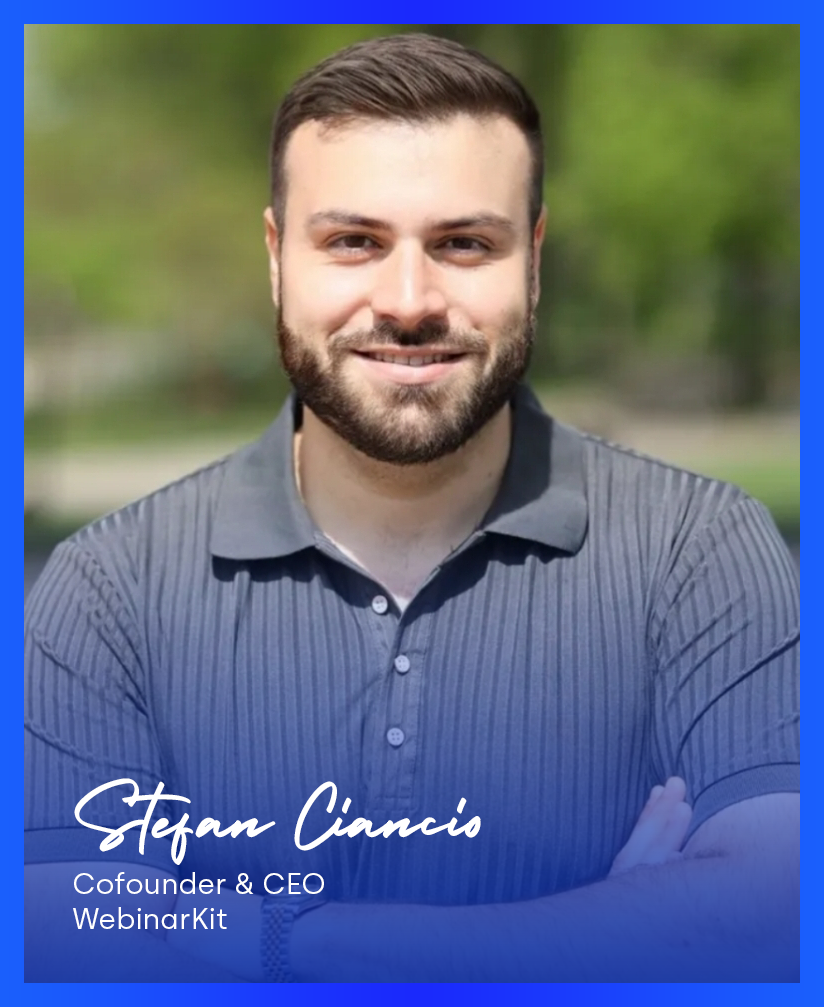
This matters for one important reason: Ciancio uses WebinarKit daily in his own business to generate revenue. When the founder is also the power user, feature priorities align with what actually drives results in the real world rather than what looks good on a feature comparison chart. The AI tools, the white label model, the lifetime pricing tier, the meeting feature, all of these reflect a founder building what he personally needs rather than what a product committee thinks the market wants.
The WebinarKit Academy and monthly coaching calls with Ciancio are included in all plans. This is not a passive tool with a help center. It is a platform backed by someone who actively teaches the strategy behind using it. The academy covers everything from webinar script structure to traffic strategies to automated funnel optimization. For users who are new to webinar sales, this coaching and training component adds genuine value beyond the software itself.
Info
Editor's Note
I have known Stefan Ciancio for years and have been a WebinarKit user since the platform's earlier iterations. The product has evolved more in the past 12 months than in the prior three years combined. The AI suite, white label model, and live webinar capability all shipped within a compressed timeline, and the quality has been solid across each release.
What I can confirm from personal experience: the priorities you see in the product reflect what actually works in Stefan's own business. The focus on sales-oriented webinars, automated follow-up, and AI-assisted creation is not theoretical. It comes from a founder running the same playbook at scale.
- Ashley Kemp
The Verdict: 9.0/10
WebinarKit in 2026 is a category-leading webinar platform for sales-focused users. The combination of unlimited live and automated webinars, five AI tools that compress webinar creation from weeks to hours, white label SaaS rights with 100 sub-accounts, a Zoom replacement for meetings, and a lifetime pricing option at $2,972 creates a value proposition that no single competitor matches.
The 9.0 out of 10 reflects the current product, not the version that existed when this review was originally published. The old 7.8 was accurate for a product that only did automated webinars with no AI, no live capability, and no white label. That product no longer exists. The platform that replaced it is materially better in every dimension that matters for revenue-focused webinar users.
To reach a 9.5 or above, WebinarKit would need to address three specific gaps: faster support with a live chat option for production issues, a native GoHighLevel integration that eliminates the Zapier dependency, and a higher AI credit allocation for the agency tier. All three are solvable, and if the pace of development over the past 12 months is any indication, at least one of these will likely ship before the next annual review cycle.
The honest caveat: if you are a casual webinar user who needs a simple tool for occasional live meetings, WebinarKit is overkill. The pricing, feature depth, and learning curve are calibrated for users who run webinars as a primary or significant revenue channel. For everyone else, simpler and cheaper options exist.
For users who fit the profile, the lifetime deal at $2,972 is the smart financial play. It breaks even in 18 months versus monthly billing, eliminates the recurring subscription, and provides permanent access to a platform that continues to add features. For agencies, the white label revenue alone can cover the lifetime cost within the first few months of selling sub-accounts.
The recommendation: if you are considering WebinarKit, start with the annual plan at $81 per month and test the full feature set. Build a webinar using the AI tools. Test the live webinar capability. Explore the white label model. If the platform delivers for your specific use case, upgrade to lifetime and lock in permanent access. If you want to compare what GoHighLevel's free trial covers for webinar functionality before adding another tool, that is worth testing first, especially if you are already in the GHL ecosystem.
For building your webinar funnel infrastructure, whether on WebinarKit or GoHighLevel, the guide on how to build a GoHighLevel funnel covers the foundational workflow that applies regardless of which platform you choose.
WebinarKit
Pros
- Unlimited live webinars with up to 500 attendees, included at no extra cost
- Unlimited automated webinars run 24/7 with engagement simulations
- AI Creator Suite generates complete webinar scripts and slides in minutes
- AI voice and face narration with built-in avatars or HeyGen integration
- White label with 100 sub-accounts for SaaS reselling
- Lifetime pricing at $2,972 eliminates recurring costs
- Built-in Meetings replaces Zoom for sales calls
- Founder Stefan Ciancio uses the platform daily and provides coaching
Cons
- Support response times run 24-48 hours with no live chat
- No native GoHighLevel integration, requires Zapier or webhooks
- 25 AI credits per month may constrain high-volume agencies
- Entry pricing of $81-167/month is steep for basic-only users
- AI Creator Suite output quality varies for complex technical content